21
A I /CABLER
EZ SE PTU
CH SEARCH
CH MEMORY
2
AR +T:
TO –P:
AIR
CH SEARCH
ST
S
1
A I /CABLER
EZ SE PTU
CH SEARCH
CH MEMORY
Set Up (Continued)
→
(START)
(STOP)
or
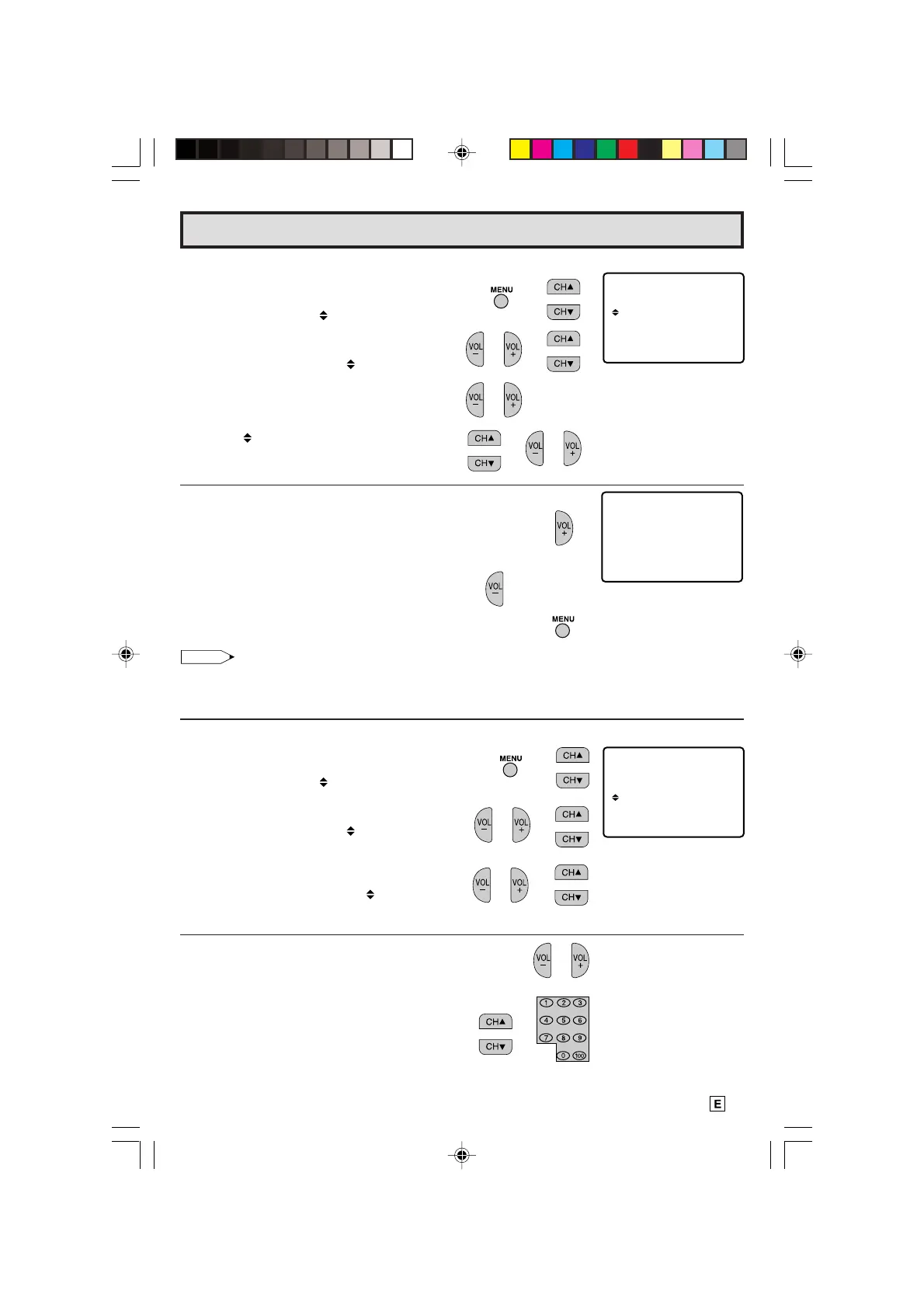
L Saving broadcast TV channels into memory.
1.1 Press
MENU
to access the MAIN MENU
screen, then press
CH UP (
8
)
or
DOWN
(
9
)
to move the “ ” mark to “SET UP”.
1.2 Press
VOL (+)
or
(–)
to access SET UP
mode, then press
CH UP
(
8
)
or
DOWN
(
9
)
to move the “ ” mark to “CH
SETTING”.
1.3 Press
VOL (+)
or
(–)
to access CH
SETTING mode.
1.4 Press
CH UP (
8
)
or
DOWN (
9
)
to move
the “
” mark to “CH SEARCH”, then press
VOL (+)
or
(–)
to access CH SEARCH
mode.
START
2.1 Press
VOL (+)
. The tuner will search
through all available channels in your area
and add them into the TV’s memory.
STOP
2.2 Press
VOL (–)
. CH SEARCH will stop at
the current channel and will not add any
higher channels.
2.3 Press
MENU
to exit.
Note:
• If you press
VOL (+)
again while in the CH SEARCH mode, auto-
program will start again, and the previously memorized channels will
be lost.
L Adding weak or additional channels or erasing unwanted channels from TV memory.
1.1 Press
MENU
to access the MAIN MENU
screen, then press
CH UP (
8
)
or
DOWN
(
9
)
to move the “ ” mark to “SET UP”.
1.2 Press
VOL (+)
or
(–)
to access SET UP
mode, then press
CH UP (
8
)
or
DOWN
(
9
) to move the “ ” mark to “CH
SETTING”.
1.3 Press
VOL (+)
or
(–)
to access CH
SETTING mode, then press
CH UP (
8
)
or
DOWN (
9
)
to move the “ ” mark to “CH
MEMORY”.
2.1 Press
VOL (+)
or
(–)
to access CH
MEMORY.
2.2 Use
CH UP (
8
)
or
DOWN (
9
)
or
REMOTE
KEYPAD
to select each desired channel
to add or erase.
(CH SETTING mode)
→
→
→
(CH SEARCH mode)
→
→
(CH SETTING mode)
18-22 14LK22 [E].p65e 9/5/01, 6:27 PM21
Downloaded from: http://www.usersmanualguide.com/



 To Next Page