VOL
—
VOL
+
VOL
+
1 2 3
4 5 6
7 8 9
0
100
FLASHBACK
ENTER
PERSONAL PREFERENCE
POWER
TV
DVD
VCR
MENU MUTE
CATV TV
DVD VCR
DISPLAY
INPUT
VOL
—
CH
CH
VOL
+
ABCD
VOL
—
VOL
+
CH
CH
→
(Remote Control)
POWER
CHANNEL
UP (8)/
DOWN (9)
MENU
VOLUME
(+)/(–)
(On the Set)
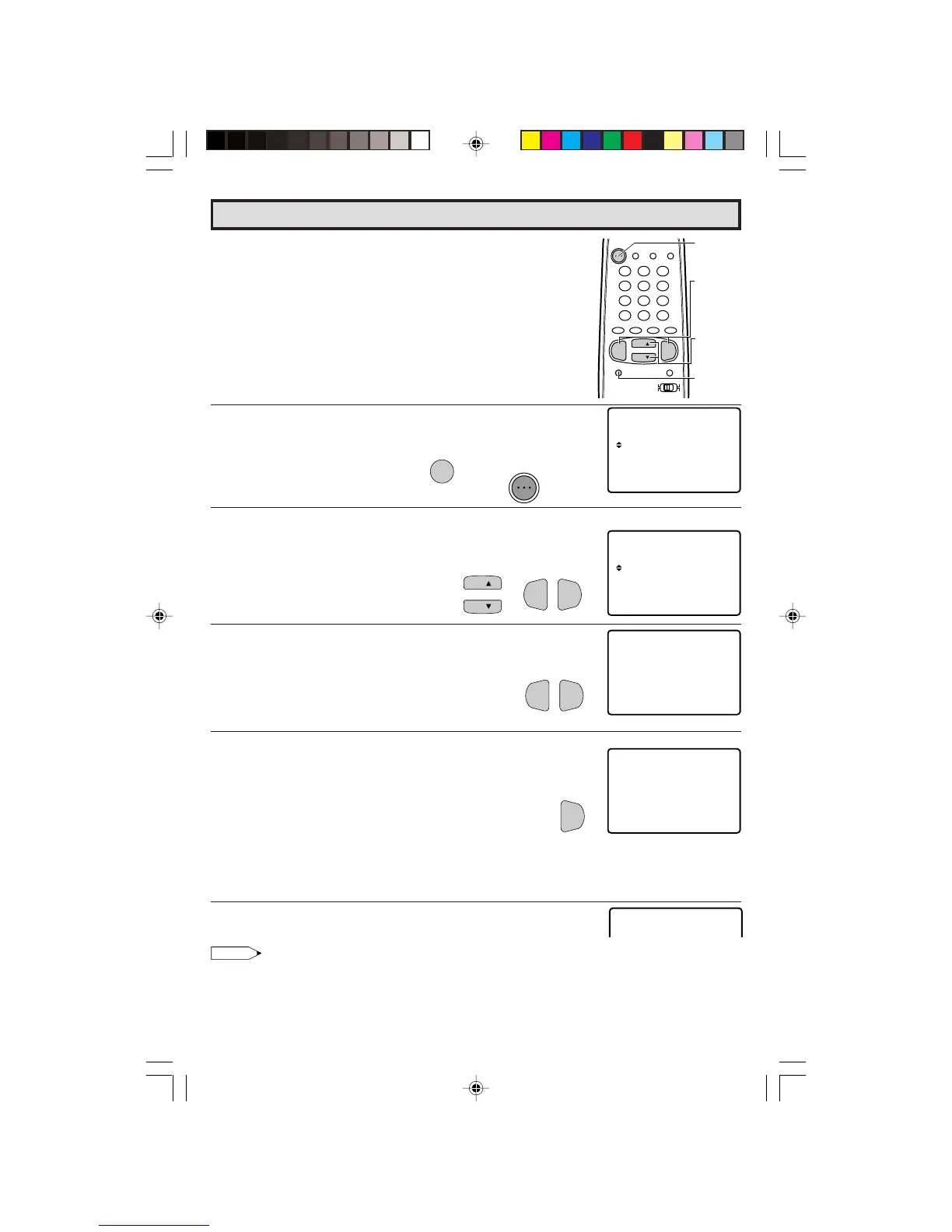
(EZ SETUP mode)
L When you turn on the TV for the first time, it will automatically
memorize the broadcast channels.
Please perform the following instructions before pressing the
power button.
(1) Insert the batteries into the remote control. (See page 11)
(2) Connect the antenna cable to the TV set. (See page 11 ~ 12)
(3) Plug in the AC POWER cord to the wall outlet.
1 Press the
POWER
button on the TV set or on the Remote Control
to turn on the TV. The SELECT LANGUAGE mode will be displayed.
2 Press
CH UP
(
8
) or
DOWN
(
9
) to select “ENGLISH”, “SPANISH
(ESPAÑOL)” or “FRENCH (FRANÇAIS)”. Then press
VOL (+)
or
(–)
to SET LANGUAGE.
3 Press
VOL (+)
or
(–)
to access EZ SETUP mode.
4 Press
VOL (+)
.
The tuner will automatically search for the
broadcast and cable TV channels. (The CH No.
will automatically increase when it appears.)
If you want to stop the EZ SETUP process once it
has started, press
VOL (–)
and it will be cancelled.
If you want to SETUP again, please refer to page
33 on SETUP.
To cancel EZ SETUP
Press
VOL (–)
.
5 Once EZ SETUP is completed, the lowest channel number
memorized will be displayed.
Note:
• If EZ SETUP does not memorize all the channels in your region, please refer to page 34 for more
information on manually memorizing the channels using CHANNEL SETTING.
• It may be difficult to PRESET when the broadcast signals are weak, the channel cycle frequency is
incorrect or frequency jamming is occuring around the area. Please refer to pages 34 ~ 36 for more
information on manually memorizing the channels using CHANNEL SETTING.
EZ SETUP during First Use
(SELECT LANGUAGE mode)
POWER
POWER
TV
16-17 27R-S100.p65e 5/4/01, 10:36 AM16


 To Next Page