CH
CH
VOL
—
VOL
+
CH
CH
VOL
—
VOL
+
CH
CH
VOL
—
VOL
+
VOL
—
VOL
+
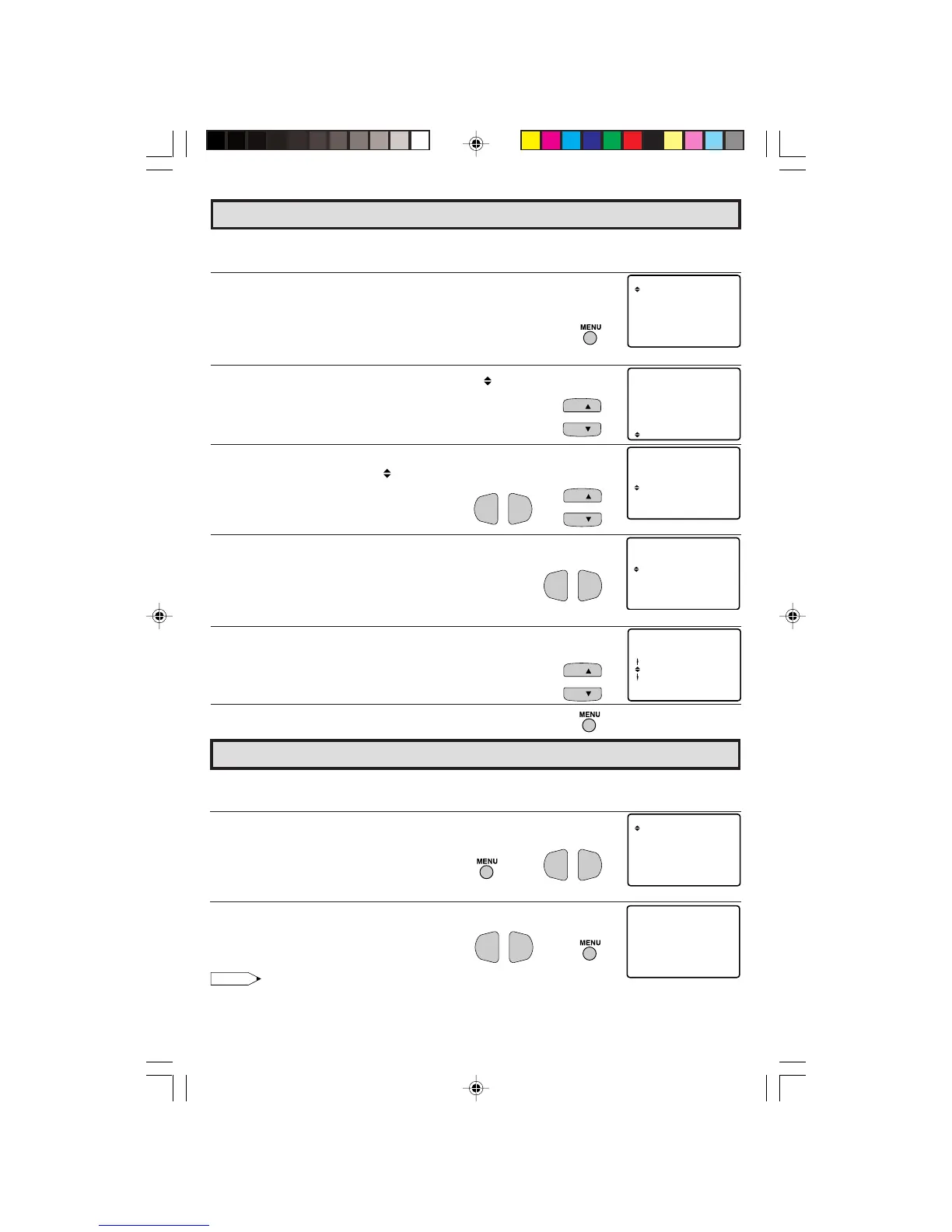
L The language for the ON SCREEN DISPLAY can be set to ENGLISH, SPANISH or FRENCH.
L Setting the ON SCREEN DISPLAY Language.
1 Press
MENU
to access the MAIN MENU screen.
2 Press
CH UP
(
8
) or
DOWN
(
9
)
to move the “ ” mark to “SET UP”.
3 Press
VOL (+)
or
(–)
to access SET UP mode, then press
CH UP
(
8
)
or
DOWN
(
9
)
to move the “ ” mark to “LANGUAGE”.
4 Press
VOL (+)
or
(–)
to access LANGUAGE change mode.
5 Press
CH UP
(
8
) or
DOWN
(
9
) to select “ENGLISH”, “SPANISH
(ESPAÑOL)” or “FRENCH (FRANÇAIS)”.
6 Press
MENU
to exit.
Sleep Timer
L You can preset your television to turn off automatically in increments of 30, 60, 90 or 120
minutes.
1 Press
MENU
to access the MAIN MENU screen.
2 Press
VOL (+)
or
(–)
to access sleep timer mode.
3 Press
VOL (+)
or
(–)
to set a sleep time of 30, 60, 90 or 120 minutes.
4 Press
MENU
to exit.
Note:
• To turn off the Sleep Timer, repeat the above SLEEP TIMER steps and select “– – – REMAIN” during
step 3.
• While SLEEP TIMER is active, the time remaining will be briefly displayed on-screen at regular
intervals or when the remote’s Display key is pressed.
Language
(MAIN MENU screen)
(TIMER SET mode)
(LANGUAGE change mode)
(MAIN MENU screen)
→
→
(SET UP mode)
→
18-20 27R-S100.p65e 3/4/01, 11:09 AM18


 To Next Page