VOL
—
VOL
+
CH
CH
CH
CH
VOL
—
VOL
+
VOL
—
VOL
+
VOL
+
L EZ SETUP
By operating the channel preset functions, you can preset your
TV to the desired channels for viewing.
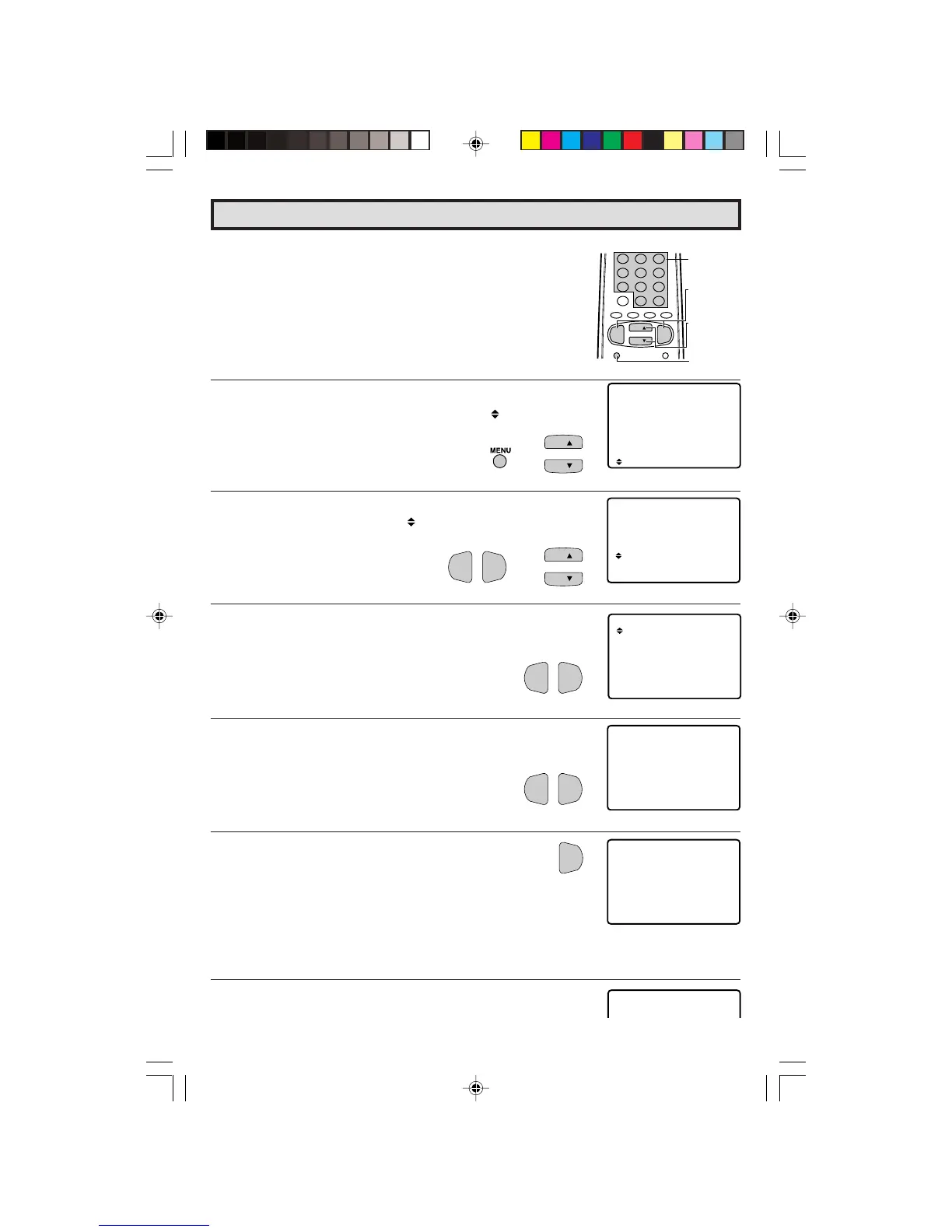
1 Press
MENU
to access the MAIN MENU screen.
2 Press
CH UP
(
8
) or
DOWN
(
9
) to move the “ ” mark to “SET
UP”.
3 Press
VOL (+)
or
(–)
to access SET UP mode, then press
CH UP
(
8
) or
DOWN
(
9
) to move the “ ” mark to “CH SETTING”.
4 Press
VOL (+)
or
(–)
to access CH SETTING mode.
5 Press
VOL (+)
or
(–)
to access EZ SETUP mode.
6 Press
VOL (+)
.
The tuner will automatically search for the
broadcasting and cable TV channels. (The CH No.
will automatically increase when it appears.)
If you want to stop the EZ SETUP process once it
has started, press
VOL (–)
. Search will be
canceled.
To cancel EZ SETUP
Press
VOL (–)
.
7 Once EZ SETUP is completed, the lowest channel number
memorized will be displayed.
Set Up
(MAIN MENU screen)
→
VOLUME
(+)/(–)
CHANNEL
UP (8)/
DOWN (9)
MENU
REMOTE
KEYPAD
(EZ SETUP mode)
(CH SETTING mode)
(SET UP mode)
→
33-34 27R-S100.p65e 3/4/01, 11:34 AM33


 To Next Page