SX-68JF200
11
SECAM CHROMA ADJUSTMENT
NO. Adjustment part Adjusting procedure and conditions Waveform and others
1
BELL FILTER fo
I
2
C bus adjust-
ment
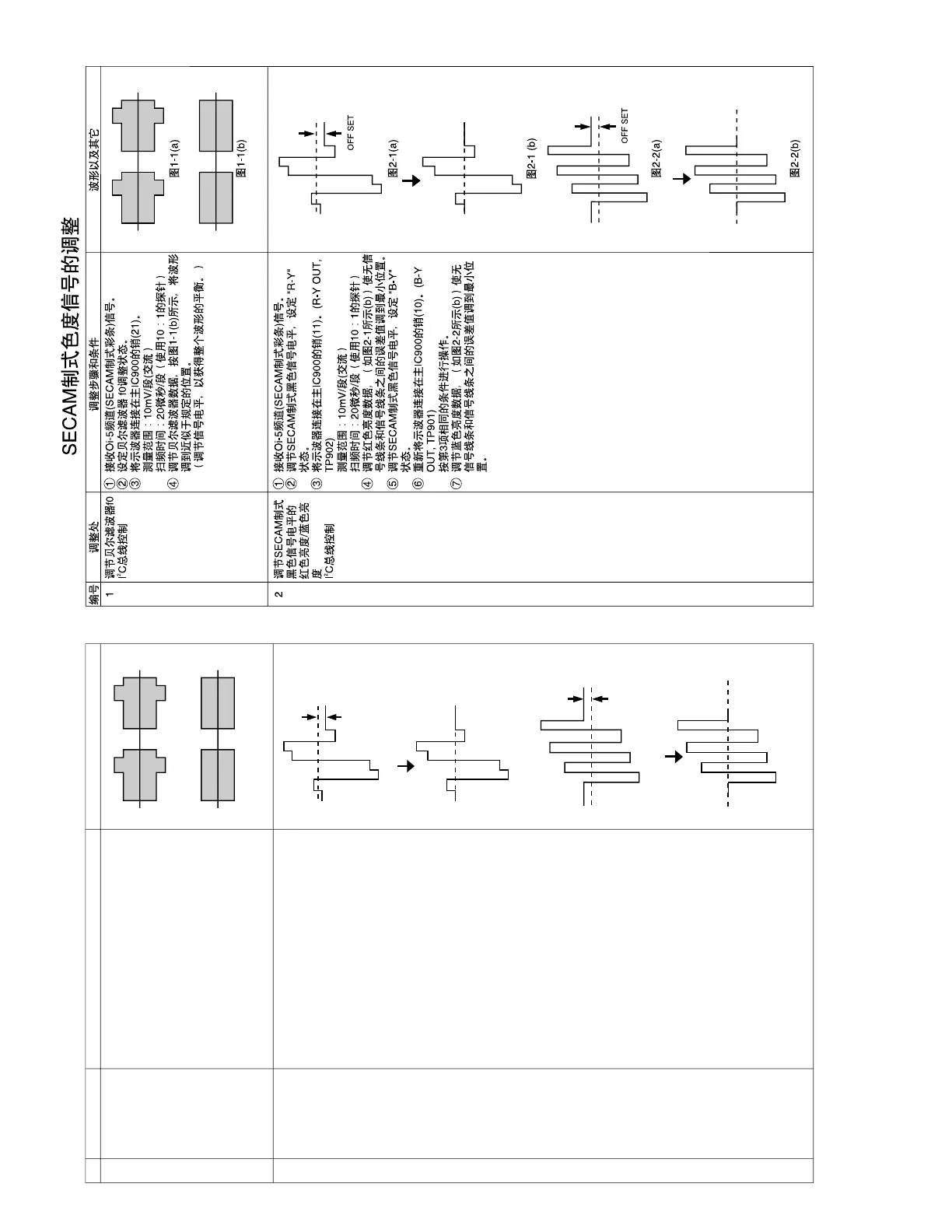
1 Receive Oi-5CH(SECAM colour bar).
2 Select the bell filter fo adjustment mode.
3 Connect the oscilloscope to 21pin of IC900.
Range : 10mV/Div. (AC)
Sweep time: 20µsec/Div. (10:1 probe is used.)
4 Vary the bell filter data to align the waveform to
be the nearest to that in Fig. 1-1(b).
(Arrange the level to gain the whole balance.)
Fig. 1-1(a)
Fig. 1-1(b)
1 Receive Oi-5CH(SECAN colour bar).
2 Select SECAM black level adjustment R-Y
mode.
3 Connect the oscilloscope to 11pin of IC900 (R-
Y OUT, TP902).
Range: 10mV/Div.
Sweep time: 20µsec/Div. (10:1 probe is used.)
4 Vary R-Y data to minimize the offset between
the non-signal line and signal line as shown in
Fig. 2-1(b).
5 Select SECAM black label adjustment B-Y
mode.
6 Reconnect the oscilloscope to 10pin of IC900
(B-Y OUT, TP901).
The conditions are the same as in Item 3.
7 Vary B-Y data to minimize the offset between
the non-signal line and signal line as shown in
Fig. 2-2(b).



 To Next Page