12 Getting Started
Removing the SIM Card and the Battery
1. Ensure that the phone is turned off and that the charger and
other accessories are disconnected. Slide off the battery
cover.
2. Lift the battery using the protruding edge and remove the
battery from the phone.
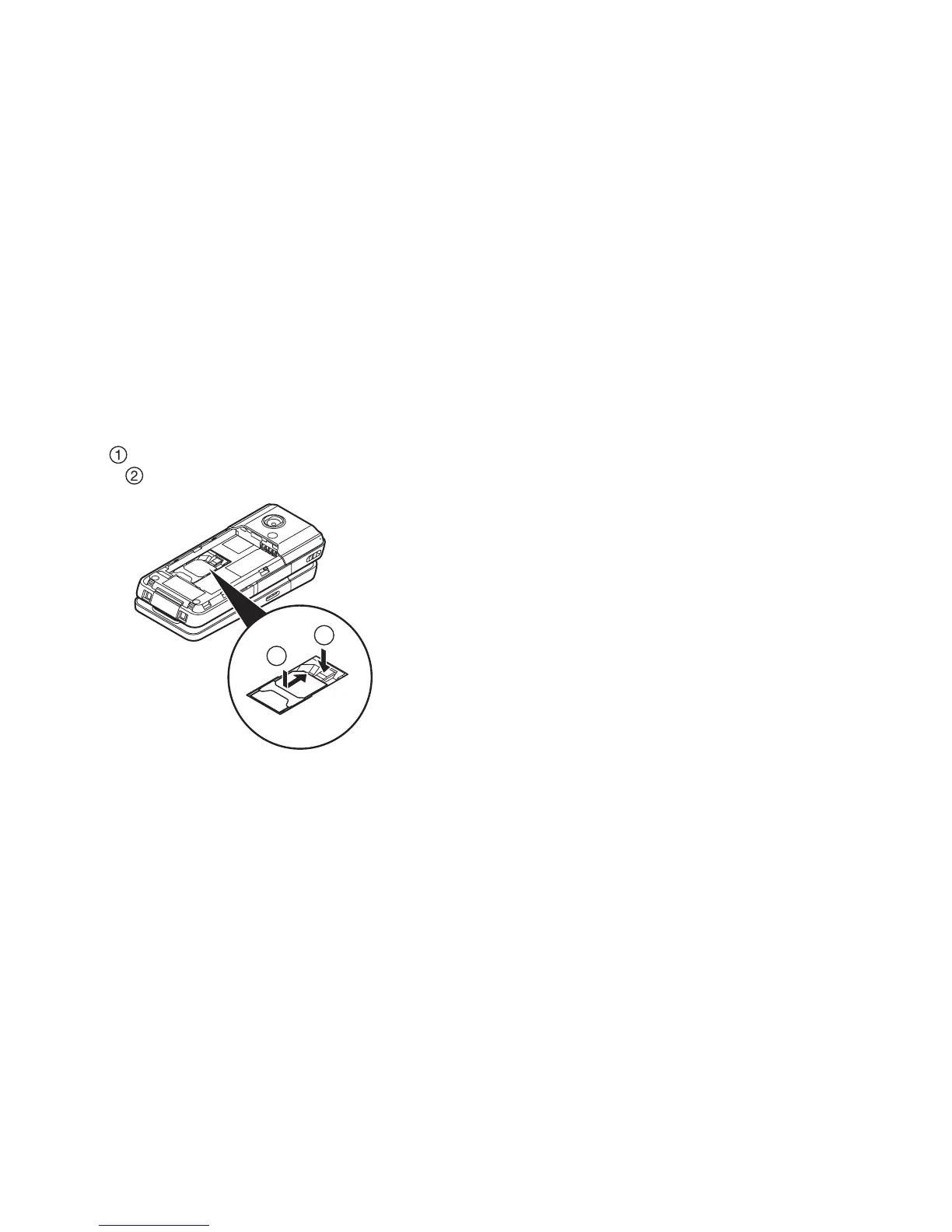
3. Hold down gently while sliding the SIM card out of the SIM
holder ( ).
Battery Disposal
The device is battery-powered. In order to protect the environment,
please read the following points concerning battery disposal:
• Take the used battery to your local waste depot, dealer or customer
service centre for recycling.
• Do not expose the used battery to a naked flame, immerse in water
or dispose with the household waste.
1
2



 To Next Page