TIMER ON
1
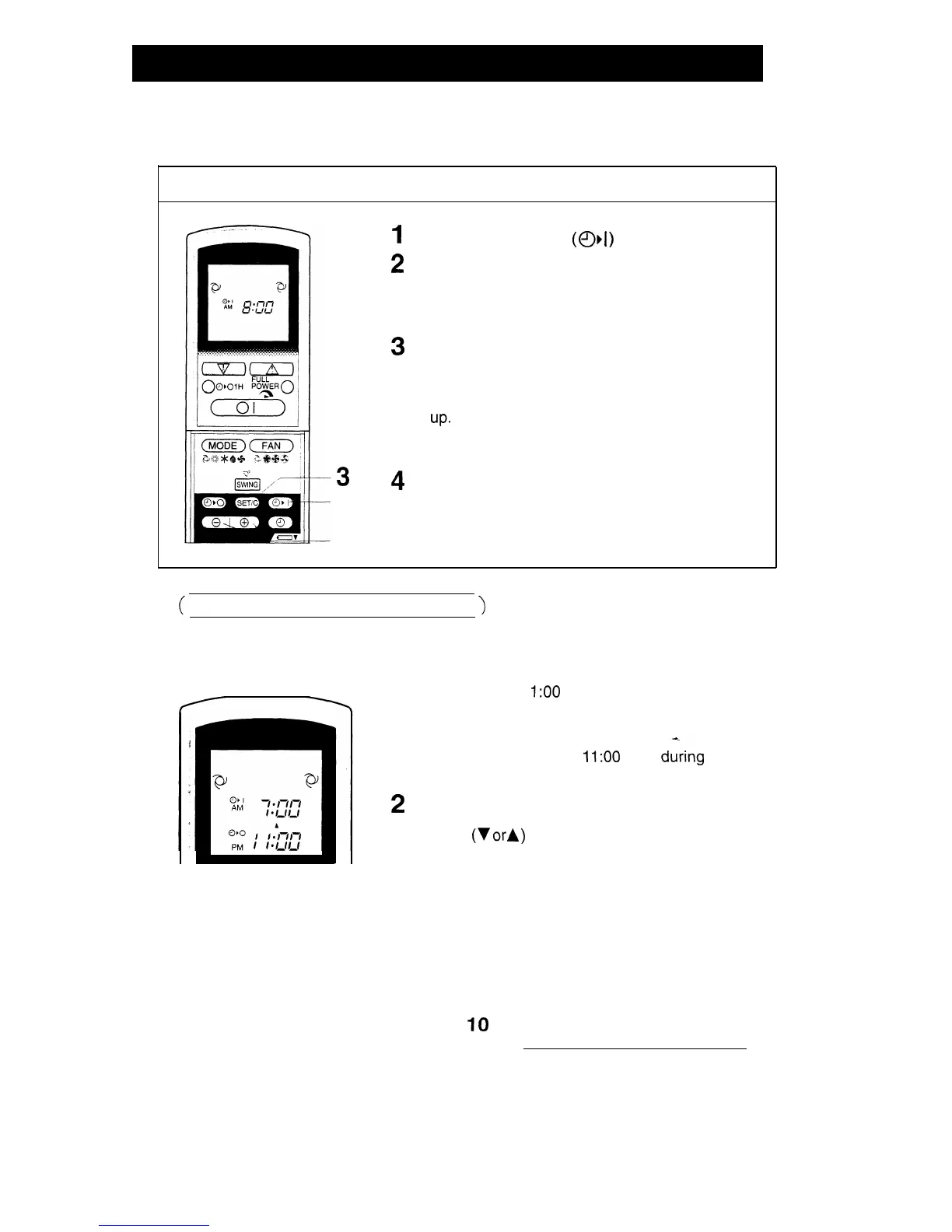
Press the TIMER ON
(
0,
1
)
button.
2
The TIMER ON indicator will blink; press the TIME
ADVANCE or REVERSE buttons to set the de-
sired time. (The time can be set in IO-minute incre-
ments.)
3
Point the remote control at the receiver window on
the indoor unit and press the TIMER SET (SET/C)
button.
l
The yellow TIMER lamp on the indoor unit lights
UP.
3
1
2
l
A beep will sound when the indoor unit receives
the signal.
4
Select the operation condition.
l The unit will turn on prior to the setting time to
allow the room to reach the desired temperature
by the programmed time. (Awaking function)
(
COMBINED USE OF ON AND OFF TIMERS
)
You can combine the use of the ON and OFF timers.
Example:
Stop operation at 1
I:00
p.m. and resume operation
(using the same settings) to obtain the desired room
temperature by 7:00 a.m.
1 Set the TIMER OFF to
1
I:00
p.m.
during
opera-
tion.
2
Set the TIMER ON to 7:00 a.m.
The arrows
(V
orlr
)
between the TIMER ON indicator
and the TIMER OFF indicator shows which timer will
activate first.
NOTES:
l You cannot program the ON and OFF timers to different temperatures or other
settings.
l
Either timer can be programmed prior to the other.
l
The timers will only operate once.
Although the last timer setting will be memorised, the timer must be selected each time
it is required.
IO


 To Next Page