On-Screen Display Menu
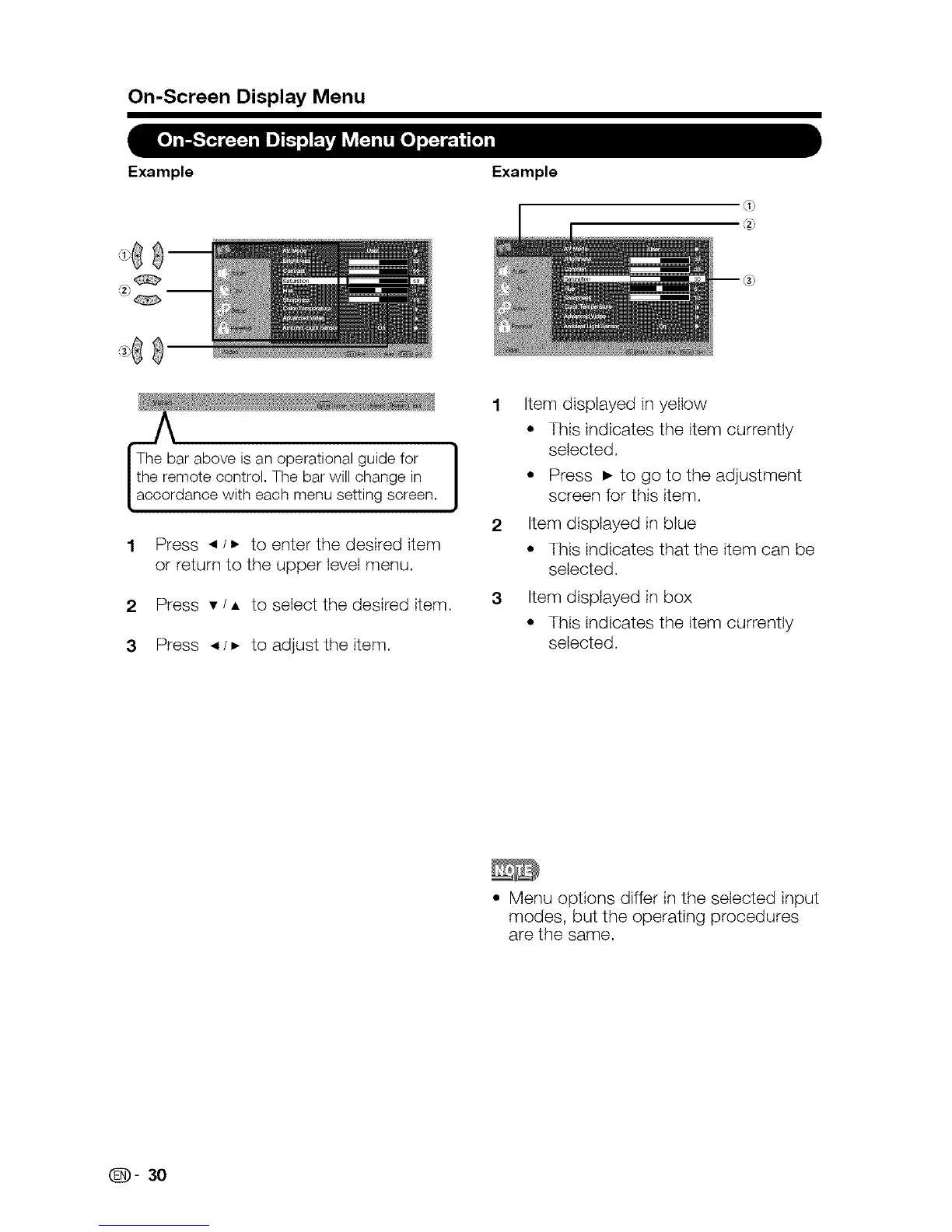
Example Example
2
3
Press _ / • to enter the desired item
or return to the upper level menu.
Press • / • to select the desired item.
Press _ /• to adjust the item.
1
J
2
Item displayed in yellow
° This indicates the item currently
selected.
° Press • to go to the adjustment
screen for this item.
Item displayed in blue
° This indicates that the item can be
selected.
Item displayed in box
* This indicates the item currently
selected.
* Menu options differ in the selected input
modes, but the operating procedures
are the same.
(_])- 30











 To Next Page