EasyManua.ls Logo

Sharp Aquos LC 46D85UN - User Manual

Sharp Aquos LC 46D85UN
47 pages
Print Icon
To Next Page IconTo Next Page
Loading...
SHARP ELECTRONICS CORPORATION
Sharp Plaza, Mahwah, New Jersey 07495-1163
SHARP CORPORATION
Printed in Mexico
Imprimé au Mexique
Impreso en México
TINS-E228WJZZ
09P06-MX-NM
LC-46D85UN LC-52D85UN OPERATION MANUAL MODE D'EMPLOI
MANUAL DE OPERACIÓN
ENGLISHFRANÇAISESPAÑOL
IMPORTANT : Please read this operation manual before starting operating the equipment.
IMPORTANT : Veuillez lire ce mode d'emploi avant de commencer à utiliser l'appareil.
IMPORTANTE : Lea este manual de operación antes de comenzar a operar el equipo.
ENGLISHFRANÇAISESPAÑOL
OPERATION MANUAL
MODE D'EMPLOI
MANUAL DE OPERACIÓN
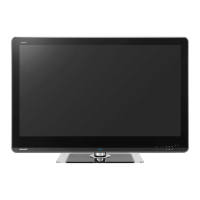
LIQUID CRYSTAL TELEVISION
TÉLÉVISEUR ACL
TELEVISOR CON PANTALLA
DE CRISTAL LÍQUIDO
ENGLISHFRANÇAISESPAÑOL
LC-46D85UN
LC-52D85UN
LC-4652D85UNEHyo1-4.indd1LC-4652D85UNEHyo1-4.indd1 2009/04/1015:45:292009/04/1015:45:29

Table of Contents

Questions and Answers

  • T
    tnguyenAug 13, 2025
    How to turn on Sharp Aquos LC 46D85UN?
    • S
      Stephanie MirandaAug 14, 2025
      First, check if you have pressed the TV POWER button on the remote. If the indicator on the TV doesn't light up, press the POWER button on the TV itself. Also, make sure the AC cord is properly connected and that the power is turned on.
  • M
    Megan ChambersAug 17, 2025
    Why is my Sharp Aquos LC 46D85UN remote not working?
    • A
      Alexandra MillerAug 17, 2025
      There are several reasons why your remote might not be working. Ensure the FUNCTION is set to the TV position. Check that the batteries are inserted correctly, aligning the polarity (e, f). If the batteries are old, replace them with new ones. Strong or fluorescent lighting near the TV or remote sensor can also interfere with the signal.
  • S
    Sharon BushAug 21, 2025
    What to do if my Sharp Aquos LC 46D85UN LCD TV has no sound?
    • E
      elizabeth97Aug 21, 2025
      If there is no sound coming from your Sharp LCD TV, first ensure that the volume isn't too low. Also, check if 'Variable' is selected in 'Output Select'. Finally, verify that you haven't accidentally pressed the MUTE button on the remote.
  • J
    Jennifer AdamsAug 25, 2025
    Why does my Sharp Aquos LC 46D85UN suddenly turn off?
    • M
      Melissa WellsAug 25, 2025
      Your Sharp LCD TV might be turning off suddenly due to several reasons. Check if the sleep timer is set. Review the power control settings. Another possibility is that the unit's internal temperature has increased. If this is the case, remove any objects blocking the vents or clean the vents to improve airflow.
  • C
    charlescooperAug 28, 2025
    How to fix no picture on Sharp Aquos LC 46D85UN?
    • J
      Jon CunninghamAug 29, 2025
      If your Sharp LCD TV has no picture, verify that all connections to other components are correct. Ensure the correct input signal source is selected after making connections. Also, confirm that the correct input is selected. Check the picture adjustments. Make sure that 'On' is not selected in 'Audio Only'. Finally, verify that a compatible signal is being input.
  • D
    Derrick ManningSep 1, 2025
    Why does my Sharp Aquos LC 46D85UN have strange colors?
    • M
      Matthew HarveySep 1, 2025
      If you're experiencing strange colors or color misalignment on your Sharp LCD TV, try adjusting the picture tone. Also, consider the room's brightness. A picture may appear dark in a room that is too bright.
  • A
    Angie WrightSep 5, 2025
    What to do if my Sharp Aquos LC 46D85UN cannot be operated?
    • H
      Henry WarrenSep 5, 2025
      If your Sharp LCD TV cannot be operated, it might be due to external influences such as lightning or static electricity. Turn off the power of the TV or unplug the AC cord, wait for 1 or 2 minutes, and then plug it back in and try operating it again.
  • E
    Ethan ReidSep 8, 2025
    Why does my Sharp Aquos LC 46D85UN LCD TV make cracking sounds?
    • J
      Jacob HopkinsSep 8, 2025
      The cracking sound your Sharp LCD TV sometimes makes is not a malfunction. It occurs when the cabinet slightly expands and contracts due to temperature changes. This does not affect the TV's performance.

Summary

IMPORTANT INFORMATION

FCC Compliance & Declarations

Covers FCC regulations, conformity, and interference information for the device.

Trademarks & Technology Notes

Lists product trademarks and highlights LC Font technology features.

IMPORTANT SAFETY INSTRUCTIONS

General Safety Precautions

Essential safety guidelines for installation, operation, and maintenance to prevent hazards.

Additional Safety Information

Further safety advice on grounding, environment, heat, and handling to ensure safe use.

Child and Wall Mounting Safety

Specific safety advice for child interaction and secure wall mounting to prevent accidents.

Supplied Accessories

Accessory List and Identification

Lists all included accessories with visual references and page numbers for details.

Quick Reference

Attaching the Stand

Step-by-step instructions for securely attaching the TV stand to the unit.

Quick Installation & Remote Usage

Guides for initial setup, connecting cables, and operating the remote control effectively.

Preparation

Antenna Connections Guide

Explains different antenna connection types and procedures for optimal reception.

Remote Control Battery Installation

Instructions for inserting batteries into the remote control unit for proper operation.

Part Names

TV Front and Rear;Side Identification

Visual guide to identify all ports, buttons, and controls on the TV unit.

Remote Control Unit Diagram

Detailed breakdown of the remote control buttons and their functions for user interaction.

Connecting External Equipment

Audiovisual Equipment Connections

How to connect composite, component, and S-Video devices to the TV for viewing.

Digital Audio & HDMI Connections

Guides for connecting devices via digital audio output and HDMI terminals for high-quality signals.

PC Connection Guide

Steps for connecting a computer using analog RGB or HDMI interfaces for display.

Watching TV

Powering On;Off and Initial Setup

Instructions for turning the TV on/off and completing the initial setup process for first-time use.

Direct Button Operation

Channel, Volume, Mute & Sleep Timer

Explains direct control of basic TV functions using remote buttons for quick adjustments.

Flashback, Surround, Freeze & Input

Guides for using advanced direct functions like flashback, surround sound, freeze, and input selection.

AV Mode & Audio Settings

How to adjust viewing modes and audio options directly for personalized viewing and listening.

Power Saving & Closed Captions

Direct control for power saving features and closed caption display for accessibility.

View Mode Selection

How to adjust screen aspect ratio and display modes for different content types.

On-Screen Display Menu

Picture Menu Settings

Detailed settings for picture quality, contrast, color, and advanced image enhancements.

Audio Menu Settings

Settings for sound quality, including treble, bass, balance, and surround effects.

Power Control & Setup Menus

Configuration options for power saving, initial setup, language, and channel management.

Input, Position & Parental Control Settings

Managing input sources, image positioning, and parental control features like V-Chip.

Option Menu & Digital Setup

Accessing advanced options, digital broadcasting settings, and software updates.

Software Update Process

Step-by-step guide for updating TV software using a USB memory device.

Other Viewing Options

Presetting Remote Control Function

How to program the remote to control other AV devices by manufacturer code.

Operating Connected Equipment & Manufacturer Codes

Instructions for operating external devices and finding remote control codes.

Using AQUOS LINK

Controlling HDMI Equipment via AQUOS LINK

How AQUOS LINK enables interactive control of connected HDMI devices using a single remote.

AQUOS LINK Setup & Features

Configuration, one-touch operations, timer recording, playback, and audio system control.

Appendix

Stand Removal & Wall Mounting

Procedures for detaching the stand and mounting the TV on a wall safely.

Troubleshooting & Usage Cautions

Solutions for common problems and warnings for usage environments to ensure proper function.

RS-232 C, Software License & Secret Number

Technical specifications, software licensing, and secret number management procedures.

Specifications & Optional Accessories

Detailed technical specifications and available optional accessories for the TV.

PC Compatibility Chart

PC Resolution & Frequency Settings

Guide to compatible PC resolutions and frequencies for optimal display.

Calling for Service

Limited Warranty Information

Details of the consumer limited warranty, coverage, and service procedures.

Dimensional Drawings

TV Physical Dimensions

Visual representation of the TV's physical dimensions for both models.

Sharp Aquos LC 46D85UN Specifications

General IconGeneral
BrandSharp
ModelAquos LC 46D85UN
CategoryLCD TV
LanguageEnglish

Related product manuals