43
Useful adjustment settings
Wide Screen Signalling (WSS)
WSS allows a television to switch automatically among
the different screen formats.
Press MENU and the MENU screen displays.
1
Press
c
/
d
to select “Setup”.
2
Press
a
/
b
to select “WSS”, and then press
ENTER.
3
Press
c
/
d
to select “On” or “Off”, and then
press ENTER.
4
NOTE
• Try to set WIDE mode if an image does not switch to the
correct screen format. When the broadcast signal contains
no WSS information, the function will not work even if
enabled.
Picture aspect ratio
The WSS signal has 4:3 auto-switching that allows you
to select between Panorama and Normal.
Press MENU and the MENU screen displays.
1
Press
c
/
d
to select “Setup”.
2
Press
a
/
b
to select “4:3 Mode”, and then
press ENTER.
3
Press
c
/
d
to select “Panorama” or “Normal”,
and then press ENTER.
4
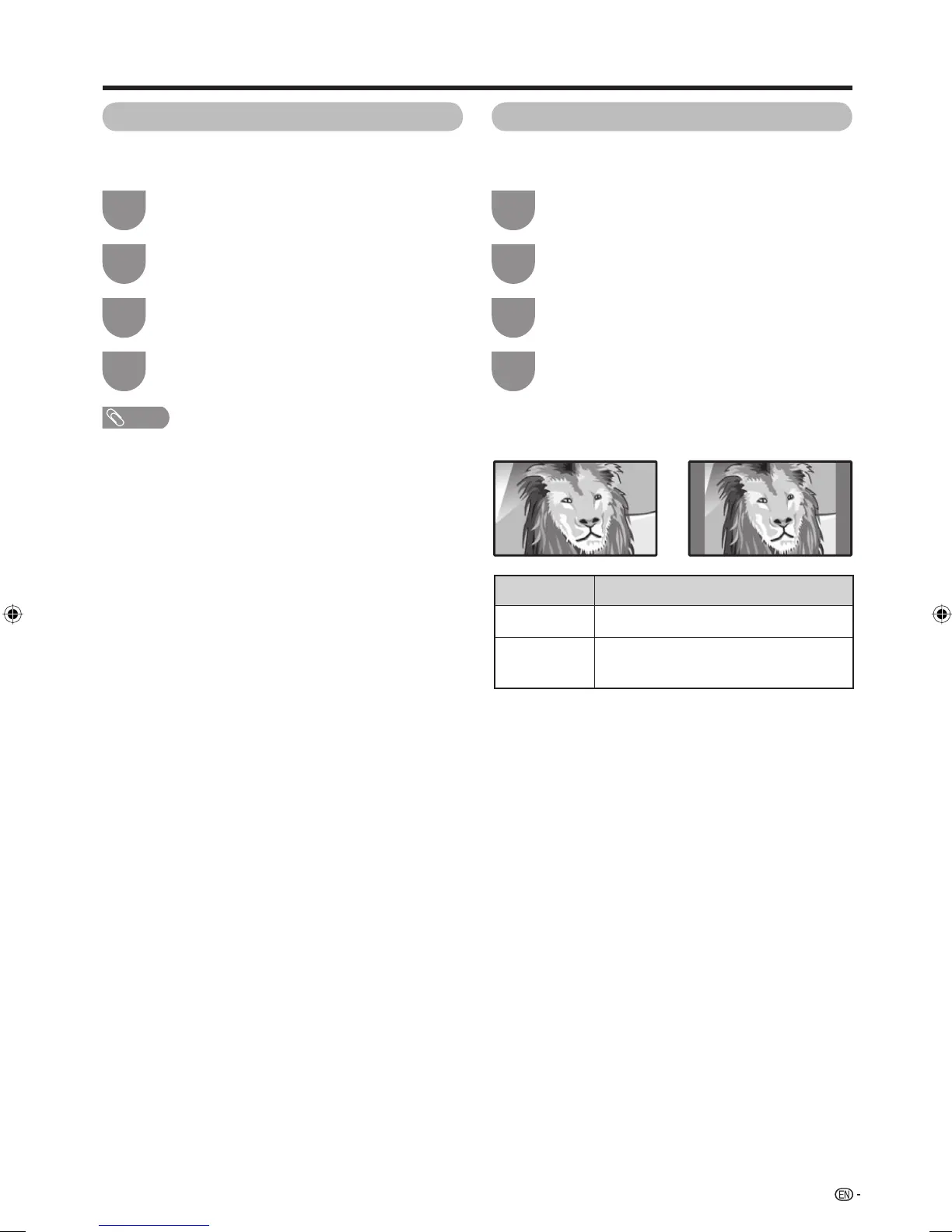
WSS signal 4:3 screen
4:3 mode “Panorama” 4:3 mode “Normal”
Selected item
Panorama
Normal
Description
Wide image without side bars
Normal range keeping 4:3 or 16:9 aspect
ratio
46PD7X_en_g.indd 4346PD7X_en_g.indd 43 2007/01/12 16:33:092007/01/12 16:33:09












 To Next Page