4-11
4
USER MAINTENANCE
To ensure good service from this product over a long period of time, it is recommended that the following maintenance
be performed on a regular basis.
NOTE
When cleaning, do not use thinner, benzene, or
similar volatile cleaning agents.
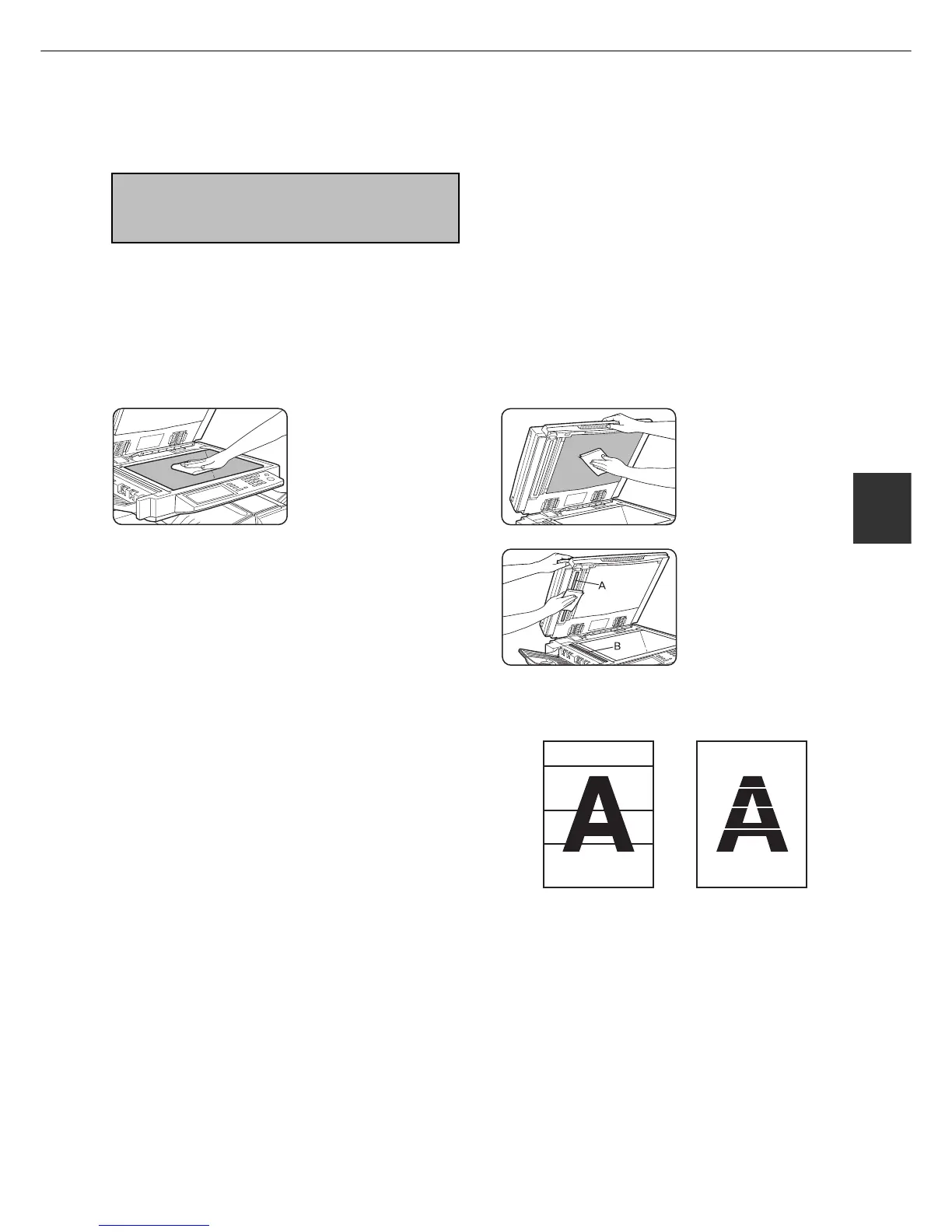
Cleaning the scanner module
If the document glass, DSPF scanning section glass or document cover have dirty spots, these spots will become
part of scanned images. These will show up as defects when the images are printed. Clean these areas by wiping them
with a soft, clean cloth dampened with water or a small amount of a neutral detergent and then wipe them dry.
If black or white stripes
appear on printed images
of originals that were fed
through the DSPF, wipe
the scanning section
glasses shown as A and
B in the illustration.
Black stripes White stripes



 To Next Page