0-6
FACSIMILE FEATURE
To extend the capabilities of this product to include facsimile functions, an optional facsimile expansion kit must be
installed. Refer to the facsimile operation manual for details on using the facsimile features.
■■
■■
■ Line connection
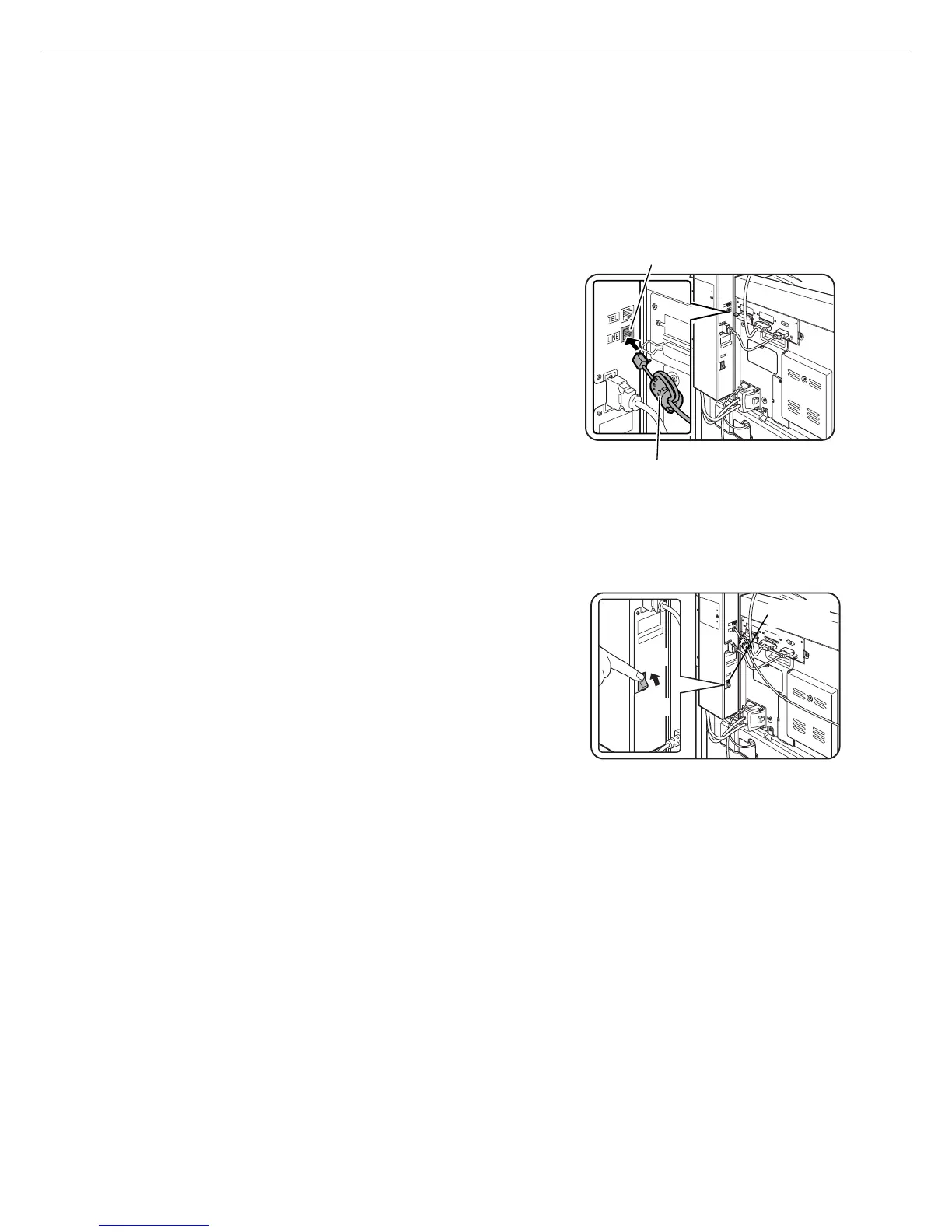
Use the telephone cable supplied with the facsimile expansion kit to
connect the machine to a telephone line. Connect the cable so that
the connector nearest to the noise suppression core is inserted into
the socket located of the expansion kit box. Insert the other end into
the telephone line socket.
■■
■■
■ Fax power switch
For the facsimile features to function, the power switch located on
the expansion kit box must be turned on.



 To Next Page