5-22
SADDLE STITCH FINISHER
8
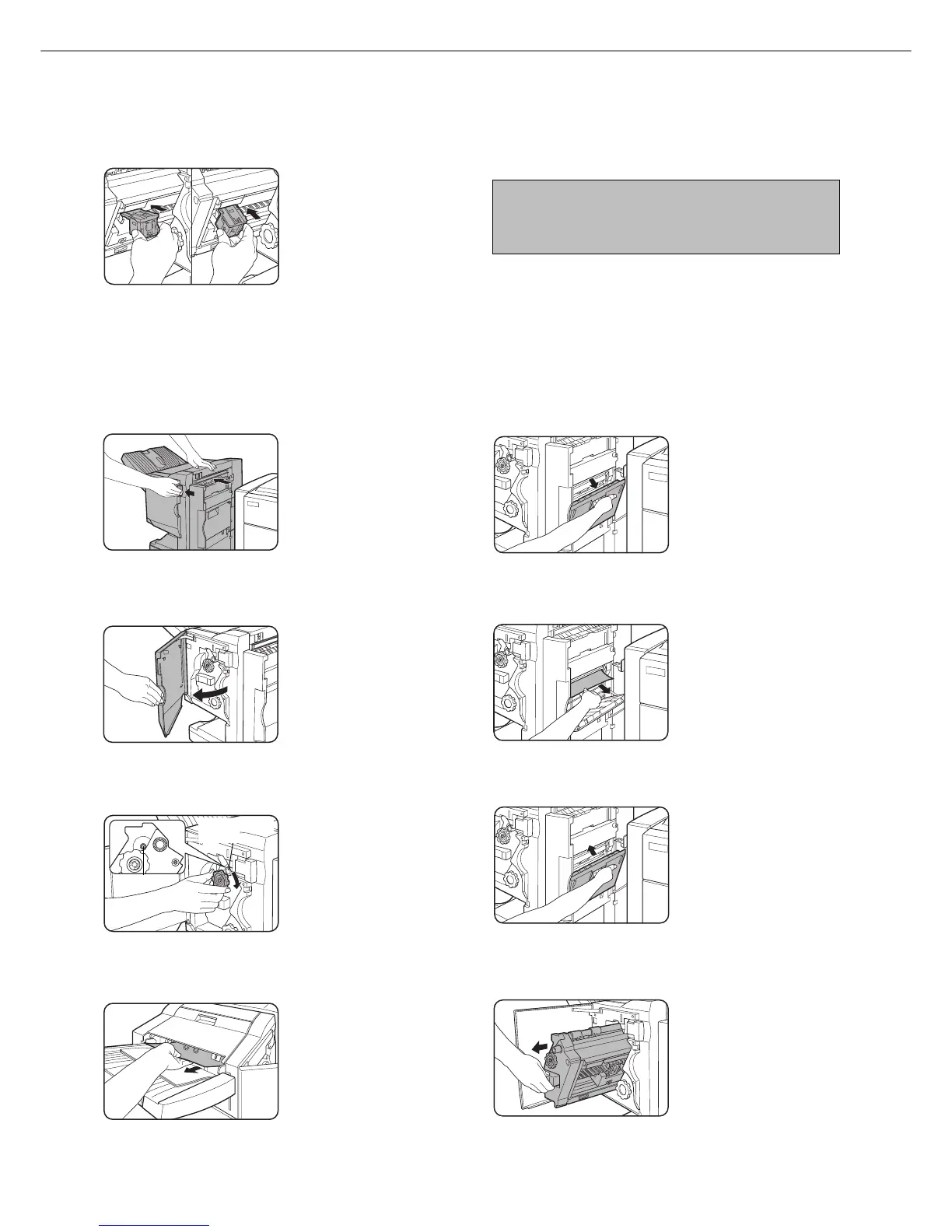
Insert the staple box.
Push the staple box in
until it clicks into place.
9
Push the stapler section back into the
finisher.
■■
■■
■ Staple jam removal
1
Unlatch the saddle stitch finisher and slide
it away from the printer.
2
Open the front cover.
3
Turn roller rotating knob C as shown in the
illustration until the blue indication is seen.
4
Remove the paper from the stapler
compiler.
5
If saddle stitch was selected, open the
saddle stitch section cover.
6
Remove the misfed paper.
Be careful not to tear the
misfed paper during
removal.
7
Close the saddle stitch section cover.
8
Open the front cover and pull out the
stapler unit.
Blue
Roller rotating
knob C
10
Close the front cover.
NOTE
Make a test print or copy in the staple sort mode to
ensure that stapling is performed properly.



 To Next Page