AR-6020V SPECIFICATIONS 2 – 7
2. Copy functions
A. Copy Ratio
* It can’t be set when using the RSPF.
B. Exposure/Copy image quality processing
C. Copy function
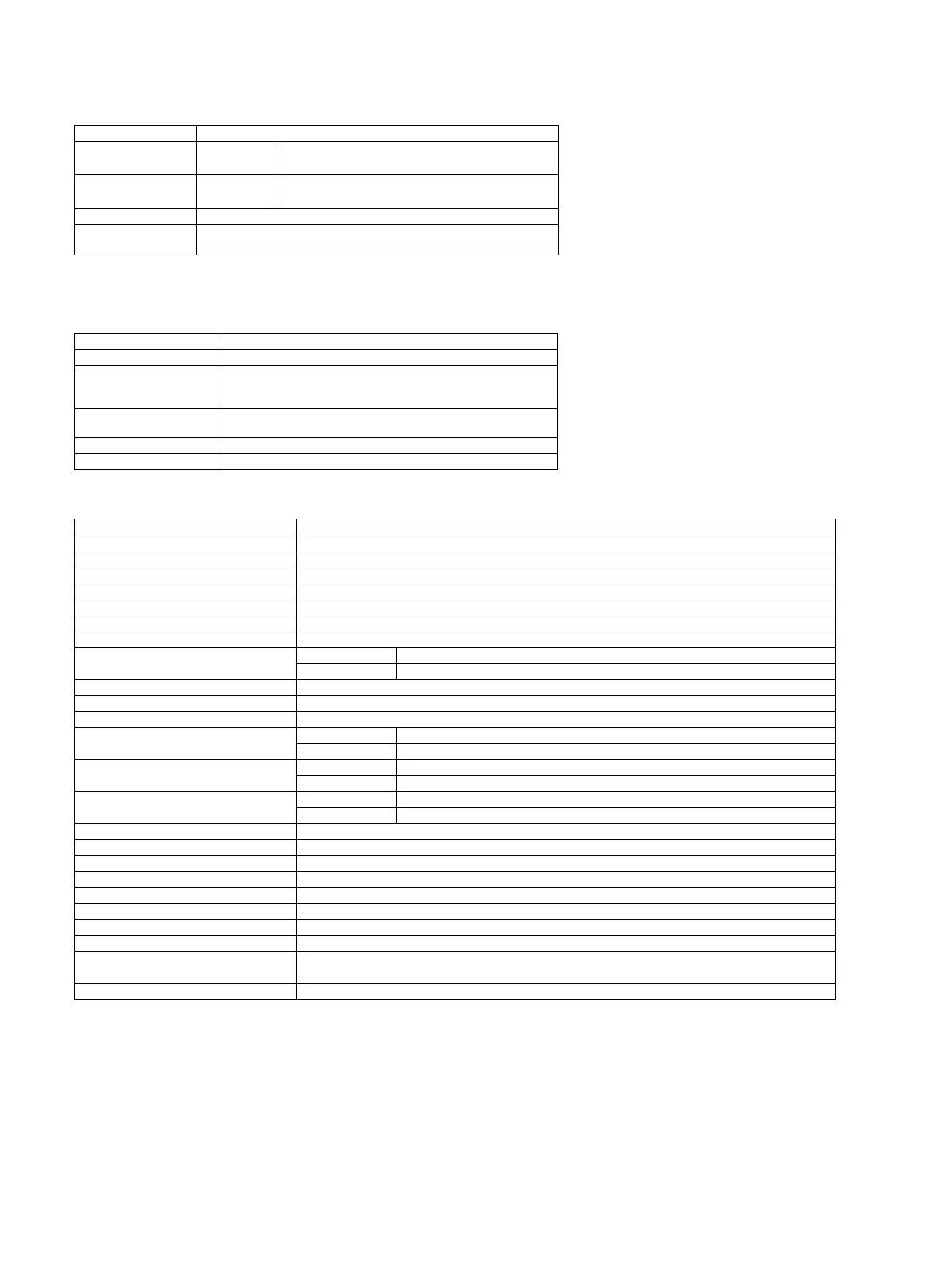
Item Contents
Copy Ratio (Fixed)
AB Series
Inch Series
25%*,50,70,81,86,100,115,122,141,200,400%*
25%*,50,64,77,95,100,121,129,141,200,400%*
Zoom
Platen
R-SPF
25-400%(376 levels by 1%)
50-200%(151 levels by 1%)
Preset Ratio None
XY Zoom
Yes (25-400% for both horizontally and vertically, However, when R-
SPF is used, 50-200%)
Item Contents
Exposure Mode Auto/Text/Photo
Resolution
Writing: 600 x 600 dpi
Scanning: 400 (main) x 600 (sub) dpi (Photo Mode), 400 (main) x
600 (sub) dpi (AE, Text Mode)
Gradation
Writing : 2 values
Scanning: 256 gradations
Number of manual steps 5 steps (Text/Photo)
Toner Save Mode Yes (the setting is different depending on the area)
Item Contents
Auto Paper Selection (APS) O
Auto Magnification Selection (AMS) O
Auto Tray Switching O
Support Mixed Original X
Stream Feeding Mode O
Memory Copy (SOPM) O
Rotation Copy O
e-Sort
Sort Function O *Except for Interrupt Copy
Group Function O
Rotation Sort O
Sky Shot Prevention X
XY Zoom O
Dual Page Copy
OC O *Except for enlarged copy
RSPF X
Margin Shift
AB series 10mm(5, 10, 15, 20mm)
Inch series 1/2 inch (1/4,1/2,3/4,1 inch)
Edge+Center Erase
AB series 10mm(5, 10, 15, 20mm)
Inch series 1/2 inch (1/4,1/2,3/4,1 inch)
B/W Reverse X
2in1 / 4 in 1 O
ID Card Copy O (can enlarge, because the ID Card Copy for all destinations.)
Off-set Print X
Preheat Function O(Terms can be specified by system setting)
Auto Power Shutoff O(Terms can be specified by system setting)
System Setting O
Duplex Copy O(Only for D-model/N-model)
Toner Save Mode
O(Can be specified according to area/Settings can be changed by service
simulation)
Account Control O(Only copy can be controlled. Number of control: 20)



 To Next Page