AR-6020V SIMULATIONS 6-18
44
01
Result data of the process control
operation display
When this simulation is executed, the current code number is displayed on the number of copies display.
Switching can be made with [Copy ratio] keys.
Enter a code number with the [Numeric] keys and press [START] key, and the setting is settled and saved into the
EEPROM and the machine.
When the [INTERRUPT] key is pressed at that time, the machine goes into the sub code input standby mode.
When the [CA] key is pressed, the simulation mode is terminated.
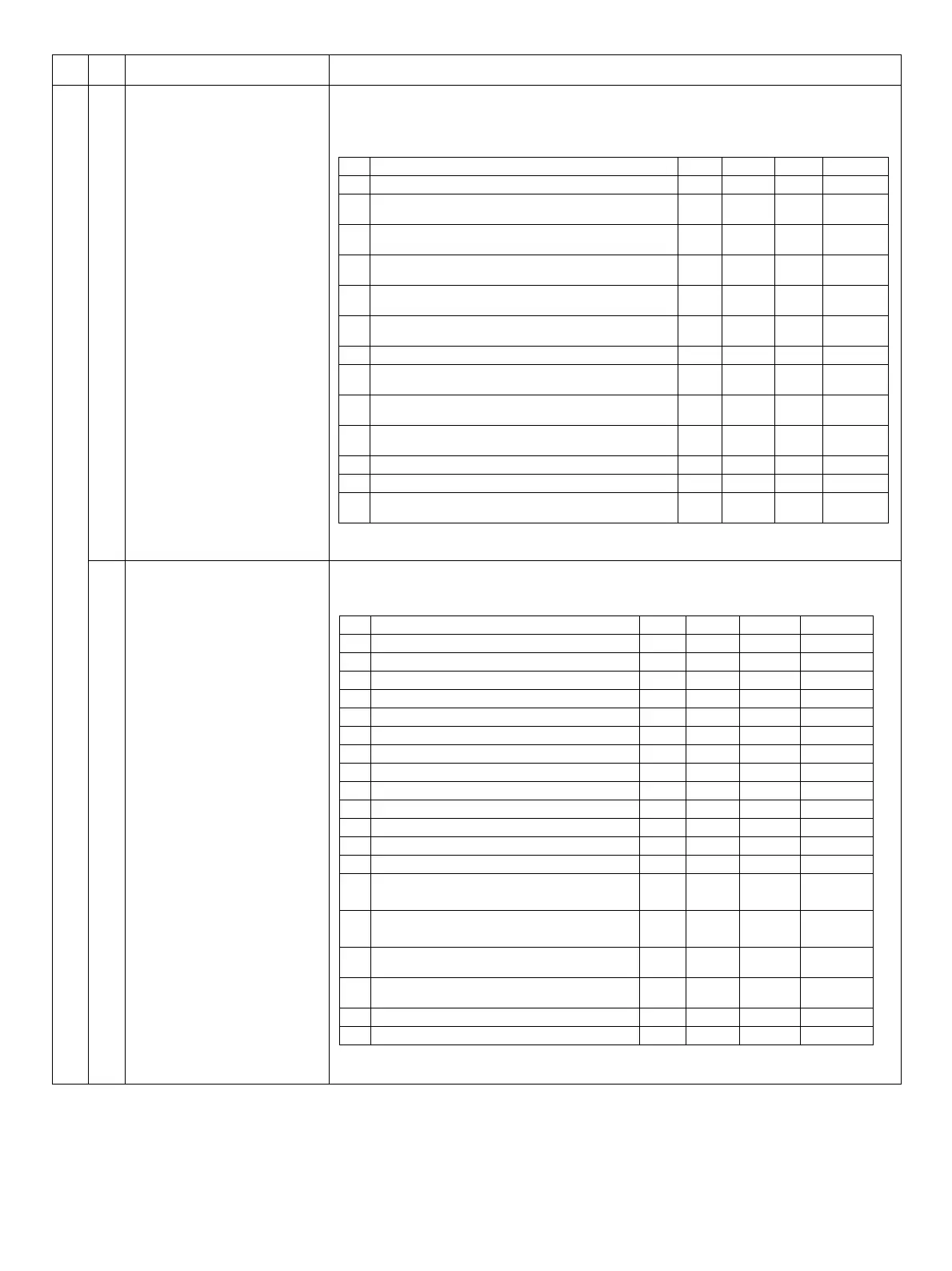
09 Process control data display 1
When this simulation is executed, the current code number is displayed on the number of copies display.
Switching can be made with [Copy ratio] keys.
When the negative value is displayed, the [Developer replacement required] indicator lights.
When the [INTERRUPT] key is pressed at that time, the machine goes into the sub code input standby mode.
When the [CA] key is pressed, the simulation mode is terminated.
Main
code
Sub
code
Contents Details of operation
No. Contents Setting Display Range Default
1 Dissolution correction (GB) Permission/Prohibition setting O O 0 - 1 1
2
Dissolution developer life correction (GB, DVB) Permission/
Prohibition setting
O O 0 - 1 1
3
Dissolution environmental correction (GB, DVB) Permission/
Prohibition setting
O O 0 - 1 1
4
Dissolution duplex printing correction (GB, DVB) Permission/
Prohibition setting
O O 0 - 1 1
5
Dissolution life correction (laser power) Permission/
Prohibition setting
O O 0 - 1 1
6
Dissolution environmental correction (laser power)
Permission/Prohibition setting
O O 0 - 1 1
7 Toner density life correction Permission/Prohibition setting O O 0 - 1 1
8
Toner density environmental correction Permission/
Prohibition setting
O O 0 - 1 1
9
Toner density duplex printing correction Permission/
Prohibition setting
O O 0 - 1 0
10
Toner density printing ratio correction Permission/Prohibition
setting
O O 0 - 1 1
11 Unqualified toner supply Permission/Prohibition setting O O 0 - 1 1
12 Transfer printing correction Permission/Prohibition setting O O 0 - 1 1
13
Transfer control (Cleaning between jobs ON/OFF)
Permission/Prohibition setting
O O 0 - 1 0
No. Contents Setting Display Range Default
1 GB default value (TSOFF) - O 0 - 750 540
2 DVB default value (TSOFF) - O 0 - 650 400
3 Corrected GB value (TSOFF) - O 0 - 750 540
4 Corrected DVB value (TSOFF) - O 0 - 650 400
5 Copy GB default value (TSON) - O 0 - 750 460
6 Copy DVB default value (TSON) - O 0 - 650 320
7 Corrected GB value (Copy TSON) - O 0 - 750 460
8 Corrected DVB value (Copy TSON) - O 0 - 650 320
9 Printer GB default value (TSON) - O 0 - 750 540
10 Printer DVB default value (TSON) - O 0 - 650 400
11 Corrected GB value (Printer TSON) - O 0 - 750 540
12 Corrected DVB value (Printer TSON) - O 0 - 650 400
13 Dissolution correction GB value - O 0 - 255 0
14 Developer life correction GB value for process unit - O
-127 -
127
0
15 Developer life correction DVB value for process unit - O
-127 -
127
0
16 Environmental correction GB value - O
-127 -
127
0
17 Environmental correction DVB value - O
-127 -
127
0
18 Duplex printing correction GB value - O 0 - 255 0
19 Duplex printing correction DVB value - O 0 - 255 0


 To Next Page