AR-M350 SIMULATIONS 10-29
* When NIC is installed, reset cannot be performed. Therefore, the
power must be turned off/on.
* This simulation cannot change the FAX destination. Use SIM 66-2 to
change the FAX destination.
<List of destinations>
<List of set values>
<List of set values>
<List of set values>
<List of set values>
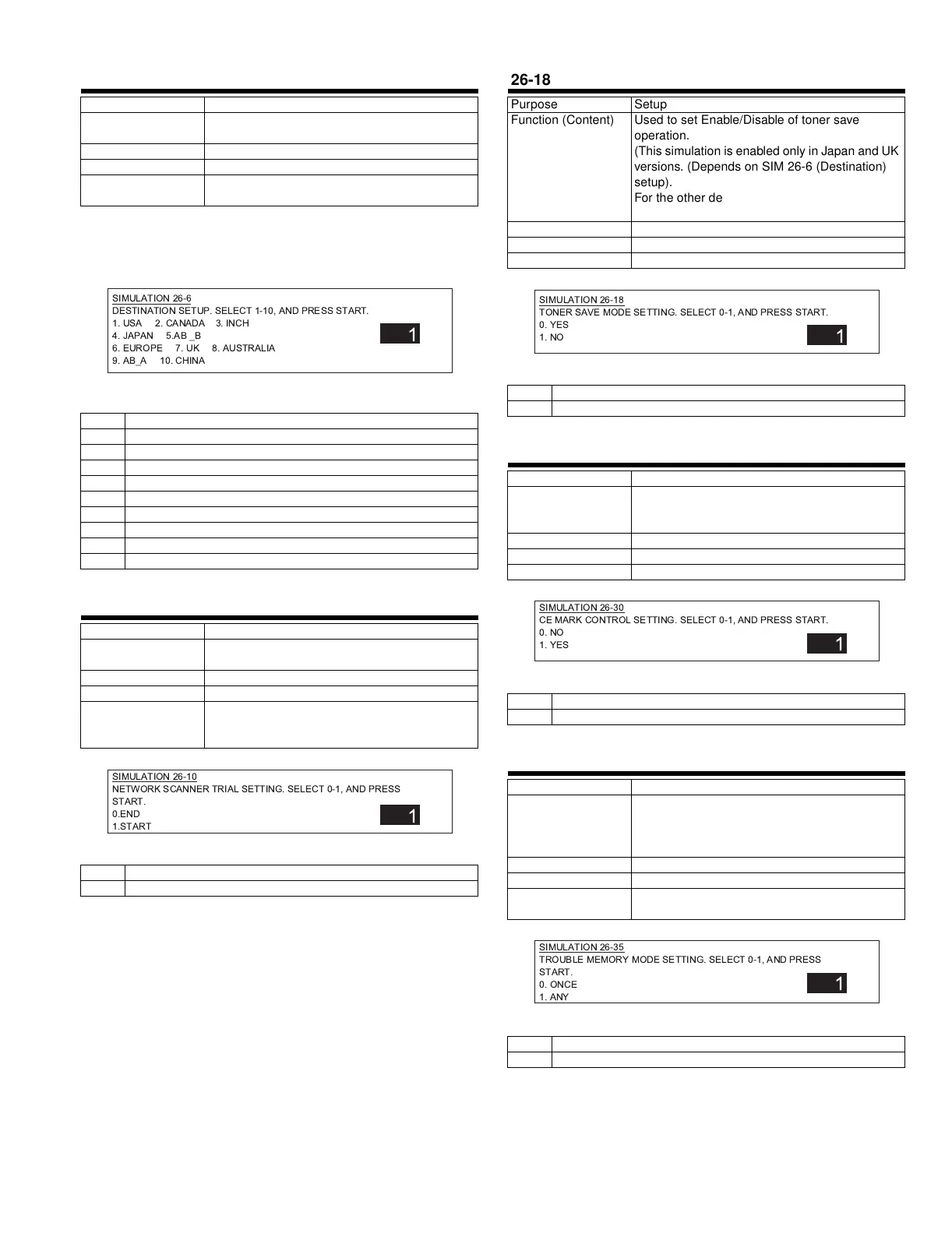
26-6
Purpose Setup
Function (Content) Used to set the specification according to the
destination.
Section
Item Spec
Operation/Procedure After setting the destination, the power is turned
off/on.
1 United States of America
2 Canada
3 Inch series EX
4 Japan
5 AB series B5
6 Europe
7UK
8 Australia
9 AB series A5
10 China
26-10
Purpose Setup
Function (Content) Used to set the trial mode of the network
scanner.
Section
Item Operation
Operation/Procedure The network scanner trial mode is set.
(Testing scanner without product key is limited to
500 sheets.) (Default: 0)
0 Trial mode cancel
1 Trial mode start
SIMULATION 26-6
DESTINATION SETUP. SELECT 1-10, AND PRESS START.
1. USA 2. CANADA 3. INCH
4. JAPAN 5.AB _B
6. EUROPE 7. UK 8. AUSTRALIA
9. AB_A 10. CHINA
1
SIMULATION 26-10
NETWORK SCANNER TRIAL SETTING. SELECT 0-1, AND PRESS
START.
0.END
1.START
1
26-18
Purpose Setup
Function (Content) Used to set Enable/Disable of toner save
operation.
(This simulation is enabled only in Japan and UK
versions. (Depends on SIM 26-6 (Destination)
setup).
For the other destinations, user program P22
allows to make the similar setup.)
Section
Item Spec
Operation/Procedure The toner mode setup is made. (Default: 1)
0 Toner save mode is enabled.
1 Toner save mode is disabled.
26-30
Purpose Setup
Function (Content) Used to set the operation mode conforming to
the CE mark (Europe standards). (For flickers
when driving the fusing heater lamp.)
Section
Item Spec
Operation/Procedure
0 No control of CE mark
1 Control of CE mark
26-35
Purpose Setup
Function (Content) Used to set whether the trouble history of SIM
22-4 is displayed as one-time trouble or
continuous troubles when two or more number of
a same trouble occurred.
Section
Item Spec
Operation/Procedure The trouble memory storing method is set.
(Default: 0)
0 Only once (If same as the previous one, it is not stored.)
1 Any times (Though same as the previous one, it is stored.)
SIMULATION 26-18
TONER SAVE MODE SETTING. SELECT 0-1, AND PRESS START.
0. YES
1. NO
1
SIMULATION 26-30
CE MARK CONTROL SETTING. SELECT 0-1, AND PRESS START.
0. NO
1. YES
1
SIMULATION 26-35
TROUBLE MEMORY MODE SETTING. SELECT 0-1, AND PRESS
START.
0. ONCE
1. ANY
1
'- !"# $%&



 To Next Page