INSTALLING THE PRINTER DRIVER AND UTILITIES (SOFTWARE INSTALLATION)
8
12
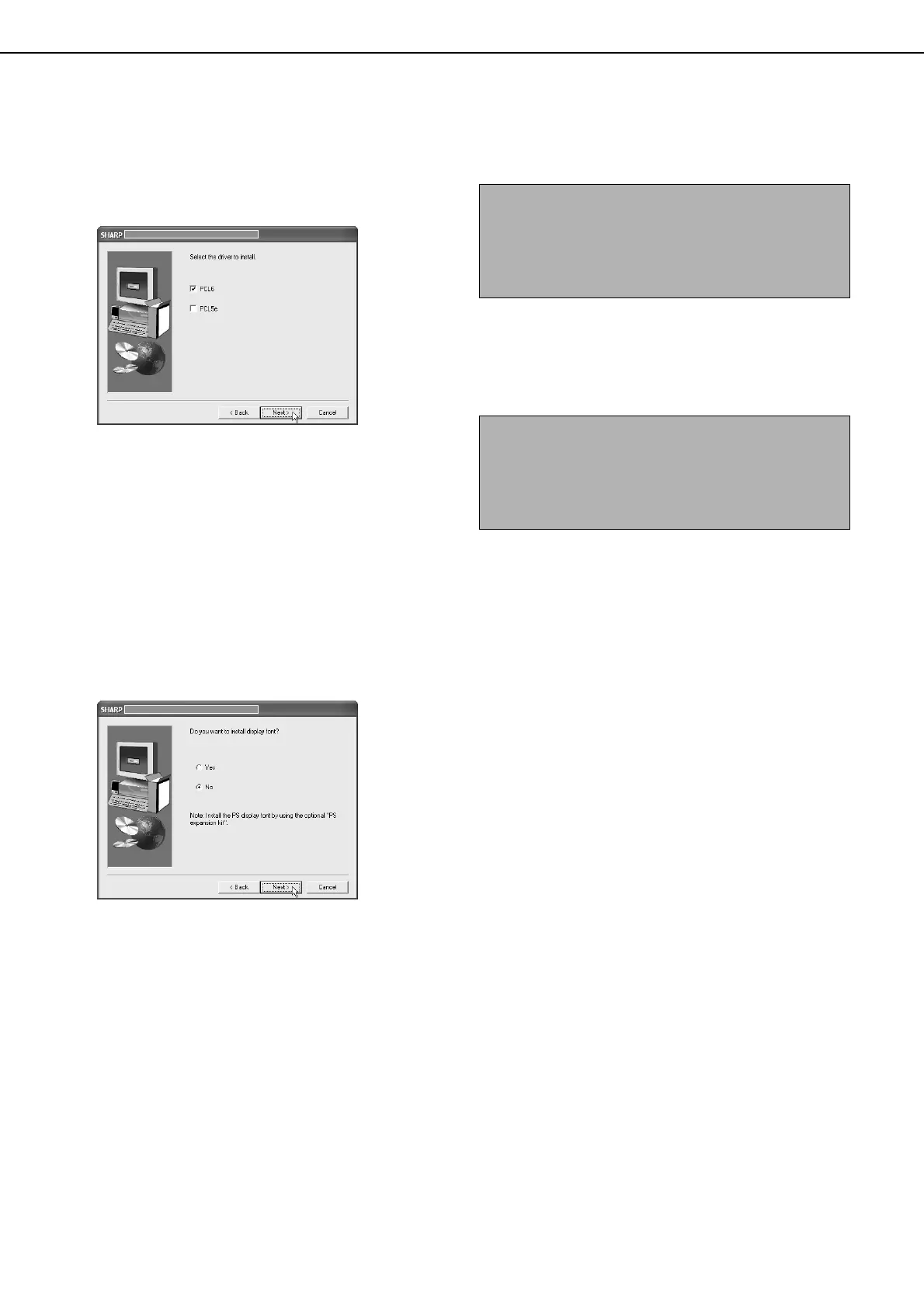
When you are asked to select the printer
driver to be installed, select the printer
driver and click the [Next] button.
Click the checkbox of the printer driver to be
installed so that a checkmark appears.
13
Select the printer driver being installed as
the default printer and click the [Next]
button.
14
When the printer name window appears,
click the [Next] button.
If you wish to change the printer name, enter the
desired name.
15
When you are asked if you wish to install
the display font, select an answer and
click the [Next] button.
16
Check the contents of the window and
click the [Next] button.
Installation of the printer driver begins.
17
When the finish setup window appears,
click the [OK] button.
18
Click the [Close] button.
This completes the installation.
NOTE
When you are using Windows 2000/XP/Server 2003
If a warning message regarding the Windows logo
test or digital signature appears, be sure to click the
[Continue Anyway] or [Yes] button.
NOTE
A message prompting you to restart your computer
may appear after installation is finished. If this
message appears, click [Yes] to restart your
computer.
inst_us.book 8 ページ 2004年9月2日 木曜日 午前10時19分



 To Next Page