EasyManua.ls Logo

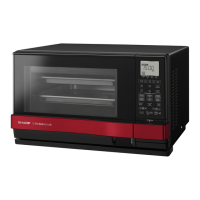
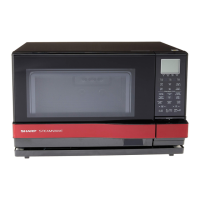
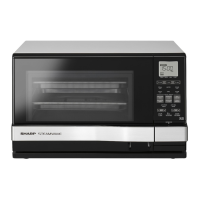
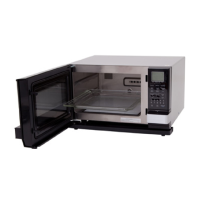
Sharp AX-1100R - User Manual

Sharp AX-1100R
104 pages
Print Icon
To Next Page IconTo Next Page
Loading...
900 W (IEC 60705)
波•燒烤•蒸
使用說明書及食譜
MICROWAVE OVEN WITH STEAM AND GRILL
OPERATION MANUAL WITH COOKBOOK
AX-1100R
SRHAX1100Rintro.indd1SRHAX1100Rintro.indd1 2011/10/2515:06:482011/10/2515:06:48

Other manuals for Sharp AX-1100R

Questions and Answers

  • D
    davistroyAug 8, 2025
    Why is my Sharp AX-1100R leaking water from the bottom front?
    • N
      nicole10Aug 8, 2025
      If you observe water leaking from the bottom front of your Sharp Microwave Oven, ensure the drip tray is correctly installed. Remove and replace the drip tray properly. Also, make sure you empty the drip tray before you start steam cooking.
  • J
    Joshua TerrellAug 14, 2025
    Why is my Sharp AX-1100R Microwave Oven not cooking well when using water?
    • P
      Pamela TuckerAug 14, 2025
      If you're experiencing poor cooking results with water-based menus on your Sharp Microwave Oven, ensure you fill the water tank to the MAX mark before cooking. Also, do not remove the water tank during cooking, unless instructed otherwise in the cookbook or manual. Check that you are using the glass tray.
  • R
    Rebecca MartinezAug 19, 2025
    What to do if Sharp Microwave Oven displays Err, WATER (flashing)?
    • A
      Alan WagnerAug 19, 2025
      If your Sharp Microwave Oven displays the error message 'Err, WATER (flashing)', first remove the water tank and fill it with room temperature water suitable for drinking (filtered) up to the MAX mark. Then, firmly replace it and press Stop/Clear to clear the error. If the issue persists, the internal steam system may be out of order, and you can continue cooking using modes that do not require steam.
  • L
    larrytorresAug 25, 2025
    What to do if Sharp AX-1100R displays Err, HOT (flashing)?
    • G
      Gerald MartinezAug 25, 2025
      If your Sharp Microwave Oven displays the message 'Err, HOT (flashing)', it means the oven is too hot for Auto Defrost or Steam Low. Remove any food and allow the oven to cool down until the message disappears.
  • V
    Victor CantrellAug 28, 2025
    What to do if Sharp AX-1100R displays Err?
    • C
      Corey DavisAug 28, 2025
      If your Sharp Microwave Oven displays the message 'Err', it indicates that the time you set exceeds the maximum time allowed for Steam High or Steam Low. Press Stop/Clear and re-programme with a shorter time.
  • T
    Tiffany Franklin DVMSep 3, 2025
    What does INFORMATION MESSAGE COLd mean on Sharp Microwave Oven?
    • C
      Cynthia LopezSep 3, 2025
      If your Sharp Microwave Oven displays the message 'COLd', it means the water in the internal steam system is frozen. Operate the oven with the Grill function (without food) for 10 minutes.

Summary

Operation Manual

Important Safety Instructions

Crucial guidelines for safe operation and hazard prevention.

Installation Instructions

Guidance on setting up the appliance correctly and safely.

Parts Identification

Identifies and labels all components and accessories of the oven.

Control Panel Overview

Explains the functions and layout of the oven's control panel.

Important Usage Instructions

Detailed instructions for basic operation and handling.

Before First Operation

Steps and checks to perform before the initial use of the oven.

Automatic Cooking Modes

Guides on using pre-programmed cooking cycles for convenience.

Manual Cooking Modes

Instructions for setting cooking time, temperature, and power manually.

Cookbook

Cooking Guides and Tips

General advice and techniques for successful cooking.

Automatic Cooking Charts

Charts detailing automatic cooking programs for various foods.

Manual Cooking Charts

Charts for manual cooking settings in Steam, Grill, and Grill Mix modes.

Recipes Section

A collection of recipes for preparing various dishes.

Other Safety Warnings

Other Warnings

Additional warnings and safety precautions beyond the main safety section.

Important Instructions

Water Tank Usage

Instructions for filling and maintaining the water tank for steam cooking.

Drip Tray Usage

Instructions for positioning, emptying, and cleaning the drip tray.

Steam in Automatic and Manual Cooking

Specific instructions for using steam function in auto and manual modes.

Drain Water Function

Procedure to remove residual water from the steam system.

Descale Function

Steps for descaling the oven's steam generator to remove mineral deposits.

Before Operating the Oven

Clean Oven Before First Use

Instructions for cleaning the oven prior to its initial use.

Getting Started Procedures

Basic steps to get the oven ready for operation.

Manual Cooking Features

Grill Cooking Mode

Instructions for using the grill function manually.

Grill Mix Cooking Mode

Instructions for manual cooking using Grill Mix mode.

Microwave Cooking Mode

Instructions for manual microwave cooking and power level adjustments.

Other Convenient Features

Time Adjustment Options

Allows fine-tuning of cooking times for automatic and manual modes.

Extending Steam Cooking Time

How to add extra time to steam cooking cycles after they finish.

Multiple Sequence Cooking

Enables programming a series of different cooking modes sequentially.

Instant Cook Function

Quick start function for 100% microwave power cooking or extending manual time.

Drain Water Functionality

Evaporates remaining water in the steam generator to prevent scale build-up.

Descale Functionality

Steps for descaling the oven's steam generator to remove mineral deposits.

Child Lock Feature

Prevents accidental operation by children by locking the control panel.

Cleaning and Care Instructions

Oven Exterior Cleaning

How to clean the exterior surfaces of the microwave oven.

Oven Interior Cleaning

Methods for cleaning the inside of the oven cavity and its components.

Troubleshooting Guide

Error and Information Messages

Lists error messages and corresponding actions for troubleshooting.

Service Call Checklist

Specifications

Cooking Guides

Points to Remember for Cooking

Key points to keep in mind for successful operation and cooking.

Steam Cooking Advice

Specific techniques and advice for achieving optimal results with steam cooking.

Utensils and Coverings Guide

Chart detailing suitable utensils and coverings for each cooking mode.

Steam Cooking Techniques

Specific recommendations and techniques for steam cooking.

Microwave Cooking Advice

Tips and warnings for effective microwave cooking.

Defrosting Techniques

Techniques for properly defrosting food using the microwave.

Automatic Cooking Chart - Steam Menu

Balanced Menu Programs

Automatic cooking programs for combined dishes like spring rolls.

Automatic Cooking Chart - Auto Grill

Automatic Cooking Chart - Auto Reheat

Automatic Cooking Chart - Auto Defrost

Manual Cooking Chart - Steam High

Manual Cooking Chart - Grill Mix

Manual Cooking Chart - Reheating;Defrosting

Manual Cooking Chart - Frozen Vegetables

Manual Cooking Chart - Fresh Vegetables

Manual Cooking Chart - Defrosting Times

Sharp AX-1100R Specifications

General IconGeneral
BrandSharp
ModelAX-1100R
CategoryMicrowave Oven
LanguageEnglish

Related product manuals