EN – 17
OTHER CONVENIENT FEATURES
More or Less Time Adjustment
(LESS (
) / MORE (
) keys)
a) To use with automatic cooking:
You can adjust cooking results as you like.
Should you discover that you like any automatic
settings slightly more done, press MORE (
) after
entering weight and before pressing START/AUTO
MINUTE.
Should you discover that you like any automatic
settings slightly less done, press LESS (
) after
entering weight and before pressing START/AUTO
MINUTE.
b) To use with manual cooking:
During the manual cooking process, the cooking time
can be decreased or increased in 1 minute steps
each time the LESS (
) and MORE (
) are pressed.
NOTE: You can not use this function for Steam
cooking.
This function is for Steam Menus, Steam High and
Steam Low only.
Cooking results may vary depending on room
temperature, initial food temperature and other
factors. You can adjust cooking results by adding
more cooking time at the end. When cooking is
finished, the display will show "EXTEND". It is only
possible to add extra time during the 5 minutes when
"EXTEND" is in the display. The time can be extended
up to 10 minutes. Enter the desired time by pressing
TIME and then press START/AUTO MINUTE. The
same cooking mode will be continued. Carefully
check the cooking process.
NOTES:
1. Before extending Steam mode, make sure the
water tank is filled to the MAX mark with room
temperature water suitable for drinking (filtered)
and is installed. If "Err, WATER (flashing)" is
displayed during cooking, fill the water tank to
the MAX mark. Position and push firmly into
place, then press STOP/CLEAR to clear the error
message. To continue the cooking, cook manually.
Check for doneness from time to time.
2. Extend mode is cancelled when STOP/CLEAR is
pressed.
3. The Extending Cooking Time function can be
repeated until the food is cooked as you desire.
4. While the display shows "EXTEND", Energy Save
Mode will be cancelled temporary.
Extending Cooking Time at the
End of Steam Cooking
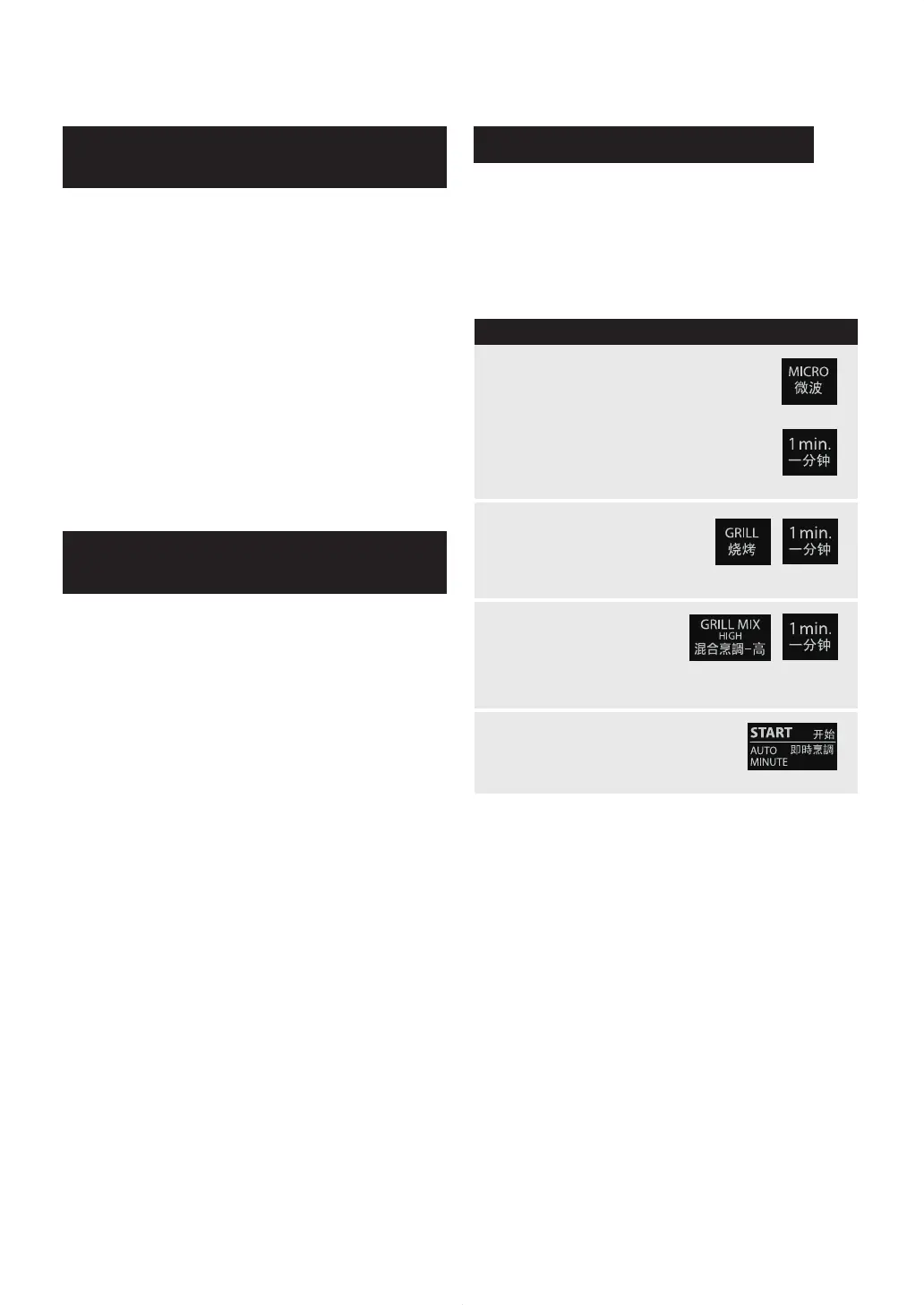
This function allows you to cook using up to 3 manual
cooking programmes; combinations of Microwave,
Grill and Grill Mix.
* Suppose you want to cook in Sequence Cooking for:
5 minutes on 70 % microwave power (Stage 1)
3 minutes on Grill (Stage 2)
3 minutes on Grill Mix High (Stage 3)
PROCEDURE
1
For 2nd stage, press
GRILL and enter the
desired cooking time by
pressing TIME (3.00).
2
For 1st stage, press MICRO until
the desired microwave power level
is displayed (70P) and enter the
desired cooking time by pressing
TIME (5.00).
For 3rd stage, press
GRILL MIX HIGH
and enter the desired
cooking time by
pressing TIME (3.00).
3
Press START/AUTO MINUTE.
4
Multiple Sequence Cooking
NOTE:
After cooking, the oven will automatically cool and you
will hear the sound of the cooling fan. The fan may
continue to operate up to 10 minutes depending on
the oven and parts temperature.
WARNING:
The oven door, outer cabinet, oven cavity,
accessories, dishes and especially the grill heating
element will become hot. Use thick oven gloves when
adding or removing foods to prevent burns.
x 1
x 5
x 2
x 3
x 1
x 1
x 3
SRS AX1100V_eng.indd 17 2011/02/08 9:51:04


 To Next Page