Chapter 11: Specifications
70
Driver Installation
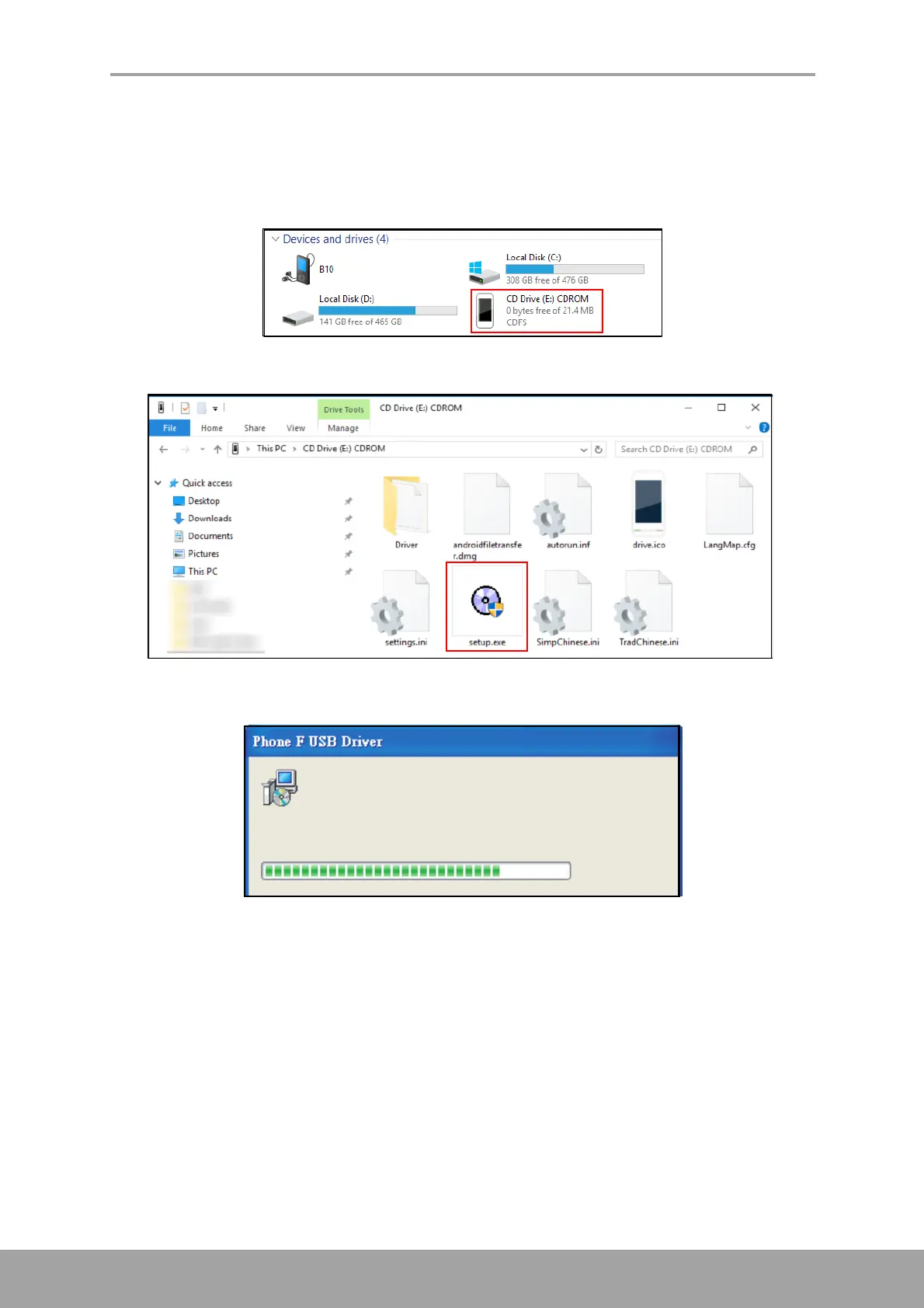
1. Turn on your device, and connect it to your computer using the USB cable.
2. From the Windows desktop, double click on My Computer and locate the CD
Drive.
3. Browse and double click setup.exe.
4. Follow the on-screen instructions to complete the driver installation.



 To Next Page