SETTINGS
8
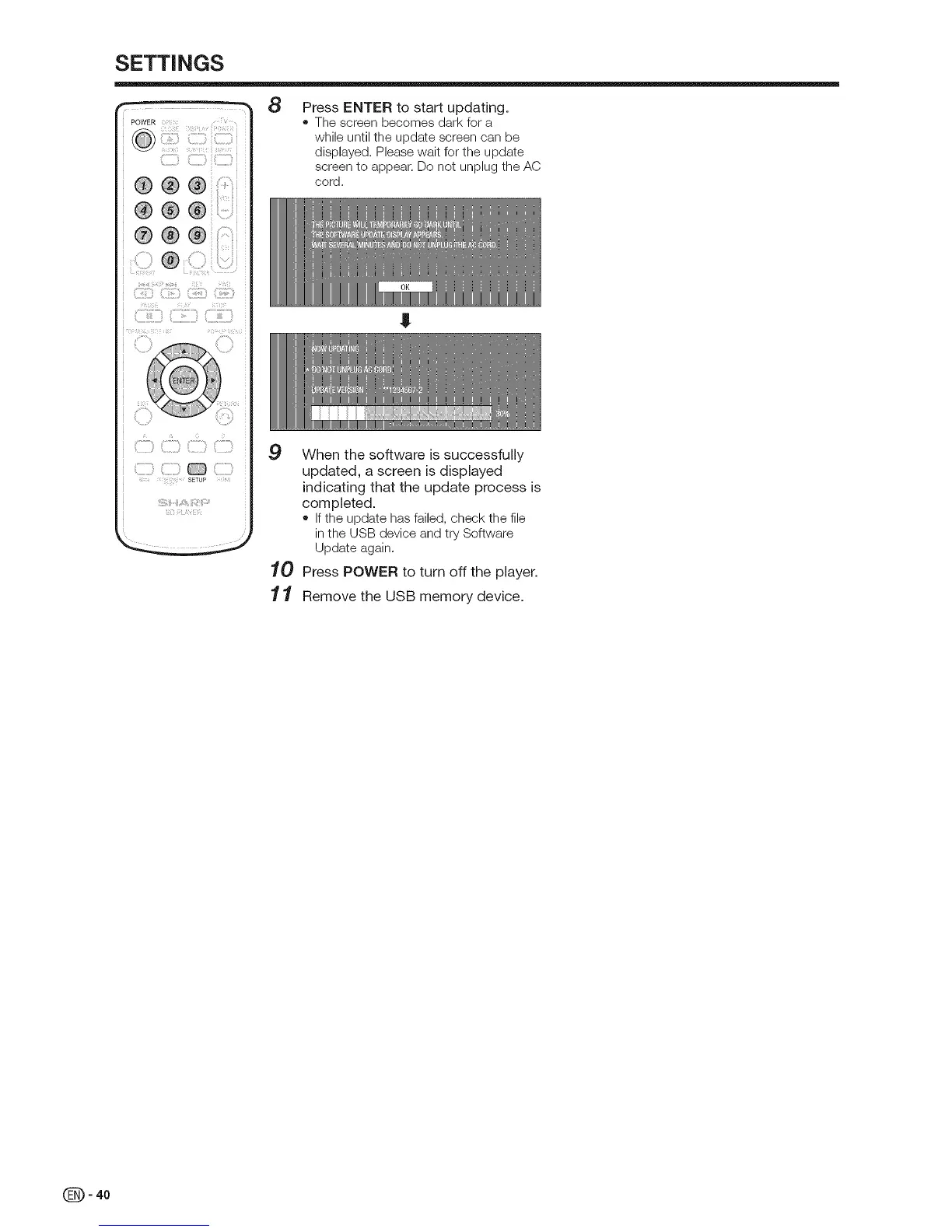
Press ENTER to start updating.
• The screen becomes dark for a
while until the update screen can be
displayed. Please wait for the update
screen to appear. Do not unplug the AC
cord.
9
10
11
J
When the software is successfully
updated, a screen is displayed
indicating that the update process is
completed.
• If the update has failed, check the file
in the USB device and try Software
Update again.
Press POWER to turn off the player.
Remove the USB memory device.
(_ - 40


 To Next Page