EasyManua.ls Logo

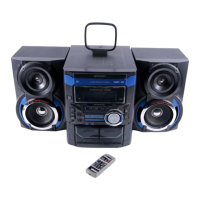
Sharp CD-BA1200H - User Manual

Sharp CD-BA1200H
27 pages
Print Icon
To Next Page IconTo Next Page
Loading...

Other manuals for Sharp CD-BA1200H

Questions and Answers

  • M
    mary28Jul 30, 2025
    What to do if my Sharp CD-BA1200H has no sound but the time is displayed normally?
    • A
      Ashley KruegerJul 30, 2025
      If your Sharp Stereo System produces no sound or the sound has dropouts despite a normal HF waveform and time display, it could be due to excessive error flags on a damaged disc, making error correction impossible. Inspect the peripheral circuit at pin 37 (DOUT) on IC2. Also, try playing a known good disc to rule out disc issues.
  • S
    Sergio WongAug 3, 2025
    How to fix a Sharp CD-BA1200H Stereo System when the CD does not function?
    • B
      Bobby GarciaAug 3, 2025
      If the CD on your Sharp Stereo System isn't working, the objective lens of the optical pickup might be dirty. Clean the objective lens and then check if playback is working correctly.
  • D
    Darlene CombsAug 8, 2025
    What does "E-CD01" mean on my Sharp CD-BA1200H Stereo System?
    • G
      Grant SmithAug 8, 2025
      If your Sharp Stereo System displays "E-CD01", check the power to IC2 (LC78641E), verify the presence of the clock signal (16.93 MHz), and check the status of the RESET terminal (pin 71 on IC2). Also, check if the pickup moved to the PICKUP-IN Switch (SW4) position.
  • E
    Erika MedinaAug 12, 2025
    What to do if my Sharp CD-BA1200H Stereo System says "NO DISC" even with a CD inside?
    • A
      adrian79Aug 12, 2025
      If your Sharp Stereo System displays "NO DISC" even after inserting a CD and closing the cover, press the OPEN/CLOSE switch (SW1) without a disc inserted and try starting the playback operation.
  • A
    Autumn MillerAug 17, 2025
    Why can my Sharp CD-BA1200H initialize but not play?
    • C
      Cristina CookAug 17, 2025
      If initialization is possible, but play is not possible on your Sharp Stereo System, check around pin 23 on IC2. This issue may occur if a normal jump operation cannot be completed, or the beginning of the track cannot be found.
  • M
    Mariah HughesAug 21, 2025
    How to troubleshoot a Sharp CD-BA1200H Stereo System when the turntable doesn't rotate?
    • C
      cortezjoseAug 21, 2025
      If the turntable on your Sharp Stereo System doesn't rotate, check around pin 25 on IC2, pins 15 and 16 on IC3, and CNS3A/B.
  • S
    Steven FrancisAug 26, 2025
    Why does my Sharp Stereo System display 'NO DISC' even when a CD is inserted?
    • B
      Bryan DixonAug 26, 2025
      If your Sharp Stereo System displays 'NO DISC' despite having a CD inserted, try pressing the OPEN/CLOSE switch (SW1) without a disc inside. Then, attempt to start the playback operation.

Summary

Safety Precautions and Care Guidelines

General Safety and Environmental Precautions

Covers placement, electrical safety, environmental conditions, and care.

Controls and Indicators Overview

System Setup and Connections

Setting the System Clock

Adjusting Volume and Sound Modes

Compact Disc Operation and Playback

Loading and Playing CDs

Instructions for inserting, selecting, and playing CDs.

Disc Number and Track Selection

How to skip discs and select specific tracks.

Automatic Programmable Music Selector (APMS)

Programming up to 32 tracks for playback in a specific order.

Repeat Play Functionality

Repeating all tracks on discs or a programmed sequence.

Random Playback Mode

Playing tracks in a random, unpredictable order.

Radio Operation and Tuning

Manual and Auto Station Tuning

How to manually or automatically find radio stations.

Storing and Recalling Preset Stations

Programming and selecting favorite radio stations.

Cassette Operation and Playback

Playing TAPE 1 or TAPE 2

Loading and playing audio cassettes on either tape deck.

Recording Audio Content

Synchronised CD to Tape Recording

Recording audio from the CD player to a cassette tape.

Built-in Timer Functions

Maintenance and Cleaning

Sharp CD-BA1200H Specifications

General IconGeneral
CD PlayerYes
FM TunerYes
BluetoothNo
Cassette DeckYes
Remote ControlYes
Power Output120W (60W + 60W)
FunctionsCD
TunerFM
Speakers IncludedYes
Speaker Type2-Way Bass Reflex Speakers
USB PortYes (front panel)

Related product manuals