EasyManua.ls Logo

Sharp CD-BA250 - User Manual

Sharp CD-BA250
32 pages
Print Icon
To Next Page IconTo Next Page
Loading...
Thank you for purchasing this SHARP product.
To obtain the best performance from this product, please read this
manual carefully. It will guide you in operating your SHARP product.
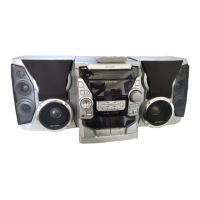
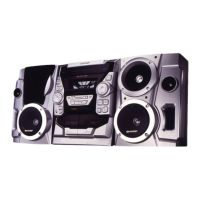
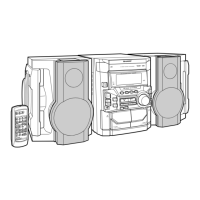
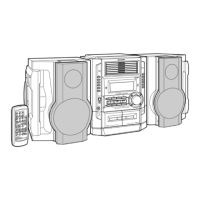
CD-BA250 Mini Component System consisting of CD-BA250 (main
unit) and CP-BA250 (speaker system).
CD-BA2600 Mini Component System consisting of CD-BA2600 (main
unit) and CP-BA2600 (speaker system).
MINI COMPONENT SYSTEM
MODEL
CD-BA250
CD-BA2600
OPERATION MANUAL
CD-BA250(FRONT) 00.12.27, 1:35 PM1

Other manuals for Sharp CD-BA250

Questions and Answers

  • K
    Kimberly Smith MDAug 16, 2025
    Why is my Sharp CD-BA250 remote control not working?
    • D
      Daniel CollierAug 16, 2025
      If the Sharp Stereo System remote control isn't working, first ensure the AC power lead of the unit is plugged in. Check that the batteries are correctly inserted with the proper polarity and are not dead; replace them if necessary. Adjust your distance and angle to the unit, and make sure the remote control sensor isn't exposed to strong light.
  • A
    Amanda PearsonAug 19, 2025
    What to do if playback sounds are skipped or stopped in the middle of a track on Sharp Stereo System?
    • J
      John PorterAug 19, 2025
      If your Sharp Stereo System is skipping or stopping during playback, try these steps: Move the unit away from sources of excessive vibration. Clean the disc to remove any dirt. If condensation has formed inside the unit, allow time for it to clear.
  • C
    Calvin AtkinsAug 22, 2025
    Why is there no sound coming from my Sharp CD-BA250?
    • C
      cory42Aug 22, 2025
      If you're not hearing any sound from your Sharp Stereo System, first increase the volume level. Then, check to see if headphones are connected, and if so, disconnect them. Finally, make sure the speaker wires are securely connected.
  • J
    Jason RyanAug 25, 2025
    Why does my Sharp CD-BA250 radio make unusual noise?
    • I
      Isaiah ThompsonAug 26, 2025
      If your Sharp Stereo System is making unusual noise on the radio, try moving the unit away from your TV or computer. Also, check the placement of the FM/AM loop aerial to ensure it is properly positioned.
  • T
    Terri HarrisAug 27, 2025
    How to fix Sharp Stereo System when playback does not start?
    • V
      Vanessa BowenAug 27, 2025
      If your Sharp Stereo System isn't playing, verify that the disc is loaded correctly (not upside-down). Also, make sure the disc meets the required standards and isn't distorted or scratched.
  • B
    Beth CarterAug 31, 2025
    What to do if buttons on my Sharp Stereo System are not responding?
    • J
      Joseph FrenchAug 31, 2025
      If your Sharp Stereo System is not responding when you press a button, try setting the unit to power stand-by mode and then turning it back on. If that doesn't work, reset the unit.
  • W
    Wayne RobinsonSep 2, 2025
    Why is the sound skipping on my Sharp Stereo System?
    • S
      Scott KellySep 3, 2025
      If you are experiencing sound skipping on your Sharp Stereo System, check the tape for any slack or stretching. Additionally, clean the capstans, pinch rollers, or heads.
  • D
    Dr. Cameron CooperSep 6, 2025
    What to do if I cannot remove the tape from my Sharp Stereo System?
    • S
      Sarah ByrdSep 6, 2025
      If you cannot remove the tape from your Sharp Stereo System, wait until electricity resumes before attempting to remove the tape. This issue may occur if a power failure happens during playback, causing the heads to remain engaged with the tape.
  • A
    Andrew GreenSep 9, 2025
    Why can't I record tracks with proper sound quality on my Sharp Stereo System?
    • S
      Shelley MooreSep 9, 2025
      To fix the issue of not being able to record tracks with proper sound quality on your Sharp Stereo System, ensure that you are using a normal tape. Metal or CrO tapes are not suitable for recording.
  • K
    kingmckenzieSep 12, 2025
    How to fix Sharp CD-BA250 when it cannot record?
    • F
      Frank WoodsSep 12, 2025
      If you cannot record on your Sharp Stereo System, check if the erase-protection tab is removed.

Summary

SHARP Mini Component System Introduction

Model Overview

Details the CD-BA250 and CD-BA2600 models.

Special Notes and Safety Warnings

Graphical Symbols and FCC Compliance

Explains hazard symbols and notes FCC rules and copyright laws.

For Your Records

Section for recording model and serial number information.

Important Safety Safeguards

Electrical and Operational Safety

Covers precautions for water, heat, power, ventilation, and proper usage.

Installation and Servicing Safety

Guidelines for antenna grounding, maintenance, and qualified servicing.

Included Accessories

Handling and Care Precautions

General Handling and Environment

Advice on unit placement, environment, power cord safety, and volume control.

Compact Disc Care

Instructions for keeping CDs clean and preventing mistracking.

Front Panel Controls and Indicators

Button and Indicator Identification

Details the functions of buttons and indicators on the front panel.

System Displays and Rear Connections

Display Indicators and Rear Panel Overview

Identifies display indicators and rear panel connection jacks.

Remote Control Operations

Remote Control Layout and Functions

Identifies and explains the functions of all buttons on the remote control.

Speaker System Details

Speaker Configuration and Placement

Describes speaker components and placement guidelines.

System Connection Diagram

Connecting Components Visually

Visual guide for connecting speakers, antenna, and other devices.

Connection Procedures

Speaker, Antenna, and Power Setup

Detailed steps for connecting speakers, FM/AM antennas, and the AC power cord.

Remote Control Setup and Usage

Battery Installation and Testing

Steps for installing batteries and testing the remote control's functionality.

Remote Control Precautions

Important notes for optimal and safe operation of the remote control.

Basic System Controls

Demonstration Mode and Display Brightness

How to manage the demonstration mode and adjust display brightness.

Sound Adjustment Options

Volume, Bass, and Equalizer Settings

Guides on adjusting volume, bass enhancement, and sound equalization modes.

Setting the System Clock

Clock Setting and Confirmation

Step-by-step guide to set the 12-hour or 24-hour clock and confirm.

Basic CD Playback

Loading and Starting CD Playback

Instructions for placing discs in the tray, selecting a disc, and initiating playback.

Advanced CD Playback Controls

Playback Interruption and Track Locating

How to pause, resume, stop playback, and find specific tracks or portions.

Specialized CD Playback Modes

Desired Track, Repeat, and Random Play

Instructions for playing specific tracks, repeating, and randomizing playback.

Programmed CD Playback

Creating and Managing CD Playback Programs

Steps to create, add tracks to, or clear custom track playback sequences.

Radio Tuning Operations

Tuning and FM Stereo Reception

Guide to tuning radio stations and adjusting for clear FM stereo reception.

Radio Preset Station Management

Memorizing, Recalling, and Erasing Presets

Steps to store, recall, scan, and clear favorite radio stations.

Cassette Tape Playback

Loading, Playing, and Controlling Tapes

Instructions for inserting cassettes, initiating playback, and using tape control functions.

Recording from Radio to Cassette

Radio Recording Procedure and Tab Usage

Steps for recording radio to tape and using cassette erase-prevention tabs.

Recording from CD to Cassette

CD Recording Process and Programmed Recording

Steps for recording CD content to tape, including programmed sequences.

Tape-to-Tape Dubbing and Erasing

Copying and Erasing Cassette Tapes

Instructions for dubbing content between tapes and erasing recorded tapes.

Timer Operation Modes

Setting Timer Playback and Recording

Guide to set the unit to turn on and play or record at a preset time.

Sleep Operation Mode

Setting and Managing the Sleep Timer

Instructions for setting the unit to turn off automatically after a specified time.

Connecting External Audio Sources

Audio;Video Device and Headphone Usage

How to connect external devices and guidelines for using headphones.

Troubleshooting Common Issues

Component-Specific Problem Resolution

Troubleshooting steps for general, cassette, CD, remote, and tuner problems.

Advanced Troubleshooting and Maintenance

Handling Malfunctions and Unit Cleaning

Steps for resolving unit errors and guidelines for cleaning unit parts.

Technical Specifications

System and Component Performance Details

Detailed specifications for power, dimensions, CD, tuner, cassette deck, and speakers.

Consumer Limited Warranty Information

Warranty Terms and Service Acquisition

Details the product warranty period, exclusions, and how to obtain service.

Sharp CD-BA250 Specifications

General IconGeneral
TypeStereo System
CD PlayerYes
FM RadioYes
BluetoothYes
USB PortYes
Tuner BandsFM
RadioFM
Power Output50 W
Playable MediaCD, CD-R/RW

Related product manuals