EasyManua.ls Logo

Sharp CD-BA300 - User Manual

Sharp CD-BA300
32 pages
Print Icon
To Next Page IconTo Next Page
Loading...
Thank you for purchasing this SHARP product.
To obtain the best performance from this product, please read this
manual carefully. It will guide you in operating your SHARP product.
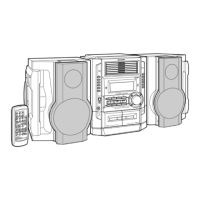
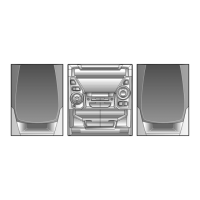
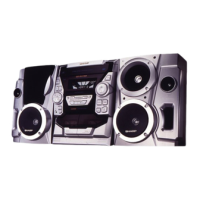
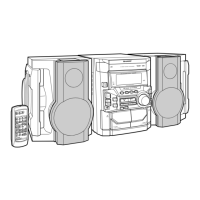
CD-BA300 Mini Component System consisting of CD-BA300 (main
unit) and CP-BA300 (speaker system).
MINI COMPONENT SYSTEM
MODEL
CD-BA300
OPERATION MANUAL
*BA300_P01 00.11.16, 2:46 PM2

Other manuals for Sharp CD-BA300

Questions and Answers

  • A
    Anthony FisherAug 16, 2025
    Why is my Sharp Stereo System remote control not working?
    • H
      Hannah JohnsonAug 16, 2025
      The remote control might not be working because the AC power cord of the unit is not plugged in, the battery polarity is not respected, the batteries are dead, the distance or angle is incorrect, or the remote control sensor is receiving strong light. Check these possible causes.
  • R
    reyesdavidAug 19, 2025
    What to do if my Sharp CD-BA300 Stereo System has no sound?
    • M
      Mikayla McfarlandSep 12, 2025
      If no sound is heard from your Sharp Stereo System, check if the volume level is set to '0', if the headphones are connected, or if the speaker wires are disconnected. Adjust the volume, disconnect the headphones, or reconnect the speaker wires as needed.
  • M
    Melissa WhiteAug 22, 2025
    What to do if Sharp CD-BA300 playback does not start or stops?
    • A
      Amy CarpenterAug 22, 2025
      If playback on your Sharp Stereo System does not start, stops in the middle, or is not performed properly, ensure the disc is loaded correctly (not upside-down), meets the required standards, and is not distorted or scratched. Correct any of these issues to resolve the problem.
  • M
    martinbrendaAug 25, 2025
    Why does my Sharp Stereo System skip or stop during playback?
    • K
      Kevin Wood Jr.Aug 26, 2025
      If your Sharp Stereo System skips or stops during playback, check if the unit is near excessive vibrations, if the disc is very dirty, or if condensation has formed inside the unit. Address these issues by moving the unit, cleaning the disc, or allowing the unit to dry.
  • A
    Alicia MaysAug 28, 2025
    What to do if Sharp CD-BA300 Stereo System buttons are not responding?
    • A
      annettecaseAug 28, 2025
      If your Sharp Stereo System does not respond when a button is pressed, set the unit to the power stand-by mode and then turn it back on. If the unit still malfunctions, reset it.
  • J
    Janet MooreAug 31, 2025
    Why does my Sharp CD-BA300 radio make unusual noise?
    • D
      Dawn DixonAug 31, 2025
      If your Sharp Stereo System radio makes unusual noise, check if the unit is placed near the TV or computer, and ensure the FM/AM loop antenna is placed properly. Also, move the AC power cord away from the antenna if it is located nearby.
  • D
    David JacksonSep 3, 2025
    Why does my Sharp CD-BA300 sound skip or fluctuate?
    • J
      Jasmin QuinnSep 3, 2025
      If your Sharp Stereo System experiences sound skipping, treble issues, or sound fluctuation, check if there is any slack in the tape, if the tape is stretched, or if the capstans, pinch rollers, or heads are dirty. Correct these issues to resolve the problem.
  • W
    walkerdanielSep 6, 2025
    What to do if I cannot remove the tape from my Sharp CD-BA300?
    • M
      michael38Sep 6, 2025
      If you cannot remove the tape from your Sharp Stereo System, and a power failure occurs during playback, the heads remain engaged with the tape. Do not open the compartment forcibly. Wait until electricity resumes.
  • A
    Andres DonovanSep 9, 2025
    Why can't my Sharp CD-BA300 Stereo System record with proper sound quality?
    • M
      melissa32Sep 9, 2025
      If you cannot record tracks with proper sound quality or cannot erase completely on your Sharp Stereo System, check if you are using a normal tape. Note that you cannot record on a metal tape.
  • W
    williamscodySep 12, 2025
    How to fix Sharp Stereo System when it cannot record?
    • S
      Shane Richardson PhDSep 12, 2025
      If your Sharp Stereo System cannot record, check if the erase-protection tab is removed.

Summary

Important Safeguards

Safety Precautions List

Detailed list of numbered safety instructions covering electrical, environmental, and operational risks.

Precautions

General Precautions

Advice on ventilation, temperature, sunlight, and electrical safety for the main unit.

Controls and Indicators

Front Panel Controls

Detailed listing and reference pages for all front panel buttons and indicators.

Speaker System

System Connections

System Interconnection Diagram

Provides a visual guide to connecting speakers, antennas, and external devices like VCRs or DVDs.

Speaker and Antenna Connection

Instructions for connecting speakers to main and subwoofer terminals, and attaching the FM/AM antenna.

AC Power Cord Connection

Procedure for plugging the unit into the AC outlet after all connections are confirmed.

Remote Control

Battery Installation and Testing

Guide on inserting batteries and verifying the remote control's operation.

General Control

Sound Control

Setting the Clock

Listening to a CD

Listening to the Radio

Listening to a Cassette Tape

Recording from the Radio

Recording from a CD

Troubleshooting Chart

General Troubleshooting

Solutions for common issues like clock errors, unresponsive buttons, or no sound.

Component-Specific Issues

Troubleshooting tips for CD player, cassette deck, remote control, tuner, and condensation problems.

Troubleshooting Chart (Continued)

Advanced Troubleshooting and Transport Prep

Steps for resolving malfunctions from interference and preparing the unit for moving.

Maintenance

Cleaning Tape Mechanism and Cabinet

Guide on cleaning tape heads, pinch rollers, and the unit's exterior cabinet.

Sharp CD-BA300 Specifications

General IconGeneral
BrandSharp
ModelCD-BA300
CategoryStereo System
LanguageEnglish

Related product manuals