EasyManua.ls Logo

Sharp CD-BA150 - User Manual

Sharp CD-BA150
18 pages
Print Icon
To Next Page IconTo Next Page
Loading...
OPERATION MANUAL
FOR YOUR RECORDS
For your assistance in reporting this unit in case of loss
or theft, please record below the model number and serial
number which are located on the rear of the unit.
Please retain this information.
Model number _ _ _ _ _ _ _ _ _ _ _ _ _ _ _ _ _ _ _ _ _ _ _ _ _ _ _ _ _ _
Serial number _ _ _ _ _ _ _ _ _ _ _ _ _ _ _ _ _ _ _ _ _ _ _ _ _ _ _ _ _ _
Date of purchase _ _ _ _ _ _ _ _ _ _ _ _ _ _ _ _ _ _ _ _ _ _ _ _ _ _ _ _
Place of purchase _ _ _ _ _ _ _ _ _ _ _ _ _ _ _ _ _ _ _ _ _ _ _ _ _ _ _
MODEL
CD-BA150
HK <P=001>
MINI COMPONENT SYSTEM
Thank you for purchasing this SHARP product.
To obtain the best performance from this product,
please read this manual carefully.
It will guide you in operating your SHARP product.
CD-BA150 Mini Component System consisting of
CD-BA150 (main unit) and CP-BA150 (speaker system).
Note:
This equipment has been tested and found to comply with the limits for
a Class B digital device, pursuant to Part 15 of the FCC Rules.
These limits are designed to provide reasonable protection against harm-
ful interference in a residential installation.
This equipment generates, uses, and can radiate radio frequency energy
and, if not installed and used in accordance with the instructions, may
cause harmful interference to radio communications.
However, there is no guarantee that interference will not occur in a par-
ticular installation. If this equipment does cause harmful interference to
radio or television reception, which can be determined by turning the
equipment off and on, the user is encouraged to try to correct the inter-
ference by one or more of the following measures:
Reorient or relocate the receiving antenna.
Increase the separation between the equipment and receiver.
Connect the equipment into an outlet on a circuit different from that
to which the receiver is connected.
Consult the dealer or an experienced radio/TV technician for help.
WARNING
FCC Regulations state that any unauthorized changes or modifications
to this equipment not expressly approved by the manufacturer could void
the user’s authority to operate this equipment.
CAUTION
RISK OF
ELECTRIC
SHOCK
DO
NOT
OPEN
The lightning flash with arrowhead
symbol, within an equilateral triangle,
is intended to alert the user to the
presence of uninsulated "dangerous
voltage" within the product’s enclosure
that may be of sufficient magnitude to
constitute a risk of electric shock to
persons.
CAUTION: TO REDUCE THE
RISK OF ELECTRIC SHOCK, DO
NOT REMOVE COVER (OR
BACK).
NO USER-SERVICEABLE PARTS
INSIDE. REFER SERVICING TO
QUALIFIED SERVICE PERSON-
NEL.
The exclamation point within an equi-
lateral triangle is intended to alert the
user to the presence of important
operating and maintenance (servic-
ing) instructions in the literature ac-
companying the appliance.
Caution - use of controls or adjustments or per-
formance of procedures other than those specified
herein may result in hazardous radiation exposure.
WARNING: TO REDUCE THE RISK OF
FIRE OR ELECTRIC SHOCK, DO NOT EX-
POSE THIS APPLIANCE TO RAIN OR
MOISTURE.
Note:
It is the intent of Sharp that this product be used in
full compliance with the copyright laws of the United
States and that prior permission be obtained from
copyright owners whenever necessary.
CD-BA150(SEC) TINSE0279AWZZ


Other manuals for Sharp CD-BA150

Question and Answer IconNeed help?

Do you have a question about the Sharp CD-BA150 and is the answer not in the manual?

Summary

Safety and Record Keeping

Electrical and Radiation Safety Alerts

Critical warnings about electric shock, radiation exposure, and proper usage of the unit.

Important Safeguards and Accessories

Comprehensive Safety Instructions

Detailed safety rules covering installation, operation, and maintenance to prevent hazards.

Preparation and Setup

Connecting Antennas

Instructions for connecting FM and AM antennas for optimal radio reception.

Speaker Wiring and Placement

Guides on connecting speakers and their placement for best audio performance.

Clock Settings

Setting the Time and Display Mode

Step-by-step guide to setting the clock and choosing between 12-hour and 24-hour display.

Compact Disc Playback

Basic CD Playback Procedures

Steps for inserting, playing, interrupting, and stopping CDs.

Advanced CD Operations

Programmable CD Features

Automatic Programmable Music Selector (APMS)

Programming custom playback sequences for up to 32 tracks across multiple discs.

Radio Operation

Tuning to Stations

Instructions for manually and automatically tuning into FM and AM radio stations.

Preset Station Tuning

Storing and recalling up to 40 preset FM and AM radio stations.

Recording Functions

Recording from Radio or CD

Steps for recording radio broadcasts or CDs onto cassette tape.

Timer and Sleep Operations

Built-in Timer Recording and Playback

Setting the timer for automatic recording or playback of audio sources.

Consumer Limited Warranty

Warranty Coverage Details

Information on the warranty period, exclusions, and how to obtain service.

Overview

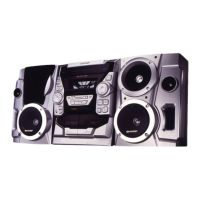
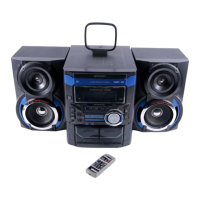
The SHARP CD-BA150 is a Mini Component System designed for audio playback and recording, featuring a compact disc player, cassette deck, and radio tuner. It comes with a remote control, FM/AM loop antenna, and AC power cord.

Function Description

The CD-BA150 serves as a comprehensive audio system, allowing users to:

  • Play Compact Discs: It features a 3-disc multi-play compact disc player, enabling playback of up to three CDs in sequence or programmed order.
  • Play and Record Cassette Tapes: The system includes a dual cassette deck, with TAPE 1 for playback only and TAPE 2 for both playback and recording. It supports recording from the built-in radio or CD player, as well as tape-to-tape dubbing.
  • Tune into Radio Stations: An FM/AM tuner allows reception of radio broadcasts, with the ability to manually tune or use auto-scan. It also supports preset tuning, allowing storage of up to 40 stations.
  • Connect External Audio Sources: The system includes VIDEO/AUX input jacks (RCA type) for connecting external audio devices, enabling playback and recording of their signals.
  • Listen with Headphones: A headphone jack is provided for private listening.

Important Technical Specifications

General:

  • Power source: AC 120 V, 60 Hz
  • Power consumption: 105 W
  • Dimensions: Width: 10-5/8" (270 mm), Height: 13" (330 mm), Depth: 14-6/8" (375 mm)
  • Weight: 13.6 lbs. (6.2 kg)

Amplifier section:

  • Output power: 50 watts minimum RMS per channel into 6 ohms from 60 Hz to 20 kHz, 10% total harmonic distortion.
  • Output terminals: Speakers (6 ohms), Headphones (16-50 ohms, recommended 32 ohms).
  • Input terminals: Video/Auxiliary (audio signal) (500 mV/47 kohms).

Compact disc player section:

  • Type: 3-disc multi-play compact disc player.
  • Signal readout: Non-contact, 3-beam semiconductor laser pickup.
  • D/A converter: 1-bit D/A converter.
  • Frequency response: 20 - 20,000 Hz.
  • Dynamic range: 90 dB (1 kHz).

Tuner section:

  • Frequency range: FM: 87.5-108 MHz, AM: 530-1,720 kHz.

Cassette deck section:

  • Frequency response: 50-14,000 Hz (Normal tape).
  • Signal/noise ratio: 55 dB (TAPE 1, playback), 50 dB (TAPE 2, recording/playback).
  • Wow and flutter: 0.3% (WRMS).

Speaker section (CP-BA150):

  • Type: 3-way type [3-15/16" (10 cm) woofer, 3-15/16" (10 cm) woofer and 2" (5 cm) tweeter)].
  • Maximum input power: 100 W.
  • Rated input power: 50 W.
  • Impedance: 6 ohms.
  • Dimensions: Width: 9-1/8" (231.5 mm), Height: 13" (330 mm), Depth: 8-1/4" (210 mm).
  • Weight: 6.8 lbs. (3.1 kg)/each.

Usage Features

  • Remote Control: The system is operated via a supplied remote control (RRMCG0219AWSA), which requires two "AA" size batteries.
  • Clock Setting: A built-in clock can be set to either 12-hour or 24-hour display mode.
  • Demo Mode: Upon initial connection of the AC power cord, the unit enters a demonstration mode, which can be canceled or reactivated.
  • Display Brightness (Dimmer): The brightness of the display can be adjusted.
  • Volume Control: A rotary volume knob on the main unit and buttons on the remote control allow adjustment of the sound level.
  • Extra Bass (X-BASS): An extra bass mode emphasizes bass frequencies, which can be toggled on or off.
  • Pre-programmed Equalizer: Several equalizer modes (FLAT, ROCK, POPS, JAZZ, CLASSIC, VOCAL) are available to tailor the sound to different music genres or preferences.
  • CD Playback Features:
    • Disc Number Selection: Users can select specific discs for playback.
    • APSS (Auto Program Search System): This feature automatically locates the beginning of any track, allowing quick navigation.
    • Random Play: Tracks on the disc(s) can be played in a random order.
    • APMS (Automatic Programmable Music Selector): Users can program up to 32 tracks from any of the three discs to play in a desired sequence.
    • Repeat Play: All tracks on up to three discs, or a programmed sequence, can be continuously repeated.
    • Cue and Review: Allows audible fast forward and fast reverse during CD playback.
  • Radio Features:
    • Manual and Auto Tuning: Stations can be tuned manually or automatically scanned.
    • FM Stereo Reception: Supports FM stereo broadcasts with an "ST" indicator.
    • Preset Tuning: Up to 40 FM/AM stations can be stored and recalled.
    • Backup Function: Protects station presets for a few hours during power failure or AC cord disconnection.
  • Cassette Recording Features:
    • CD Synchronized Recording System: Allows easy recording from CDs to tape.
    • Dubbing: Tape-to-tape recording is supported.
  • Timer Functions:
    • Timer Recording: Allows scheduled recording from the radio or external sources.
    • Timer Playback: Enables scheduled playback of CDs, tapes, radio, or external sources.
    • Sleep Operation: Automatically turns off the unit after a preset time (up to 3 hours).
  • Microcomputer Reset: A function to reset all stored memory contents (clock, timer settings, tuner, and CD presets) and resolve display or operation issues.

Maintenance Features

  • General Care:
    • Avoid using oil, solvents, gasoline, paint thinners, or insecticides.
    • Protect from moisture, extreme temperatures, direct sunlight, strong magnetic fields, excessive dust, and humidity.
    • Do not remove the outer cover; refer internal service to a local SHARP service facility.
  • Compact Disc Care:
    • Handle CDs by the edges.
    • Clean dirty CDs with a soft, dry cloth, wiping straight out from the center.
    • Do not write on the disc, especially the non-label side.
    • Keep discs away from direct sunlight, heat, and excessive moisture.
  • Cassette Tape Care:
    • Use normal or low-noise tapes for best sound; metal or CrO2 tapes are not recommended for playback, and only normal tape for recording.
    • Avoid C-120 tapes, large diameter reel tapes, or poor-quality tapes.
    • Tighten tape slack before loading.
    • Utilize removable tabs to prevent accidental recording/erasing.
  • Internal Care:
    • Tape Deck: Clean dirty heads, capstans, and pinch rollers with a cotton swab moistened with commercial cleaner or isopropyl alcohol. Demagnetize these parts every 30 hours of playing/recording time.
    • CD Player: Perform periodic preventative maintenance (cleaning of the Laser Pick-up lens) using commercially available lens cleaners.
  • External Care: Periodically wipe the cabinet with a soft cloth and a diluted soap solution, then wipe with a dry cloth. Do not use chemically treated cleaning cloths.
  • Transporting the Unit: Before moving, ensure all CDs are removed from the disc tray, the tray is closed, and the unit is in stand-by mode with the AC power cord unplugged.

Sharp CD-BA150 Specifications

General IconGeneral
BrandSharp
ModelCD-BA150
CategoryStereo System
LanguageEnglish

Related product manuals