EasyManua.ls Logo

Sharp CD-BK270W - User Manual

Sharp CD-BK270W
36 pages
Print Icon
To Next Page IconTo Next Page
Loading...
OPERATION MANUAL
MODE D’EMPLOI
MANUAL DE MANEJO
SHARP CORPORATION
MODEL
MODÈLE
MODELO
CD-BK270W
MINI COMPONENT SYSTEM
MINI-CHAÎNE
SISTEMA MINI
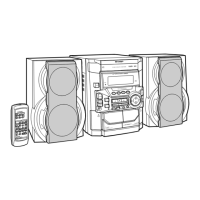
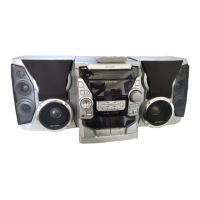
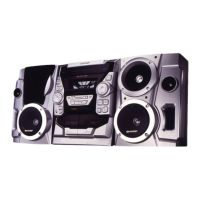
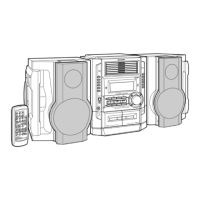
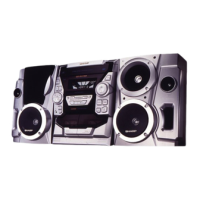
CD-BK270W Mini Component System consisting of CD-BK270W (main unit), CP-BK270
(front speakers) and GBOXS0070AWM1 (surround speakers).
Mini-chaîne CD-BK270W composée de CD-BK270W (appareil principal), de CP-BK270
(enceintes avant) et de GBOXS0070AWM1 (enceintes surround).
Sistema mini CD-BK270W que consta de CD-BK270W (aparato principal), CP-BK270 (al-
tavoces delanteros) y GBOXS0070AWM1 (altavoces de sonido perimétrico).
CD-BK270W CD-BK270W
GBOXS0070AWM1
CP-BK270
Please refer to pages E-1 to E-34.
Se reporter aux pages F-1 à F-34.
Consulte las páginas S-1 a S-34.
ENGLISH
FRANÇAIS
ESPAÑOL

Other manuals for Sharp CD-BK270W

Questions and Answers

  • C
    ctaylorAug 16, 2025
    What to do if the remote control of my Sharp CD-BK270W Stereo System does not operate?
    • M
      mcfarlandalexisAug 16, 2025
      If your Sharp Stereo System's remote control isn't working, first ensure the unit is plugged into a power outlet. Then, check the battery polarity in the remote and replace the batteries if they are dead. Adjust the distance and angle of the remote, and make sure the remote sensor isn't exposed to strong light.
  • S
    sanchezjustinAug 19, 2025
    Why is there no sound coming from my Sharp CD-BK270W?
    • D
      danny67Aug 19, 2025
      If your Sharp Stereo System is producing no sound, make sure the volume isn't set to "0". Also, check if headphones are plugged in, and if so, disconnect them. Ensure the speaker wires are properly connected. Finally, verify that the karaoke mode isn't set to "L-CH", "R-CH" or "V-CANCEL"; if it is, change the karaoke mode setting.
  • R
    Roger HodgesAug 22, 2025
    Why does the Sharp CD-BK270W skip or stop during playback?
    • M
      martineznancyAug 22, 2025
      If your Sharp Stereo System's playback sounds are skipping or stopping, move the unit away from excessive vibrations. Clean the disc if it is dirty. If condensation has formed inside the unit, allow it to dry completely.
  • C
    Christopher CarpenterAug 25, 2025
    How to fix radio unusual noise on a Sharp CD-BK270W?
    • M
      Melanie BerryAug 26, 2025
      To resolve unusual noise from the radio on your Sharp Stereo System, try moving the unit away from the TV or computer. Additionally, ensure the FM aerial or AM loop aerial is positioned correctly.
  • J
    Jennifer CohenAug 28, 2025
    How to hear vocals on multiplexed disc with Sharp CD-BK270W Stereo System?
    • C
      Cheryl MartinAug 28, 2025
      If the vocal part of a multiplexed disc isn't audible on your Sharp Stereo System, adjust the karaoke mode setting. Make sure it is not set to "L-CH", "R-CH" or "V-CANCEL".
  • M
    macklisaAug 31, 2025
    Why my Sharp Stereo System cannot record?
    • S
      Steven HendersonAug 31, 2025
      If your Sharp Stereo System is not recording, check the erase-prevention tab on the tape.
  • C
    Courtney WilliamsSep 3, 2025
    Why my Sharp Stereo System cannot record with proper sound quality?
    • E
      Erin FletcherSep 3, 2025
      If your Sharp Stereo System is not recording tracks with proper sound quality or cannot erase completely, use a normal tape for recording. Metal or CrO tapes are not suitable for recording with this system.
  • A
    Andrew WigginsSep 6, 2025
    What to do if my Sharp CD-BK270W doesn't respond when a button is pressed?
    • M
      mbrownSep 6, 2025
      If a button press on your Sharp Stereo System elicits no response, try setting the unit to power stand-by mode and then turning it back on. If that doesn't work, reset the unit.
  • C
    Cody FergusonSep 9, 2025
    Why is the clock on my Sharp CD-BK270W Stereo System not on time?
    • D
      Daniel StoutSep 9, 2025
      If your Sharp Stereo System clock is not on time, reset the clock. This issue may occur after a power failure.
  • A
    Amy OliverSep 12, 2025
    What to do if I cannot remove the tape from my Sharp Stereo System?
    • N
      ngraySep 12, 2025
      If you cannot remove the tape from your Sharp Stereo System, wait until electricity resumes before opening the compartment. This issue can occur if a power failure happens during playback, leaving the heads engaged with the tape.

Sharp CD-BK270W Specifications

General IconGeneral
BrandSharp
ModelCD-BK270W
CategoryStereo System
LanguageEnglish

Related product manuals