– 1 –
CD-BK250W/CD-BK2600W/CD-BK270W
No. S5136CDBK250W
CONTENTS
Page
SAFETY PRECAUTION FOR SERVICE MANUAL ........................................................................................................... 2
VOLTAGE SELECTION..................................................................................................................................................... 2
AC POWER SUPPLY CORD AND AC PLUG ADAPTOR ................................................................................................. 2
SPECIFICATIONS ............................................................................................................................................................. 3
NAMES OF PARTS ........................................................................................................................................................... 4
OPERATION MANUAL ...................................................................................................................................................... 7
DISASSEMBLY.................................................................................................................................................................. 9
REMOVING AND REINSTALLING THE MAIN PARTS................................................................................................... 12
ADJUSTMENT ................................................................................................................................................................. 13
BLOCK DIAGRAM ........................................................................................................................................................... 17
SCHEMATIC DIAGRAM / WIRING SIDE OF P.W.BOARD ..............................................................................................20
VOLTAGE ........................................................................................................................................................................ 38
NOTES ON SCHEMATIC DIAGRAM .............................................................................................................................. 39
TYPES OF TRANSISTOR AND LED............................................................................................................................... 39
WAVEFORMS OF CD CIRCUIT...................................................................................................................................... 40
TROUBLESHOOTING ..................................................................................................................................................... 41
FUNCTION TABLE OF IC................................................................................................................................................ 45
FL DISPLAY..................................................................................................................................................................... 53
REPLACEMENT PARTS LIST/EXPLODED VIEW
• In the interests of user-safety the set should be restored to its
original condition and only parts identical to those specified be
used.
SERVICE MANUAL
This document has been published to be used
for after sales service only.
The contents are subject to change without notice.
SHARP CORPORATION
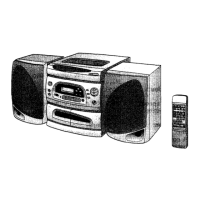
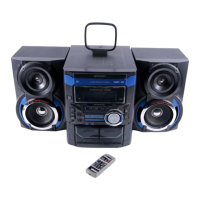
MINI COMPONENT SYSTEM
MODEL CD-BK250W
CD-BK250W Mini Component System consisting of
CD-BK250W (main unit) and CP-BK250 (speaker system).
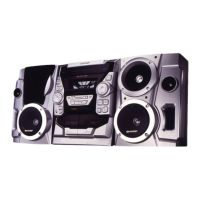
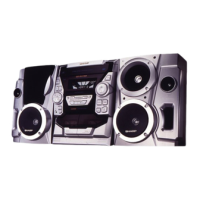
MINI COMPONENT SYSTEM
MODEL CD-BK2600W
CD-BK2600W Mini Component System consisting of
CD-BK2600W (main unit) and CP-BK2600 (speaker system).
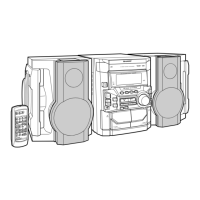
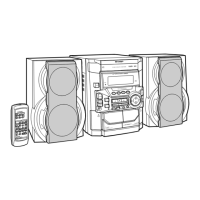
MINI COMPONENT SYSTEM
MODEL CD-BK270W
CD-BK270W Mini Component System consisting of
CD-BK270W (main unit), CP-BK270 (front speakers) and
GBOXS0070AWM1 (surround speakers).
Illustration: CD-BK250W/CD-BK2600W
Illustration: CD-BK270W


 To Next Page
 General