E-25
ENGLISH
Tape Recording
- Recording from a CD (CDs) -
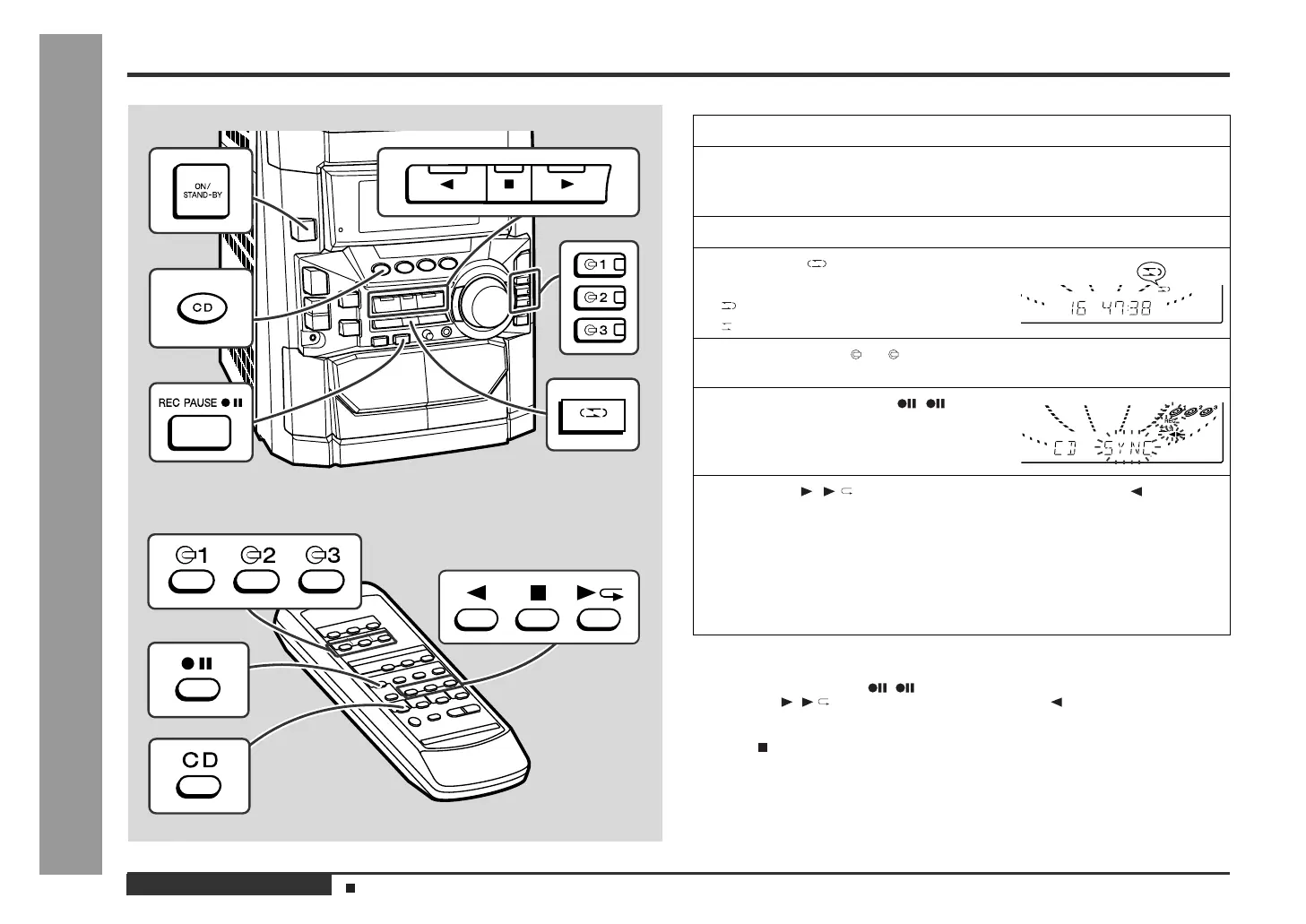
Recording from a CD (CDs)
You can record 3 CDs continuously.
To perform programmed recording:
To stop recording:
Press the button.
The CD and tape will stop.
Auto restart function:
If the recording side is switched from side A to B during recording, the system will
record the interrupted track on side B from its beginning. The recording will be made
without cutting the beginning of the track on side B.
1
Press the ON/STAND-BY button to turn the power on.
2
Load a cassette into the TAPE 2 cassette compartment with side A
facing you.
Wind past the leader of the tape, on which recording cannot be performed.
3
Press the CD button and load the desired disc.
4
Press the button to choose one
side or both sides.
... To record on both sides.
... To record on only one side.
5
Press one of the 1 - 3 buttons to select the disc to be recorded
first.
6
Press the REC PAUSE ( ) button.
Recording will be paused.
7
Press the ( ) button to record on side A, or the button for
side B.
z
To record on both sides, begin on side A. (If recording is started from side B,
the tape will not switch over to side A.)
z
Recording is started from the selected CD. When the playback of the last disc
is finished or the end of the tape is reached, the CD and the cassette will stop
automatically.
z
CD playback will start approximately 5 seconds after the tape starts.
1 Programme discs and tracks. (See page 17.)
2 Press the REC PAUSE ( ) button.
3 Press the ( ) button to record on side A, or the button for side B.
Programmed Play (See page 17.)



 To Next Page