ENGLISH
MODEL
XL-BH250
MICRO COMPONENT SYSTEM
OPERATION MANUAL
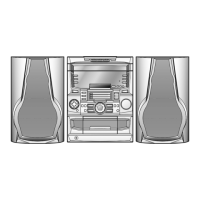
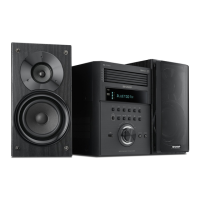
XL-BH250 Micro Component System consisting of XL-BH250 (main unit) and CP-BH250 (speaker system).
Accessories
Please conrm that only the following accessories are included.
Special Note
Supply of this product does not convey a license nor imply any right to distribute content created with this product in
revenue-generating broadcast systems (terrestrial, satellite, cable and/or other distribution channels), revenue generating
streaming applications (via Internet, intranets and/or other networks), other revenue-generating content distribution
systems (pay-audio or audio-on-demand applications and the like) or on revenue-generating physical media (compact
discs, digital versatile discs, semiconductor chips, hard drives, memory cards and the like). An independent license for
such use is required. For details, please visit http://mp3licensing.com
MPEG Layer-3 audio coding technology licensed from Fraunhofer IIS and Thomson.
Remote control x 1
(RRMCGA409AWSA)
AM loop antenna x 1
(QANTLA016AW01)
FM antenna x 1
(92LFANT1535A/
QCNWNC858AW01)
● This audio system supports devices with Android 4.1, Jelly Bean and higher.
● For device with a lower Android version, refer the operation manual of the device for recommended app (application).
Thank you for purchasing this SHARP product. To obtain the best performance from this product, please read this manual
carefully. It will guide you in operating your SHARP product.
21J R KI 1
Printed in Malaysia
TINSEA567AWZZ
http://www.barcodesoft.com
Barcode Symbology:
Code 93
; Font Facename:
Code93
Data To Encode:
TINSEA567AWZZ
Point Size 8 :
*TINSEA567AWZZY=*|
Point Size 10 :
*TINSEA567AWZZY=*|
Point Size 12 :
*TINSEA567AWZZY=*|
Point Size 14 :
*TINSEA567AWZZY=*|


 To Next Page
 General