EasyManua.ls Logo

Sharp FU-A80Y - User Manual

Sharp FU-A80Y
28 pages
Print Icon
To Next Page IconTo Next Page
Loading...
ENGLISHINDONESIA
Device of this mark is a trademark of Sharp Corporation.
“Plasmacluster” and “Device of a cluster of grapes” are
registered trademarks of Sharp Corporation in Japan,
USA and elsewhere.
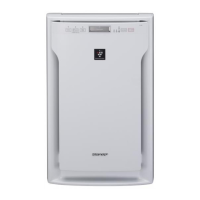
AIR PURIFIER
OPERATION MANUAL
FU-A80Y
PETUNJUK PENGOPERASIAN
PEMURNI UDARA
No.Reg : I.15.STI3.00601.0413
Free standing type
Tipe berdiri bebas
Lambang ini merupakan merek dagang dari Sharp Cor-
poration.
Plasmacluster” dan “Lambang seikat anggur” merupakan
merek dagang terdaftar dari Sharp Corporation di Jepang,
AS dan di mana pun.
OP_FU-A80Y-EN+IND.indb 1OP_FU-A80Y-EN+IND.indb 1 5/8/13 2:47:20 PM5/8/13 2:47:20 PM

Questions and Answers

  • D
    Danielle BryantAug 13, 2025
    What to do if my Sharp FU-A80Y leaves smoke and odours?
    • T
      Troy GloverAug 13, 2025
      If your Sharp Air Cleaner leaves smoke and odours in the air, make sure to clean or replace the filters as needed. Also, ensure the unit is in a location where the sensor can easily detect cigarette smoke. Check the dust sensor openings to make sure they are not blocked or clogged.
  • L
    Lori WrightAug 17, 2025
    Why does my Sharp FU-A80Y Air Cleaner have a bad odour coming out?
    • C
      conniecollinsAug 17, 2025
      If a bad odour is coming from your Sharp Air Cleaner's air outlet, the filters may be heavily soiled and need replacement. Also, Plasmacluster Air Purifiers may produce a slight odour as a normal result of the Plasmacluster Ions refreshing the air.
  • D
    dhillAug 20, 2025
    What to do if my Sharp Air Cleaner won't turn on?
    • W
      William GilbertAug 21, 2025
      If your Sharp Air Cleaner does not turn on, the CHILD LOCK mode may be selected. Press the button for 3 seconds to disable it.
  • L
    Linda HenryAug 25, 2025
    What to do if the Clean Sign on my Sharp Air Cleaner illuminates yellow or red, but the air seems clean?
    • A
      Angela KruegerAug 25, 2025
      If the Clean Sign on your Sharp Air Cleaner illuminates yellow or red, even though the air seems clean, the dust sensor may be blocked or clogged. Clean the dust sensor with a vacuum cleaner.
  • P
    petersadrienneAug 28, 2025
    What to do if the Clean Sign on my Sharp Air Cleaner is green, but there is still odour in the air?
    • P
      petersmonicaAug 28, 2025
      If the Clean Sign on your Sharp Air Cleaner is green, but there is still odour in the air, the air could have been impure when the unit was plugged in. Unplug the unit, wait one minute, and then plug it back in.
  • E
    emilymckenzieAug 31, 2025
    Why does the Clean Sign light change colour frequently on my Sharp FU-A80Y Air Cleaner?
    • J
      Jordan RushAug 31, 2025
      The Clean Sign lights on your Sharp Air Cleaner automatically change colours as impurities are detected by the dust sensor.
  • J
    James ThomasSep 4, 2025
    How to turn on the Clean Sign on my Sharp Air Cleaner?
    • H
      hnelsonSep 4, 2025
      If the Clean Sign on your Sharp Air Cleaner doesn’t light up, the Light Control may be selected. Press the Light Control for 3 seconds to turn it on.
  • A
    andrew16Sep 8, 2025
    Why is my Sharp FU-A80Y making a clicking or ticking sound?
    • R
      Robert ReyesSep 8, 2025
      Clicking or ticking sounds may be audible from your Sharp Air Cleaner when the unit is generating ions. This is normal.

Summary

Air Purifier Features

Odour Reduction

The Deodorizing Pre filter effectively absorbs common household odours.

Dust, Pollen, Dander & Mould Reduction

The HEPA filter captures 99.97% of particles as small as 0.3 microns.

Air Refreshing

Plasmacluster technology refreshes the air by emitting balanced positive and negative ions.

Important Safety Instructions

General Safety Precautions

Includes warnings on electrical safety, handling, usage environment, and maintenance.

Radio or TV Interference

Notes and measures to correct interference issues with radio or television reception.

Operation and Installation Guidelines

Operational Cautions

Key precautions for using the unit safely, including filter handling and placement.

Installation Considerations

Guidelines for proper placement, surface stability, and avoiding adverse environments.

Part Names

Main Unit Display Overview

Control Buttons and Indicators

Details on SHOWER, Plasmacluster, CHILD LOCK, CLEAN SIGN, FAN SPEED, and POWER controls.

Filter Installation Guide

Installation Steps

Instructions for removing the front panel, plastic bags, placing filters, and refixing the panel.

Operating the Air Purifier

Power and Fan Speed Control

How to start/stop the unit and select fan speed modes (AUTO, LOW, MED, MAX).

Plasmacluster and SHOWER Modes

Activating Plasmacluster Ion Mode and SHOWER Mode for enhanced cleaning.

Control Features

Managing Light Control and activating/canceling the Child Lock function.

Maintenance Procedures

Cleaning Filters and Dust Sensor

Guide for cleaning filters and the dust sensor, including sensor filter cleaning.

Cleaning the Unit Exterior

Instructions for wiping the unit exterior with a soft cloth, avoiding harsh chemicals.

Filter Replacement Guidelines

Replacement Timing and Filters

Information on HEPA and Deodorizing Pre filter replacement timing and filter models.

Filter Disposal

Guidance on properly disposing of used HEPA and Deodorizing Pre filters.

Troubleshooting Common Issues

Odour and Air Quality Problems

Solutions for issues like smoke/odours, bad odours from the outlet, and incorrect Clean Sign.

Unit Functionality Issues

Troubleshooting for clicking sounds, Clean Sign not lighting, frequent colour changes, or unit not turning on.

Auto Restart and Cancellation

Setting up Auto Restart after power failure and how to cancel it.

Product Specifications

Technical Details

Key specifications including power supply, fan speed, noise level, room size, dimensions, and weight.

Standby Power Consumption

Information on standby power usage and recommendations for energy saving.

Sharp FU-A80Y Specifications

General IconGeneral
ModelFU-A80Y
CADR (Smoke)420 m³/h
Humidifying FunctionYes
Dust SensorYes
Odor SensorYes
PM2.5 SensorYes
Pre-filterYes
Deodorizing FilterYes
Dust Collection FilterYes
Standby Power0.5W
ColorWhite
TypeAir Purifier
Replacement Filter (Deodorizing)FZ-A80DF
Applicable Area62m²
Air Purifying MethodHEPA Filter

Related product manuals