EasyManua.ls Logo

Sharp FP-J80Y - User Manual

Sharp FP-J80Y
32 pages
Go to English
Print Icon
To Next Page IconTo Next Page
Loading...
“Plasmacluster” and “Device of a cluster of grapes” are
trademarks of Sharp Corporation.
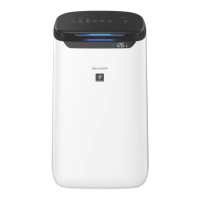
FP-J80Y
FP-J60Y
PANDUAN
PENGOPERASIAN
AIR PURIFIER
OPERATION MANUAL
INDONESIAENGLISH
* The number in this technology mark indicates an
approximate number of ions supplied into air of 1
cm
3
, which is measured around the center of a room
applicable oor area (at 1.2 m height above the oor)
when the product is placed close to a wall at the MED
mode setting.

Other manuals for Sharp FP-J80Y

Questions and Answers

  • T
    Tiffany TaylorAug 20, 2025
    How to reset filter light on Sharp Air Cleaner?
    • J
      James SmithAug 20, 2025
      If the FILTER Replacement Indicator Light is flashing on your Sharp Air Cleaner, after replacing the filters, connect the power cord to an outlet and then press the Filter Reset Button.
  • J
    jeffrey56Aug 22, 2025
    What to do if Sharp Air Cleaner is not cleaning?
    • D
      Donna HorneAug 22, 2025
      If odor and smoke persist when using your Sharp Air Cleaner, check the filters. Clean or replace them if they appear to be extremely dirty.
  • T
    Thomas TurnerAug 25, 2025
    What to do when changing the router for Sharp FP-J80Y?
    • R
      Richard GonzalezAug 25, 2025
      You need to reconnect the air purifier to the router. To do this, first, hold down the "WLAN" button for 3 seconds to stop the wireless LAN function. Then, perform the "Initial Connection Settings 2 : Connection of the air purifier and a router".
  • J
    James Bowen MDAug 26, 2025
    Why the connection between the Sharp Air Cleaner and my smartphone cannot be established?
    • C
      Cindy MooreAug 27, 2025
      Make sure you have set up the wireless LAN connection on your smartphone. Ensure that the air purifier and your smartphone are connected to the same router. Note that the maximum number of smartphones that can be registered on one air purifier is 5, and the maximum number of products to be registered with one smartphone is 10.
  • B
    Brandon Allen PhDAug 27, 2025
    What to do when changing the smartphone for Sharp Air Cleaner?
    • J
      John CameronAug 27, 2025
      Delete the registration of the old smartphone from the designated application. Then, use the new smartphone to perform "Initial connection settings 1 : Installation of the application", and "Initial connection settings 3 : Connection between the air purifier and a smartphone".
  • J
    John DunnAug 29, 2025
    What does it mean when the WLAN lamp is off on my Sharp Air Cleaner?
    • C
      Crystal OlsonAug 29, 2025
      Please confirm the Wireless LAN network status from "Wireless LAN network status". Also, check if the electric plug of the air purifier has come out of its power socket, or if the wireless LAN function has been stopped.
  • J
    jordandanielAug 31, 2025
    How to fix wireless LAN connection issues on Sharp Air Cleaner?
    • K
      katherine03Aug 31, 2025
      Check the router in use. Adjust the router and antenna direction, or move the router and antenna closer. After adjusting, turn the router off and on again, then perform the initial settings again.
  • K
    kristencardenasSep 2, 2025
    What does it mean when the WLAN lamp blinks slowly on my Sharp FP-J80Y?
    • A
      aliciawiseSep 2, 2025
      The wireless LAN connection of the air purifier and a router is in setup, or the connection of the air purifier and a smartphone is in setup.
  • A
    allenronaldSep 4, 2025
    What to do when disposing of a Sharp FP-J80Y Air Cleaner?
    • T
      Theodore MillerSep 4, 2025
      Delete the registration of the air purifier from the designated application. Perform "Initialization of wireless LAN function".
  • B
    Blake AguilarSep 6, 2025
    What to do in case of being handed over Sharp FP-J80Y from a third party?
    • E
      Emily PayneSep 6, 2025
      Perform "Initialization of wireless LAN function".

Summary

IMPORTANT SAFETY INSTRUCTIONS

INSTALLATION GUIDELINES

FILTER GUIDELINES

Guidance on following the manual for proper filter care and maintenance.

PART NAMES

OPERATION

START;STOP

How to turn the air purifier on and off.

OPERATING MODES SELECTION

How to select and use various operational modes like Auto, Anti Dust, Sleep, Pollen, Low, Med, Max.

PLASMACLUSTER FUNCTIONS

How to use Plasmacluster Spot Mode and turn the function on/off.

TIMER AND SETTINGS

How to set timers, lock the panel, and select display information.

PREPARATION AND INSTALLATION

Instructions for preparing the unit and installing the filters.

CARE AND MAINTENANCE

MAIN UNIT; BACK PANEL CARE

How to clean the exterior and back panel of the air purifier.

HEPA FILTER; DEODORIZING FILTER CARE

Instructions for cleaning the HEPA and Deodorizing filters.

PLASMACLUSTER ION GENERATING UNIT CLEANING

How to clean the Plasmacluster ion generating unit.

REPLACEMENT

HEPA FILTER; DEODORIZING FILTER REPLACEMENT

Information on filter lifespan, replacement indicators, and filter models.

PLASMACLUSTER ION GENERATING UNIT REPLACEMENT

Details on unit lifespan, replacement indicator, and model information.

TROUBLESHOOTING

COMMON ISSUES AND SOLUTIONS

Addresses odor, cleanliness monitor, clicking sounds, and operating issues.

DISPLAY AND ERROR MESSAGES

Explains display discrepancies and error codes for troubleshooting.

SPECIFICATIONS

MODEL SPECIFIC DATA

Provides detailed technical specifications for FP-J80Y and FP-J60Y models.

POWER CONSUMPTION

Details on rated power, standby power, and energy conservation.

Sharp FP-J80Y Specifications

General IconGeneral
BrandSharp
ModelFP-J80Y
CategoryAir Cleaner
LanguageEnglish

Related product manuals