EasyManua.ls Logo

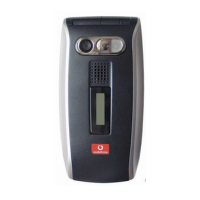
Sharp GX25 - User Manual

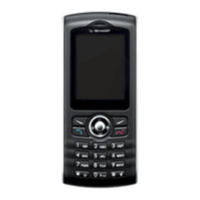
Sharp GX25
129 pages
Print Icon
To Next Page IconTo Next Page
Loading...
Declaration of Conformity
Hereby, Sharp Telecommunications of Europe Ltd, declares
that this GX25 is in compliance with the essential require-
ments and other relevant provisions of Directive 1999/5/
EC.
A copy of the original declaration of conformity can be
found at the following Internet address:
http://www.sharp-mobile.com

Table of Contents

Questions and Answers

  • R
    Randall HallAug 19, 2025
    Why is the call quality poor on my Sharp GX25?
    • K
      Kathryn JohnsonAug 19, 2025
      If your Sharp Cell Phone call quality is poor, it might be because your current location doesn't provide good call quality, such as when you're in a car or train. Try moving to a location where the radio signal strength is greater.
  • W
    walter18Aug 21, 2025
    What to do if calls cannot be made or received on Sharp Cell Phone?
    • K
      Kaitlyn CruzAug 21, 2025
      If calls cannot be made or received on your Sharp Cell Phone, check your call barring, fixed dialling setting, remaining battery and call forwarding settings. Also, check if your phone is currently performing data communication using Infrared (IrDA), Bluetooth wireless technology interface or a USB data cable. If you are using a pre-paid SIM card, check the remaining balance. If the SIM card is damaged, contact your dealer or network service provider.
  • D
    Dylan RodriguezAug 25, 2025
    How to fix a Sharp Cell Phone that won't turn on?
    • M
      Mark JohnsonAug 25, 2025
      If your Sharp Cell Phone does not turn on, ensure that the battery is properly inserted and charged.
  • W
    William BeanAug 26, 2025
    What to do if Sharp GX25 functions do not work after turning on?
    • J
      Joseph RobertsAug 26, 2025
      If your Sharp Cell Phone functions do not work after turning on, check the radio signal strength indicator to ensure you are within the service area. Also, make sure the SIM card is correctly inserted. If an error message is displayed when you turn your phone on, contact your dealer.
  • K
    kramseyAug 28, 2025
    How to unlock SIM card on Sharp GX25 Cell Phone?
    • M
      mpierceAug 28, 2025
      To resolve a locked SIM card on your Sharp Cell Phone, enter the PUK code (8 digits) provided by your service provider (if supported). Otherwise, contact your dealer.
  • C
    crystal37Aug 30, 2025
    What to do if PIN code is rejected on Sharp GX25?
    • A
      Aaron MorrisAug 30, 2025
      To resolve PIN code rejection on your Sharp Cell Phone, ensure that you have entered the correct code (4 to 8 digits). If you do not have the correct PIN code, contact your SIM provider.
  • S
    Scott DavidsonSep 1, 2025
    Why does my Sharp Cell Phone call get terminated unexpectedly?
    • W
      Wendy BrownSep 1, 2025
      If your Sharp Cell Phone call is terminated unexpectedly, it may be due to magnetised objects such as health necklaces placed near the phone. Keep your phone away from such objects.
  • M
    Michael AustinSep 3, 2025
    How to fix Sharp GX25 when it cannot send or receive Text Messages?
    • D
      Dominique HuntSep 3, 2025
      If you cannot send or receive Text Messages on your Sharp Cell Phone, make sure you are correctly subscribed for the Short Message Service, that the network supports this service, and that the centre number is set up correctly. If problems persist, contact your network service provider.
  • L
    Lisa MunozSep 5, 2025
    How to free up memory on Sharp GX25 Cell Phone?
    • M
      Manuel BullockSep 5, 2025
      If you have limited memory available on your Sharp Cell Phone, delete any unnecessary data.
  • T
    Tyler RobinsonSep 7, 2025
    What to do if Sharp Cell Phone cannot connect to Multimedia Message service provider?
    • A
      Alexander DanielsSep 8, 2025
      If you cannot connect to the Multimedia Message service provider on your Sharp Cell Phone, check your service provider’s access point number. Contact your service provider to confirm the correct settings, as MMS settings and configuration may be missing or incorrect, or the network may not support it.

Summary

Getting Started

Phone Keys and Controls

Inserting SIM Card and Battery

Removing SIM Card and Battery

Charging the Battery

Call Functions

Contacts List

Camera Operation

Messages

Multimedia (MMS) Messaging

Instructions for creating, sending, and managing MMS messages.

Text (SMS) Messaging

Email Messaging

Settings: Profiles, Display, and General

Applications

Calendar

Contacts and Call Log

Settings: Connectivity, Network, and Security

Settings: Infrared, PC Software, and Bluetooth

Settings: Call Settings and Sound

Settings: Date & Time and Language

Settings: Security

Connecting GX25 to Your PC

Troubleshooting

Safety Precautions and Conditions of Use

Sharp GX25 Specifications

General IconGeneral
NetworkGSM 900 / 1800 / 1900
StatusDiscontinued
SIMMini-SIM
Display TypeTFT, 65K colors
Alert typesVibration; Downloadable polyphonic ringtones
LoudspeakerYes
Call records10 dialed, 10 received, 10 missed calls
External MemoryNo
CameraVGA
Stand-byUp to 250 h
Operating SystemProprietary
FeaturesWAP 2.0/xHTML, Java MIDP 2.0

Related product manuals