EasyManua.ls Logo

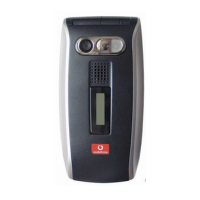
Sharp GX25 - User Manual

Sharp GX25
129 pages
Print Icon
To Next Page IconTo Next Page
Loading...
Declaration of Conformity
Hereby, Sharp Telecommunications of Europe Ltd, declares
that this GX25 is in compliance with the essential require-
ments and other relevant provisions of Directive 1999/5/
EC.
A copy of the original declaration of conformity can be
found at the following Internet address:
http://www.sharp-mobile.com

Table of Contents

Questions and Answers

  • M
    Meghan PittmanSep 10, 2025
    Why are no contacts displayed on my Sharp Cell Phone?
    • P
      Paul GardnerSep 10, 2025
      If no entries are displayed in the Contacts List of your Sharp Cell Phone, confirm that the Contacts Location setting (Handset or SIM) and View Groups setting are made correctly.
  • J
    John BushSep 12, 2025
    Why can't I access network service on Sharp Cell Phone?
    • S
      samueldavisSep 12, 2025
      If you cannot access network service on your Sharp Cell Phone, check where your account has been registered and where the service is available.
  • L
    Logan DennisSep 14, 2025
    How to resolve fax transmission failure on Sharp Cell Phone?
    • E
      Eric JohnsonSep 14, 2025
      If you experience Fax transmission failure with your Sharp Cell Phone, configure your fax software to use the software flow control before transmitting fax data. It is recommended to use the optional data cable for transmitting fax data.
  • M
    Mark PerezSep 16, 2025
    Why can't Sharp GX25 Cell Phone receive OBEX data?
    • S
      Shawna AliSep 16, 2025
      The OBEX data cannot be received on your Sharp Cell Phone in the following cases: - Call incoming, call outgoing, call in progress - Java™ application executed - WAP communication mode enabled - When transmitting multimedia messages - When transmitting Email messages - When searching for Bluetooth wireless technology enabled devices and displaying the device list - When connecting with devices by the selected connection method.

Summary

Getting Started

Phone Keys and Controls

Inserting SIM Card and Battery

Removing SIM Card and Battery

Charging the Battery

Call Functions

Contacts List

Camera Operation

Messages

Multimedia (MMS) Messaging

Instructions for creating, sending, and managing MMS messages.

Text (SMS) Messaging

Email Messaging

Settings: Profiles, Display, and General

Applications

Calendar

Contacts and Call Log

Settings: Connectivity, Network, and Security

Settings: Infrared, PC Software, and Bluetooth

Settings: Call Settings and Sound

Settings: Date & Time and Language

Settings: Security

Connecting GX25 to Your PC

Troubleshooting

Safety Precautions and Conditions of Use

Sharp GX25 Specifications

General IconGeneral
NetworkGSM 900 / 1800 / 1900
StatusDiscontinued
SIMMini-SIM
Display TypeTFT, 65K colors
Alert typesVibration; Downloadable polyphonic ringtones
LoudspeakerYes
Call records10 dialed, 10 received, 10 missed calls
External MemoryNo
CameraVGA
Stand-byUp to 250 h
Operating SystemProprietary
FeaturesWAP 2.0/xHTML, Java MIDP 2.0

Related product manuals