26
■ Setting V-CHIP (Canadian English ratings)
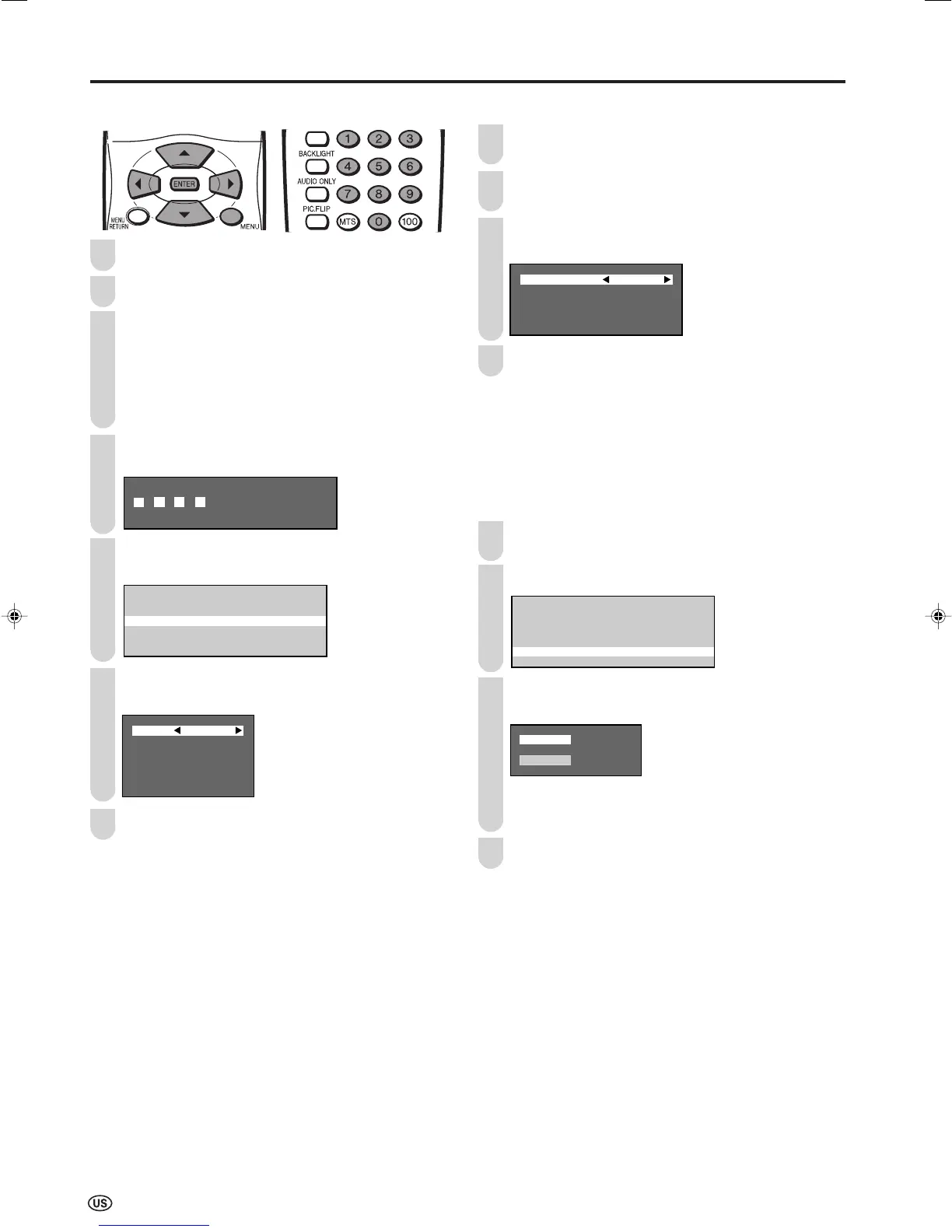
Press MENU to display the Menu screen.
Press \/| to select “SETUP”.
Press '/" to select “V-CHIP BLOCK”, and press
ENTER.
• Secret number setting menu is displayed only when
“INPUT SECRET NO.” is set. (See page 23.)
• “V-CHIP BLOCK” and “STATUS” will not be selectable
from the menu if you do not first configure your secret
number. (See page 23.)
Input the 4-digit secret number by using Channel
Select.
Press '/" to select “CAN. ENGLISH RATINGS”, and
press ENTER.
MPAA
TV GUIDELINES
CAN.ENGLISH RATINGS
CAN.FRENCH RATINGS
STATUS
Press '/" to select the desired item, press \/| to
select “BLOCK” and press ENTER.
C BLOCK
C8+ BLOCK
G BLOCK
PG BLOCK
14+ BLOCK
18+ BLOCK
Press MENU to exit.
A
• The setting automatically enters “BLOCK” for any ratings below
your selection.
• If you set “C” to “BLOCK”, all ratings are automatically blocked.
■ Setting V-CHIP (Canadian French ratings)
Repeat steps 1 to 4 of Setting V-CHIP (Canadian English
ratings).
Press '/" to select “CAN. FRENCH RATINGS”, and
press ENTER.
Press '/" to select the desired item, and press \/|
to select “BLOCK” and press ENTER.
G BLOCK
8 ans+ BLOCK
13 ans+ BLOCK
16 ans+ BLOCK
18 ans+ BLOCK
Press MENU to exit.
A
• The setting automatically enters “BLOCK” for any ratings below
your selection.
• If you set “G” to “BLOCK”, all ratings are automatically blocked.
■ Activating V-CHIP BLOCK
● Setting STATUS
You can activate “V-CHIP BLOCK” after setting
Canadian English ratings or Canadian French ratings.
Repeat steps 1 to 4 of Setting V-CHIP (Canadian
English ratings).
Press '/" to select “STATUS”, and press ENTER.
MPAA
TV GUIDELINES
CAN.ENGLISH RATINGS
CAN.FRENCH RATINGS
STATUS
Press '/" to set “STATUS” to “ON”, and press
ENTER.
A
• If “STATUS” is set to “OFF”, “V-CHIP BLOCK” will not be
activated.
Press MENU to exit.
3
4
2
1
2
1
1
2
4
4
Useful Features (Continued)
5
7
3
3
6
LC-20SH4U_E_P22-27.p65 04.12.9, 4:20 PM26













 To Next Page