EasyManua.ls Logo

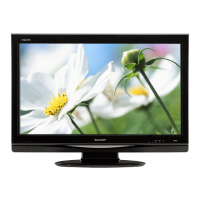
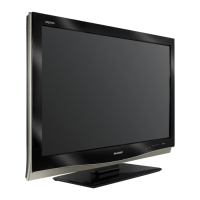
Sharp LC-37DB5U - User Manual

Sharp LC-37DB5U
56 pages
Print Icon
To Next Page IconTo Next Page
Loading...
1
ENGLISH
LIQUID CRYSTAL TELEVISION
ENGLISH
OPERATION MANUAL
IMPORTANT INFORMATION
WARNING: TO REDUCE THE RISK OF FIRE OR ELECTRIC SHOCK, DO
NOT EXPOSE THIS PRODUCT TO RAIN OR MOISTURE.
CAUTION
RISK OF ELECTRIC SHOCK
DO NOT OPEN
CAUTION: TO REDUCE THE RISK OF ELECTRIC SHOCK,
DO NOT REMOVE COVER (OR BACK).
NO USER-SERVICEABLE PARTS INSIDE.
REFER SERVICING TO QUALIFIED SERVICE
PERSONNEL.
The lightning flash with arrow-head
symbol, within an equilateral
triangle, is intended to alert the user
to the presence of uninsulated
“dangerous voltage” within the
product’s enclosure that may be of
sufficient magnitude to constitute a
risk of electric shock to persons.
The exclamation point within a
triangle is intended to alert the user
to the presence of important
operating and maintenance
(servicing) instructions in the
literature accompanying the product.
IMPORTANT:
To aid reporting in case of loss or theft, please record
the TV’s model and serial numbers in the space
provided. The numbers are located at the rear of the
TV.
Model No.:
Serial No.:
The illustrations and on-screen displays in this operation
manual are for explanation purposes and may vary slightly
from the actual operations.
Menu items that are not selectable are grayed out.
LC-37DB5U
LC-37DB5U(E)-01-13 05.8.1, 0:33 PM1

Table of Contents

Other manuals for Sharp LC-37DB5U

Questions and Answers

  • J
    James ChenJul 29, 2025
    How to troubleshoot no power on Sharp LC-37DB5U LCD TV?
    • M
      Megan MoralesJul 29, 2025
      First, check if you have pressed the TV POWER button on the remote. If the indicator light on the TV doesn't come on, try pressing the TV POWER button again on the remote control. Also, ensure the AC cord is properly connected and that the power is turned on.
  • C
    claytonmichaelAug 2, 2025
    Why is my Sharp LC-37DB5U LCD TV remote not working?
    • E
      efarmerAug 2, 2025
      If your Sharp LCD TV remote control isn't working, make sure the FUNCTION is set to the TV position. Check that the batteries are inserted correctly, paying attention to the polarity (+/-) alignment. If the batteries are old, replace them with new ones. Also, strong or fluorescent lighting near the TV or remote sensor could interfere with the signal.
  • R
    Robert HaleAug 6, 2025
    Why does my Sharp LCD TV power off suddenly?
    • J
      Jeanne MossAug 6, 2025
      If your Sharp LCD TV suddenly turns off, check if the sleep timer is activated. Also, review the power control settings. If the unit's internal temperature has increased, remove any obstructions blocking the vents or clean the vents to improve airflow.
  • B
    Brian WilliamsAug 10, 2025
    Why is there no sound on my Sharp LC-37DB5U LCD TV?
    • J
      Jennifer ParkAug 11, 2025
      If you are experiencing no sound on your Sharp LCD TV, ensure that the volume isn't set too low. Also, check if “Variable” is selected in “Output Select”.
  • G
    gvanceAug 14, 2025
    What to do if my Sharp LC-37DB5U has no picture?
    • S
      Sylvia ChapmanAug 15, 2025
      If you're not getting any picture on your Sharp LCD TV, ensure that all connections to other components are correct. Verify that you've selected the correct input signal source after making the connections. Also, check that the correct input is selected and that the picture adjustments are properly configured. Finally, make sure that “On” is not selected in “Audio Only”.
  • E
    Elizabeth CastroAug 19, 2025
    How to fix a cut off picture on Sharp LC-37DB5U?
    • E
      Eric CameronAug 19, 2025
      If the picture on your Sharp LCD TV is cut off or has a sidebar screen, check if the image position is correct. Also, ensure that screen mode adjustments, such as picture size, are correctly configured.
  • J
    Jessica ShawAug 23, 2025
    What to do if Sharp LCD TV cannot be operated?
    • B
      bennettcharlesAug 23, 2025
      If your Sharp LCD TV unit cannot be operated, it might be due to external influences such as lightning or static electricity. Try turning the power of the TV on, or unplug the AC cord, wait 1 or 2 minutes, and then plug it back in.

Summary

IMPORTANT INFORMATION

Safety Warnings and Symbols

Key warnings about fire, electric shock, and symbol explanations for safe operation.

IMPORTANT SAFETY INSTRUCTIONS

General Safety Precautions

Comprehensive safety guidelines for installation, operation, and cleaning to prevent hazards.

Additional Safety Information

Specific safety advice regarding power sources, overloading, object entry, and damage requiring service.

QUICK REFERENCE

Part Names: Remote Control

Watching TV: Power Operations

Turning On and Off

Describes how to turn the TV on and off, including power indicator status and standby mode.

Watching TV: Initial Setup Process

Setup Steps

Guides through first-time setup, language selection, and automatic channel scanning.

Watching TV: Channel Operations

Watching TV: Audio Operations

Basic Adjustment Settings

Picture Adjustments

Lists picture settings like Backlight, Contrast, Brightness, Color, Tint, and Sharpness.

Basic Adjustment Settings: EZ Setup

EZ Setup Process

Guides on running the EZ Setup process for language, antenna, and channel memorization.

Basic Adjustment Settings: Channel Management

Channel and Antenna Setup

Details channel memory settings and digital antenna setup for signal strength.

Basic Adjustment Settings: Picture Controls

Basic Adjustment Settings: Advanced Picture

Basic Adjustment Settings: Sound Controls

Using External Equipment: Input Selection

Selecting the INPUT Signal

Guides on selecting input sources for connected external devices like DVD players or VCRs.

Using External Equipment: Connections

Using External Equipment: HDMI

Displaying an Image from HDMI Equipment

Details connecting HDMI equipment and configuring signal types for optimal display.

Useful Adjustment Settings: Image Position

Useful Adjustment Settings: Input Signal Type

Useful Adjustment Settings: Viewing Modes

Useful Adjustment Settings: Closed Captions

Useful Adjustment Settings: Caption Customization

Useful Adjustment Settings: Parental Controls

Secret Number Setup

Guides on setting a 4-digit secret number to protect TV settings from unauthorized changes.

Parental Control Status

Enables or disables the parental control function using the registered secret number.

Useful Adjustment Settings: Secret Number Management

Useful Adjustment Settings: V-Chip System

Movie Rating System (MPAA)

Explains the MPAA rating system for blocking movies based on age appropriateness.

TV Parental Guidelines

Details the TV rating system for blocking programs based on age and content.

Useful Adjustment Settings: Rating System Configuration

MPAA and TV Guidelines Setup

Guides on setting MPAA movie ratings and TV parental guidelines to block content.

Useful Adjustment Settings: V-Chip Block Management

Temporarily Releasing V-Chip Block

Instructions on how to temporarily disable the V-Chip block for specific broadcasts.

Appendix: Troubleshooting

Common TV Issues

Provides solutions for common problems like no power, unit operation failure, remote issues, and picture/sound anomalies.

Digital Broadcast Troubleshooting

Addresses error messages related to broadcast reception and suggests antenna checks.

Appendix: RS-232 C Control

Appendix: RS-232 C Command Table

Appendix: Specifications

Appendix: Factory Reset

Sharp LC-37DB5U Specifications

General IconGeneral
Screen Size37 inches
Display TypeLCD
Resolution1366 x 768
Aspect Ratio16:9
Contrast Ratio1200:1
Brightness450 cd/m²
Response Time8 ms
HDMI Ports2
Component Video Inputs1
Composite Video Inputs1
S-Video Inputs1
Audio Output2 x 10W
Viewing Angle176 degrees
PC Input1

Related product manuals