Enjoying Photo/Music/Movie Playback
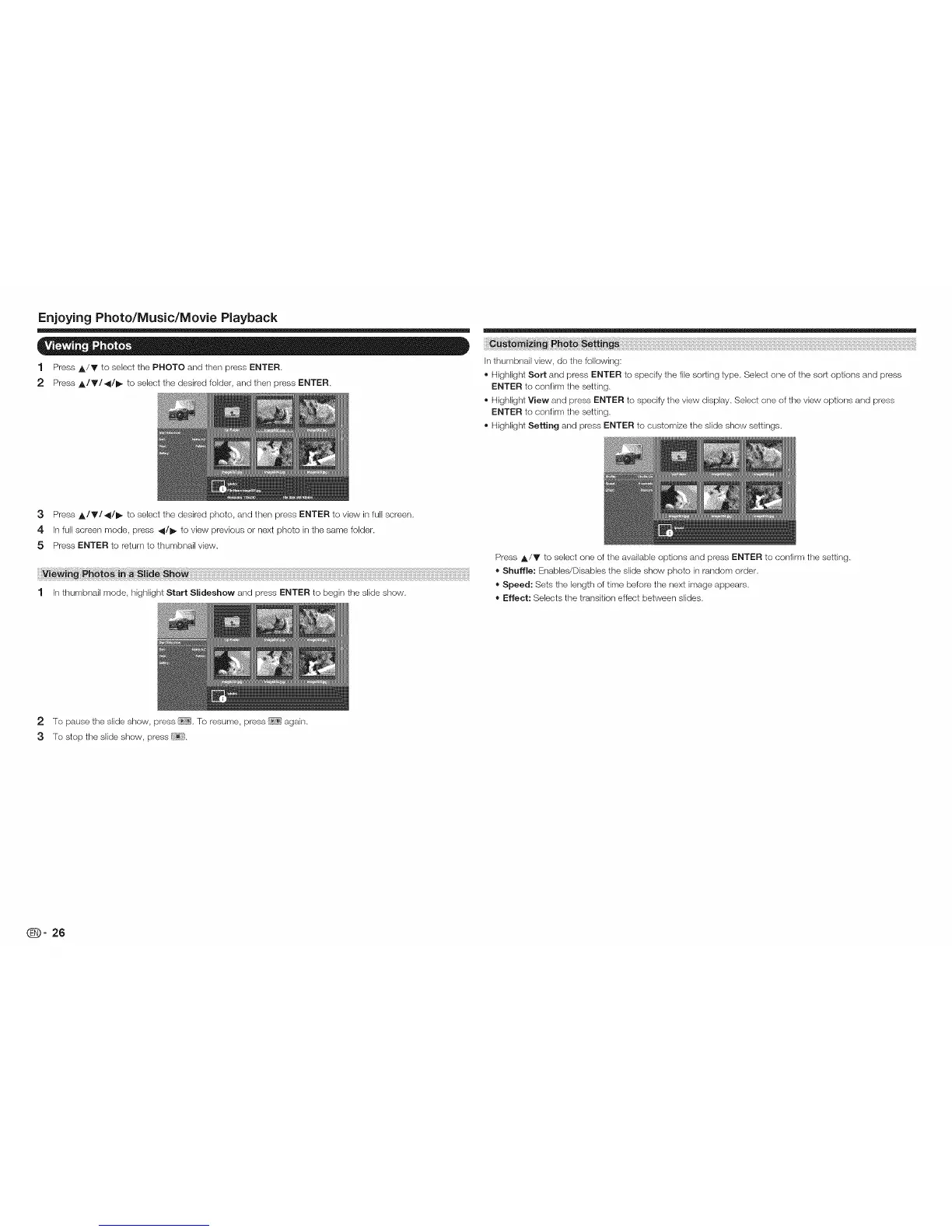
1 Press A/Y to select the PHOTO and then press ENTER.
2 Press A/Y/_/I_ to select the desired folder, and then press ENTER.
In thumbnail view, do the following:
® Highlight Sort and press ENTER to specify the file sorting type. Select one of the sort options and press
ENTER to confirm the setting.
® Highlight View and press ENTER to specify the view display. Select one of the view options and press
ENTER to confirm the setting.
® Highlight Setting and press ENTER to customize the slide show settings.
3 Press A/Y/_/I_ to select the desired photo, and then press ENTER to view in full screen.
4 In full screen mode, press _/1_ to view previous or next photo in the same folder.
5 Press ENTER to return to thumbnail view=
1 In thumbnail mode, highlight Start Slideshow and press ENTER to begin the slide show.
Press A/V to select one of the available options and press ENTER to confirm the setting.
= Shuffle: Enables/Disables the slide show photo in random order.
= Speed: Sets the length of time befere the next image appears.
= Effect: Selects the transition effect between slides.
2 To pause the slide show, press !-_?ii].To resume, press [_;;'_]again.
3 To stop the slide show, press
_- 26









 To Next Page