37
Web-site: www.sharp.co.uk/support Help Line: 08705 274277 (office hours)
MD Editing
- Titling a MiniDisc -
MD-E9000H
Titling a MiniDisc (continued)
To erase disc and track names:
1.Perform steps 1 - 3 in the “Creating disc and track names” section on page 36.
2.Press the CLEAR/DELETE button for 2 seconds or more.
● “NAME CLEAR?” appears.
3.Press the MEMORY/ENTER button.
To delete a character:
1.Perform steps 1 - 3 in the “Creating disc and track names” section on page 36.
2.Press the CURSOR (
ZZ
or
YY
) button to flash the character to delete.
3.Press the CLEAR/DELETE button.
4.Press the MEMORY/ENTER button.
To add a character:
1.Perform steps 1 - 4 in the “Creating disc and track names” section on page 36.
2.Press the CURSOR (
ZZ
or
YY
) button to flash the character before which you
want to add a new character.
3.Select a character to enter and press the MEMORY/ENTER button.
4.Press the MEMORY/ENTER button again.
To change a character:
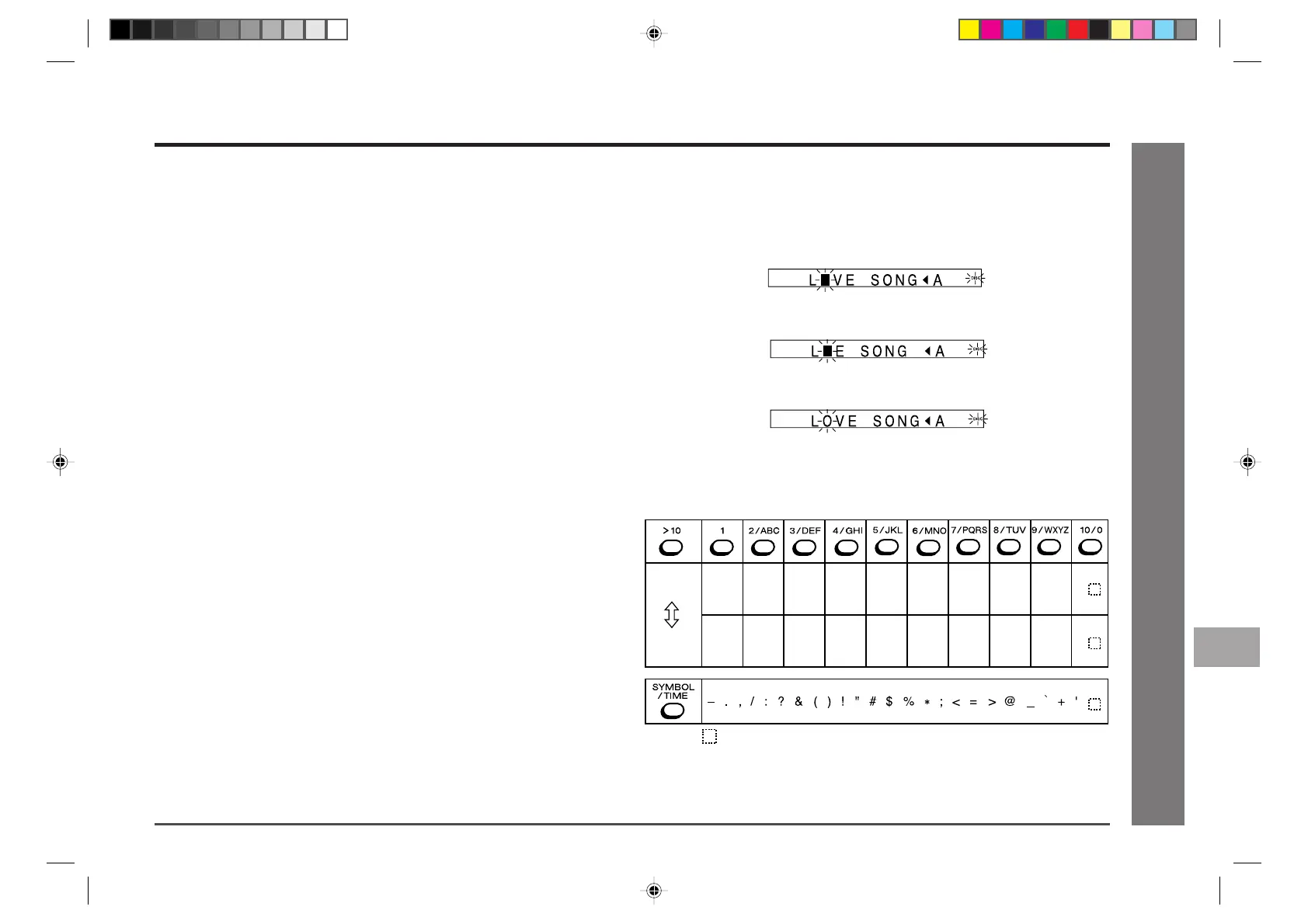
Example) To change “LAVE SONG” to “LOVE SONG”
1.Perform steps 1 - 4 in the “Creating disc and track names” section on page 36.
2.Press the CURSOR (
ZZ
or
YY
) button to flash the character to change.
3.Press the CLEAR/DELETE button.
4.Select a character to enter and press the MEMORY/ENTER button.
5.Press the MEMORY/ENTER button again.
Characters (symbols):
1
Capital
letters
Small
letters
ABC 2 DEF 3 GHI 4 JKL 5
MNO 6 TUV 8
WXYZ 9
0
PQRS 7
1 abc 2
: indicates a space.
def 3 ghi 4 jkl 5 mno 6 tuv 8
wxyz 9
0pqrs 7
11
12
10
9
8
6
7
5
4
3
2
1
*MD9000H-E36-40 2001.4.20, 2:14 AM37


 To Next Page