39
Web-site: www.sharp.co.uk/support Help Line: 08705 274277 (office hours)
MD Editing
- Editing a Recorded MiniDisc -
MD-E9000H
■
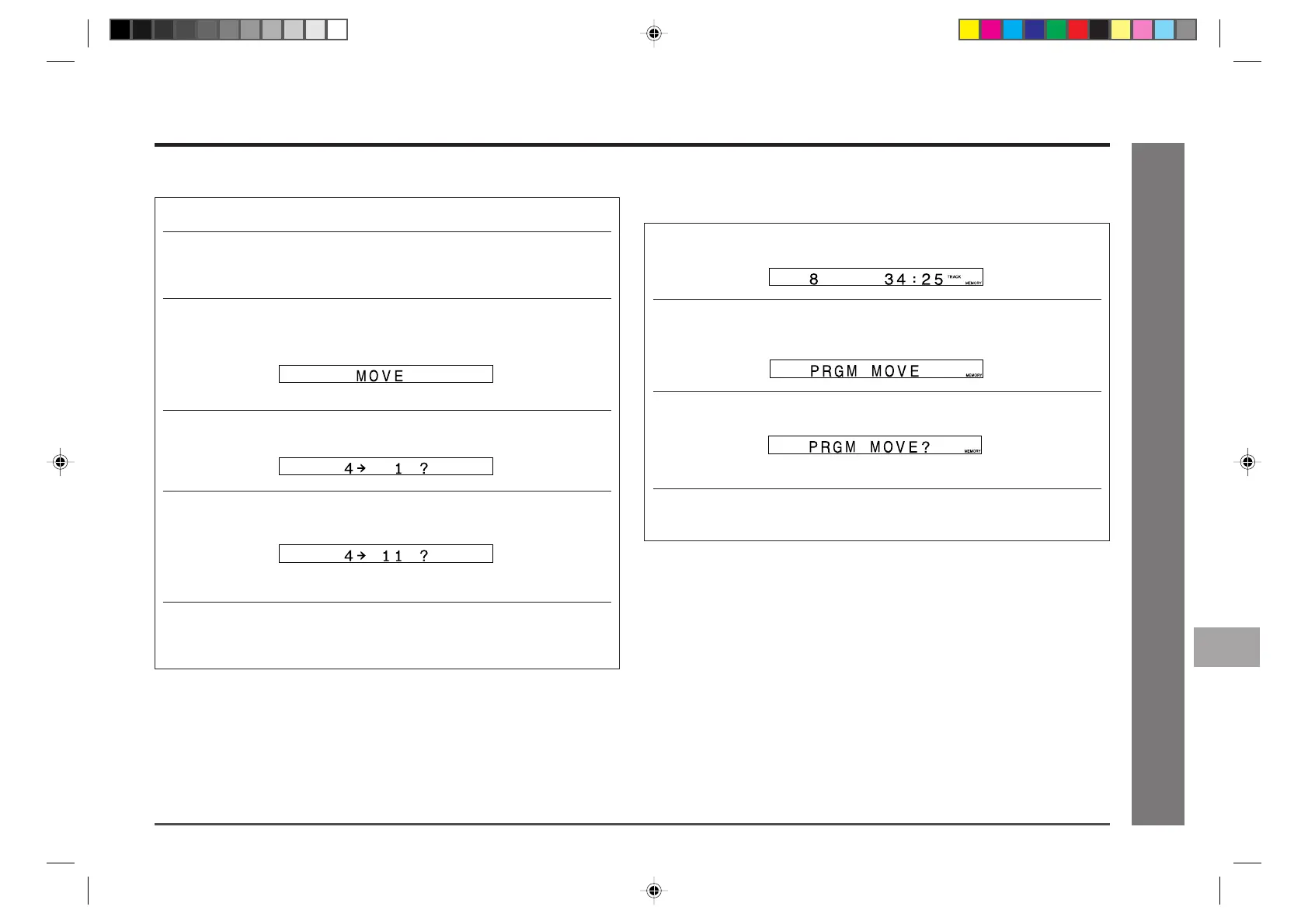
To move programmed tracks (programmed
move)
1 Programme tracks in the desired order (steps 1-5, page 19).
2 Press the NAME/TOC button, and within 10 seconds, select
“PRGM MOVE” using the
5/3 5/3
5/3 5/3
5/3 or
2/42/4
2/42/4
2/4 button.
3 Within 10 seconds, press the MEMORY/ENTER button.
● To cancel the operation, press the NAME/TOC button or MD ■ button.
4 Press the MEMORY/ENTER button again.
● The tracks will be moved, and the unit will exit the programmed move mode.
Notes:
● The tracks that are not included in the programmed selections will be put at the end
of the new track numbers.
● If a track has been programmed more than once, the initial programme position will
have priority.
Editing a Recorded MiniDisc (continued)
■
To move a track
1 Press the MD ■ button and load a MiniDisc (see page 17).
2 Whilst in the stop mode, select the track you want to move using
the
5/3 5/3
5/3 5/3
5/3 or
2/4 2/4
2/4 2/4
2/4 button. Or start playing the track and then
press the MD
0606
0606
06 button.
3 Press the NAME/TOC button, and within 10 seconds, select
“MOVE” using the
5/3 5/3
5/3 5/3
5/3 or
2/4 2/4
2/4 2/4
2/4 button.
4 Within 10 seconds, press the MEMORY/ENTER button.
5 Select a new track position using the
5/3 5/3
5/3 5/3
5/3 or
2/4 2/4
2/4 2/4
2/4 button.
● To cancel the operation, press the MD ■ button.
6 Press the MEMORY/ENTER button again.
● The track is moved, and the unit is stopped at the beginning of the moved
track.
Notes:
● When a track has been moved, the other tracks will be newly numbered automati-
cally.
● This function cannot be used in the random play mode.
11
12
10
9
8
6
7
5
4
3
2
1
*MD9000H-E36-40 2001.4.20, 2:14 AM39


 To Next Page