01/10/26 MD-MT170E_4.fm
20
MD-MT170E
Useful Features
-Advanced Recording-
Advanced Recording
Long-play recording
2 times and 4 times long recording
Double or quadruple time of stereo recording is possible.
Monaural recording
In monaural, you can record twice as long as the stereo
recording.
A track recorded in monaural can be played back in dou-
ble speed, see page 19.
Notes:
The recording mode remains unchanged until a new
mode is selected.
Complete the operation within 7 seconds whilst selecting
the menus.
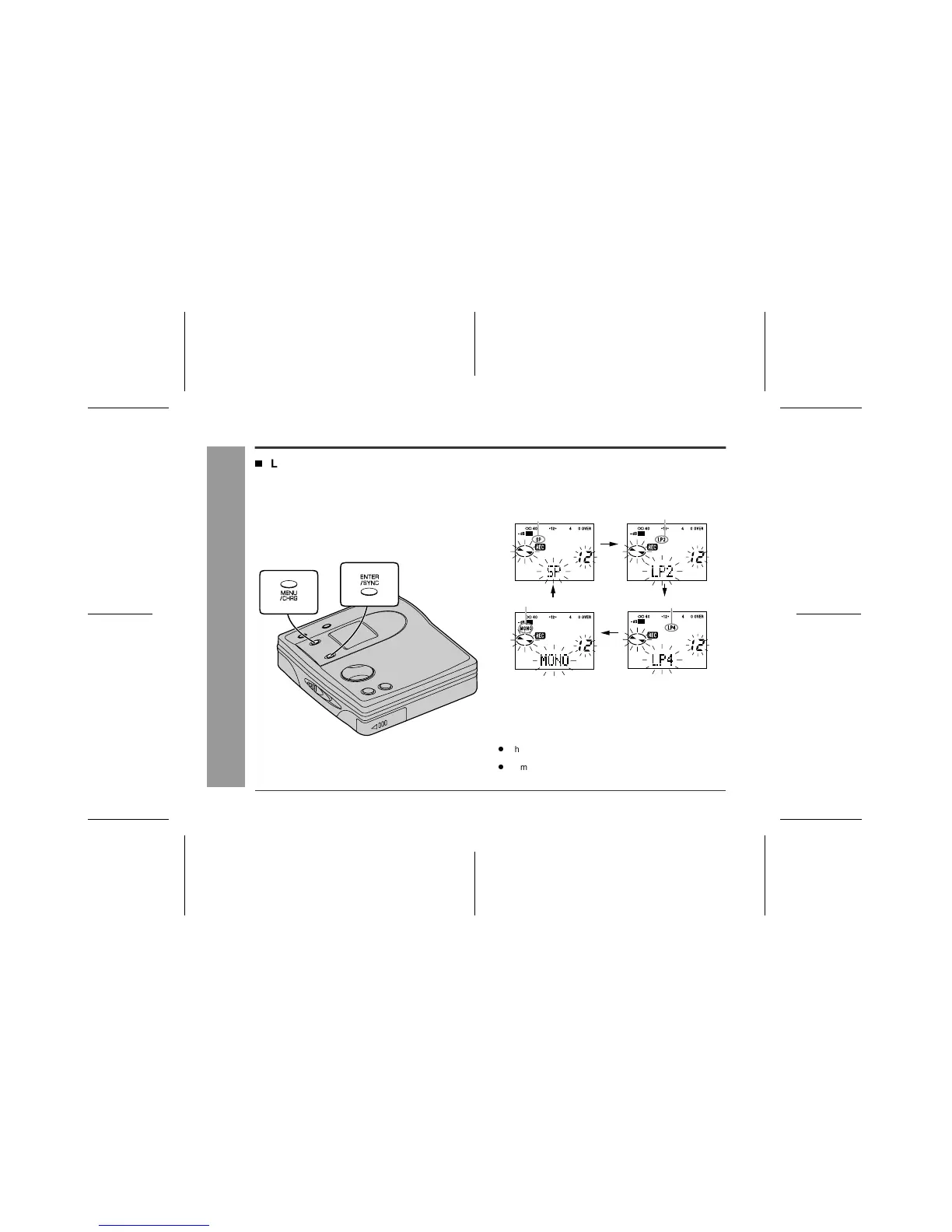
1
When a recording is paused, press the
MENU/CHRG button repeatedly to select
"REC MODE".
2
Press the ENTER/SYNC button.
3
Press the MENU/CHRG button repeatedly to
select the desired recording mode.
4
Press the ENTER/SYNC button.
The mode will be set automatically after 7 seconds even
if the ENTER/SYNC button is not pressed.
5
Start recording.
Stereo recording(SP)
2 times long recording(LP2)
4 times long recording(LP4)Monaural recording(MONO)



 To Next Page