02/11/7 MD_MT270H_SEEG_E2.fm
E-6
MD-MT270H
ENGLISH
Preparation
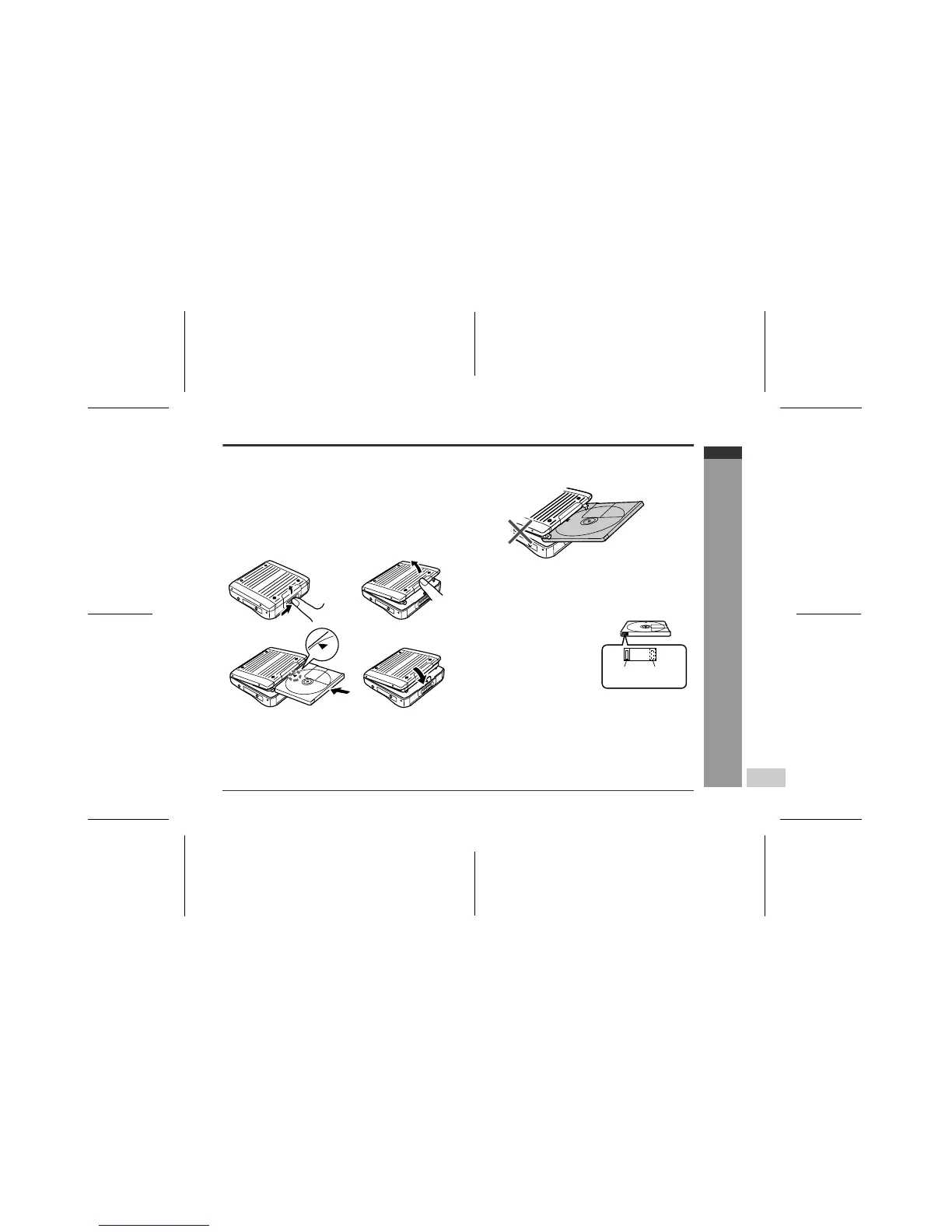
-Inserting a MiniDisc-
Inserting a MiniDisc
1
Slide the OPEN lever to release the compartment
door.
2
Lift up the compartment door.
3
Insert a MiniDisc.
4
Close the compartment door.
Notes:
! Do not place the MiniDisc under the holder.
! If any resistance is felt, do not force the MiniDisc into
the unit, as it may cause damage to the unit. If resis-
tance is felt, remove the MiniDisc and reload it.
! The lid cannot be opened if "TOC" is displayed; refer
to the instruction on page 8.
Insert according to the direction arrow.
12
34
! When you record on a Mini-
Disc, check that the erase
prevention tab is set to the
"Recordable" position.
Recording
prevented
Recordable



 To Next Page