161
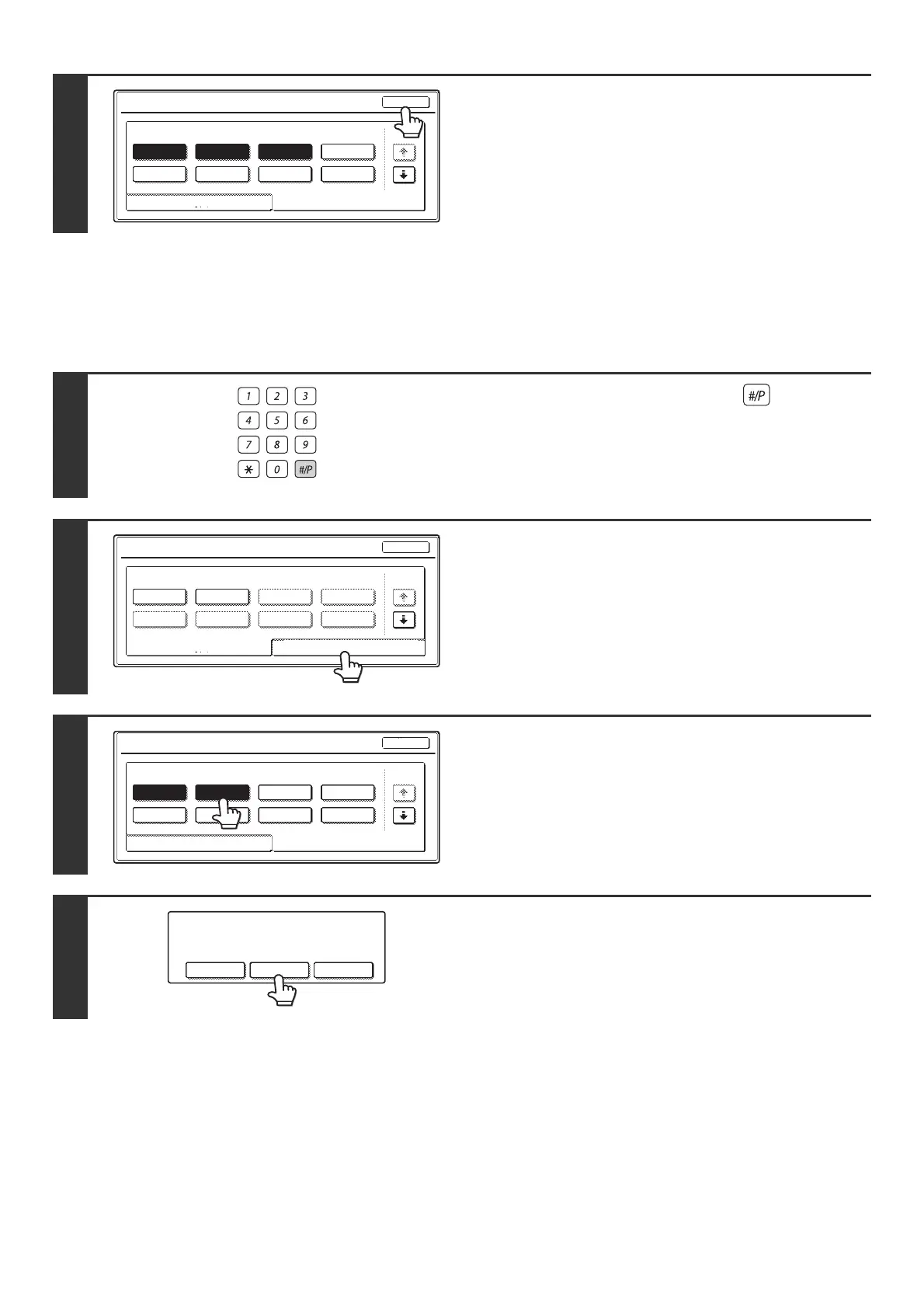
DELETING A JOB PROGRAM
The procedure for deleting a job program is explained below.
5
Touch the [Exit] key.
1
Press the [PROGRAM] key ( ).
2
Touch the [Store/Delete] tab.
3
Touch the numeric key in which the job
program that you wish to delete is
stored.
4
Touch the [Delete] key.
Job Programs
Press program number.
1 2
5 6 7
3
8
4
1/6
Recall
Exit
Store/Delete
LOGOUT
Job Programs
Press program number.
5 6 7
3
8
41 2
1/6
Exit
Store/Delete
Recall
Job Programs
Press program number.
1 2
5 6 7
3
8
4
1/6
Recall
Exit
Store/Delete
A job program has been already stored
in this location.
Cancel Delete Store



 To Next Page