MX-3114N MX-2314N/2614N/3114N (MAIN UNIT) 2 – 10
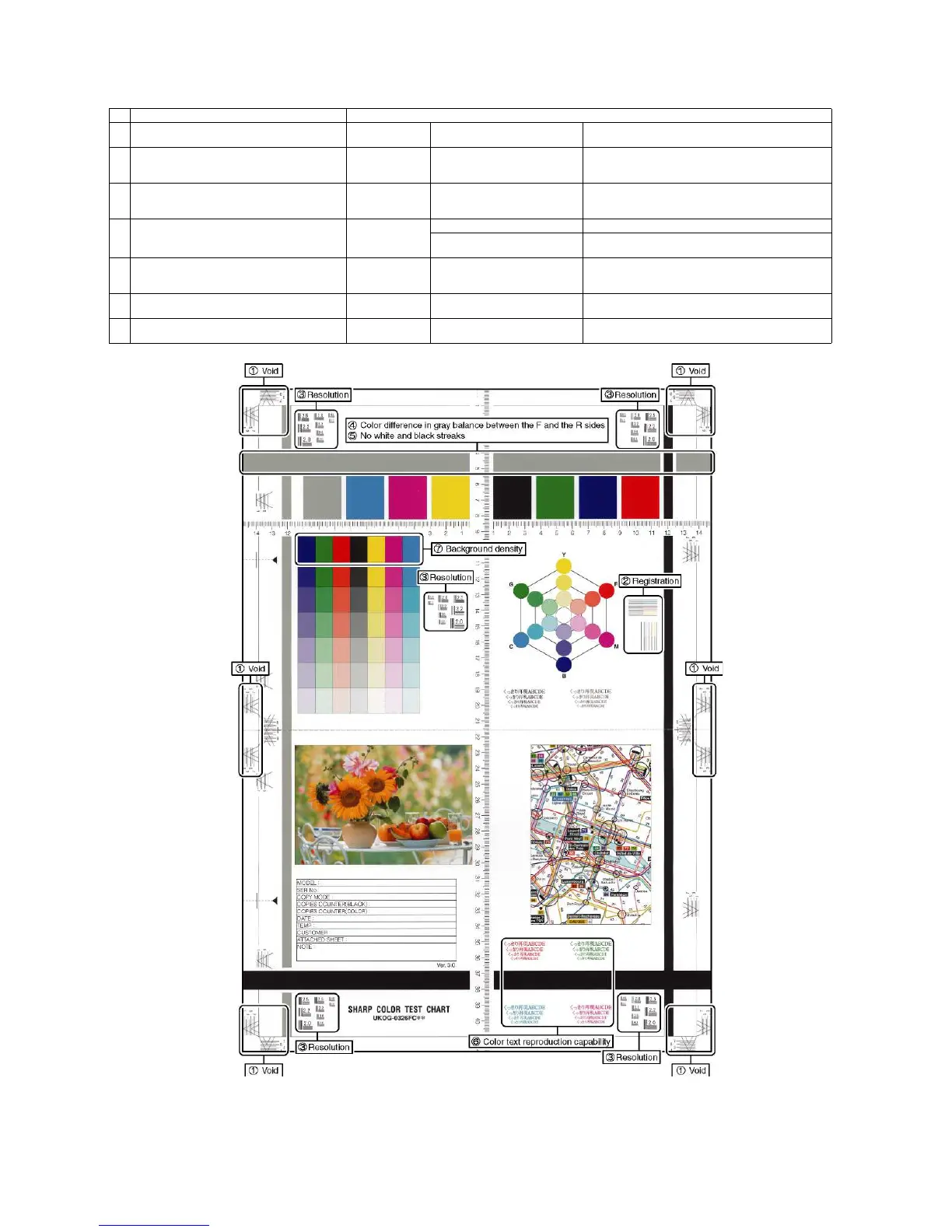
a. Color copy check items (Check to confirm the following:)
Color copy check items Adjustment items
1
There are 12 void areas. Main machine S/
M
ADJ3-A to D Sim50-28
2
Registrations (one point for the main scanning,
and one point for the sub scanning) are not
shifted.
Main machine S/
M
ADJ4-A Sim50-22
3
The resolution of 5.0 (5 points) can be seen. Main machine S/
M
Check the dirtof the OC glass
Clean the OC glassClean the
mirror of the scannerADJ9-D16
Sim46-54Copy gamma, color balance adjustment for
each dither (Automatic adjustment)
4
The color difference in gray balance between the
F and th sides is not so great.
Main machine S/
M
ADJ22-A Sim61-11
ADJ9-B Sim46-74Copy/Printer color balance and density
adjustment (Automatic adjustment) (Basic adjustment)
5
There are no white and black streaks. Clean the mirror of the LSU.
Clean the Main ChargerClean the
mirror of the scanner
6
Color texts are clearly reproduced. Main machine S/
M
ADJ9-D16 Sim46-54Copy/Printer color balance and density
adjustment (Automatic adjustment) (Basic adjustment)
7
The background density is not so light. Main machine S/
M
ADJ9-B Sim46-74Copy/Printer color balance and density
adjustment (Automatic adjustment) (Basic adjustment)





 To Next Page