MX3500N PWB SECTION Q – 4
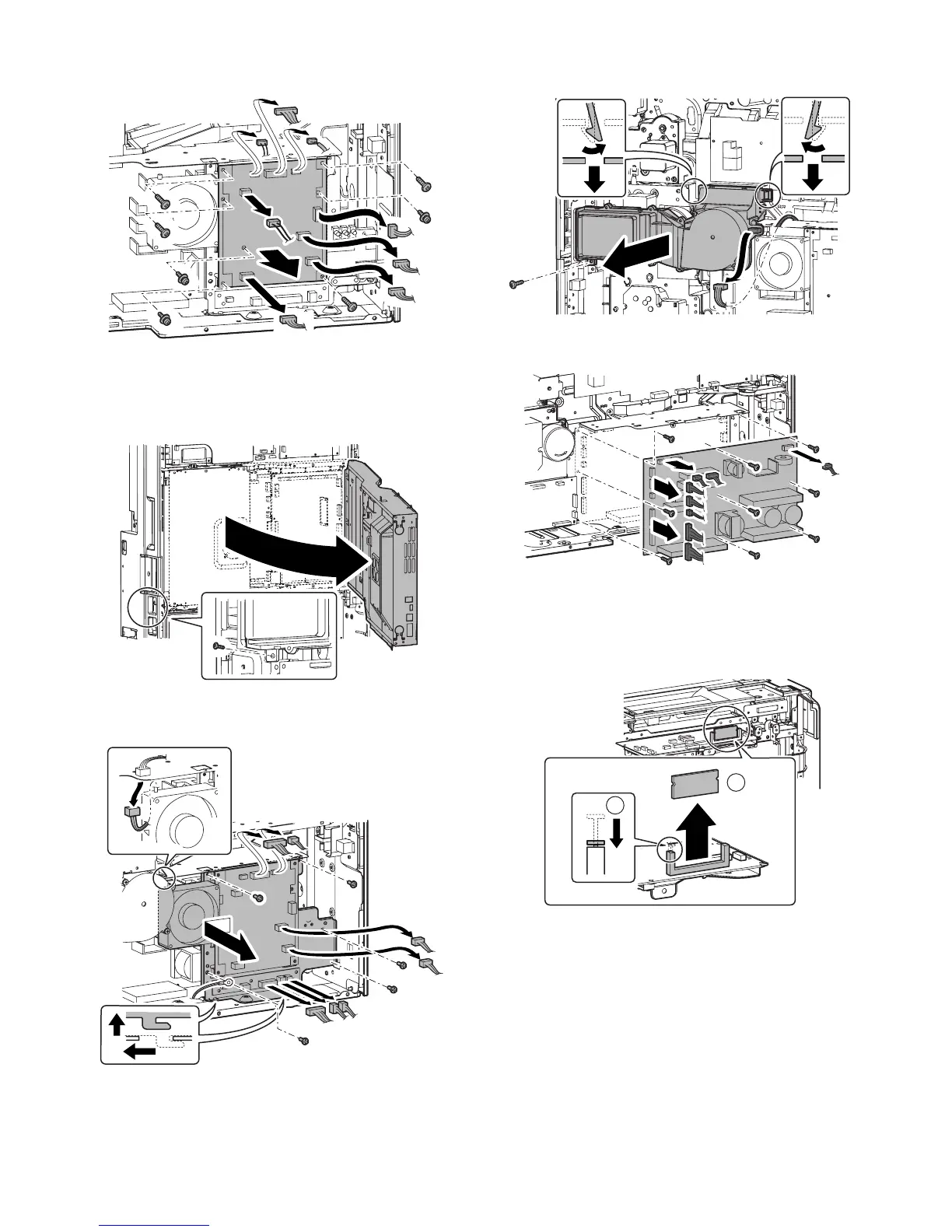
3) Remove the screws and the connector, and remove the AC
power PWB.
b. DC Power PWB
1) Remove the rear cabinet.
2) Remove the AC cord install plate.
3) Open the control box.
4) Remove the screws and the connector, then remove the AC
power PWB unit.
5) Remove the screws and the connector, and remove the filter
box unit.
6) Remove the screws and the connector, then remove the DC
power PWB.
(3) Others
a. SCN Flash ROM PWB
1) Remove the upper cabinet rear cover.
2) Release the lock, and remove the SCN Flash ROM PWB.
1
2



 To Next Page