MX3500N PWB SECTION Q – 5
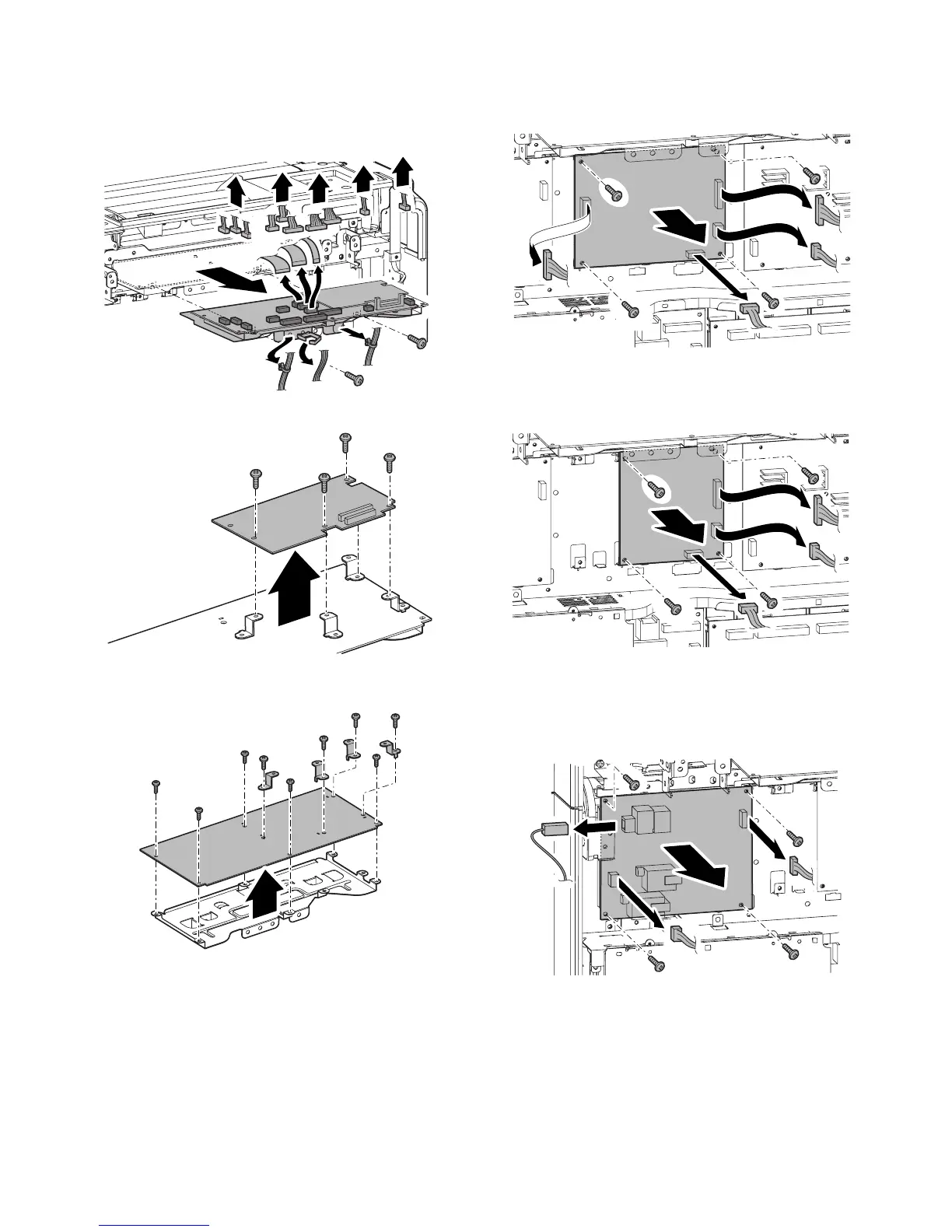
b. DSPF memory PWB
c. Scanner Control PWB
1) Remove the upper cabinet rear cover.
2) Remove the snap band. Remove the screws, and pull out the
scanner control PWB unit. Then remove the connector.
3) Remove the screw, and remove the DSPF memory PWB.
4) Remove the parts. Remove the screws, and remove the scan-
ner control PWB.
d. HL PWB
1) Remove the upper cabinet rear cover.
2) Remove the screws and the connector, and remove the HL
PWB.
e. Driver Sub PWB
1) Remove the upper cabinet rear cover.
2) Remove the screws, and remove the driver sub PWB.
f. Secondary transfer PWB
1) Remove the upper cabinet rear cover.
2) Remove the screws and the connector, and remove the sec-
ondary transfer PWB.



 To Next Page