MX-M316N DISASSEMBLY AND ASSEMBLY 10 – 9
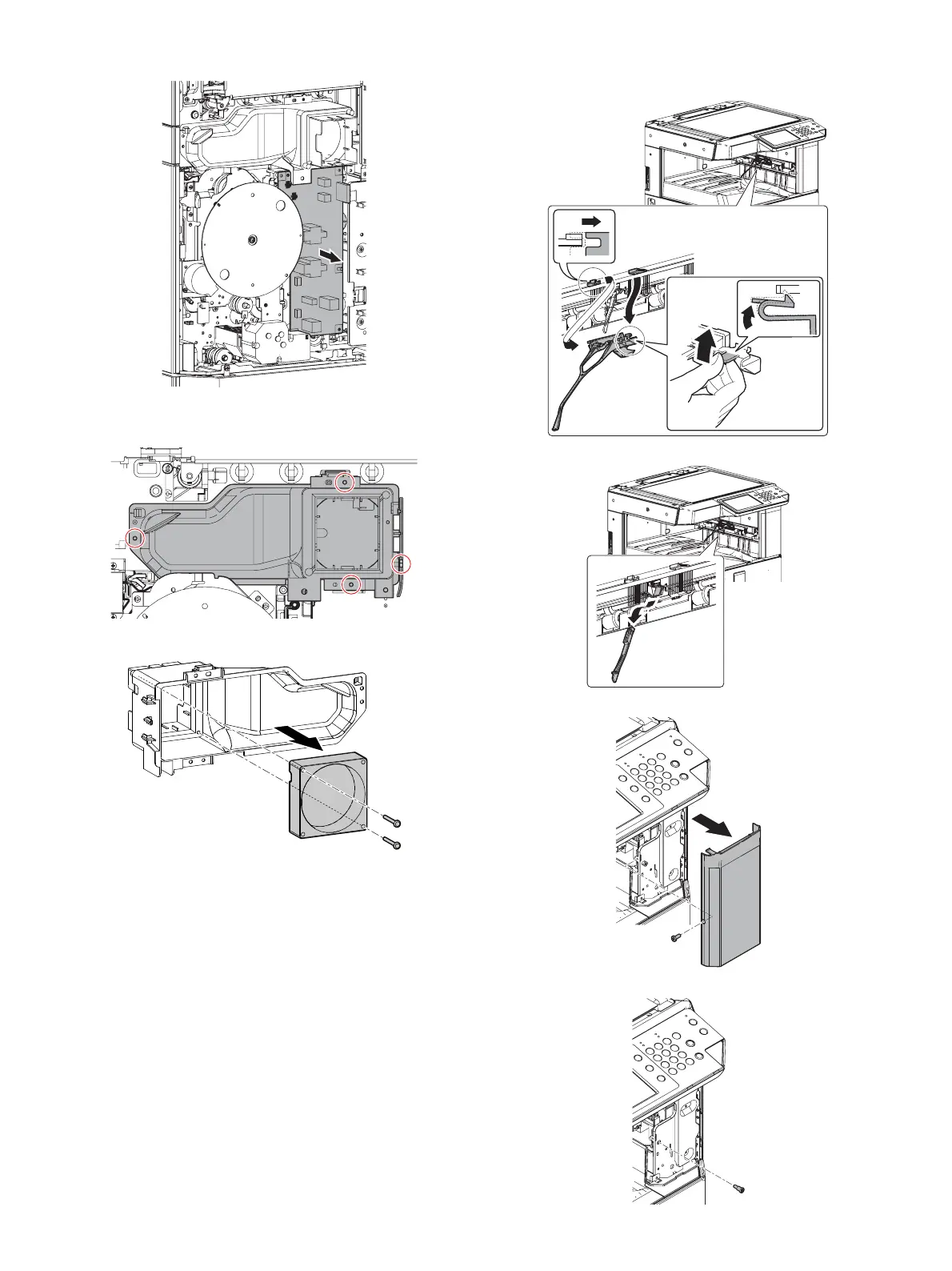
2) Remove the HV PWB.
3) Disconnect the harness and remove the cooling fan with the
fan duct.
4) Remove the cooling fan from the fan duct.
(3) First paper exit unit
1) Remove the paper holding arm.
2) Remove the paper full actuator.
3) Remove the paper exit tray right cabinet.
4) Remove the screw for adjusting the tension.


 To Next Page