REDUCTION/ENLARGEMENT/ZOOM
4-17
4
6
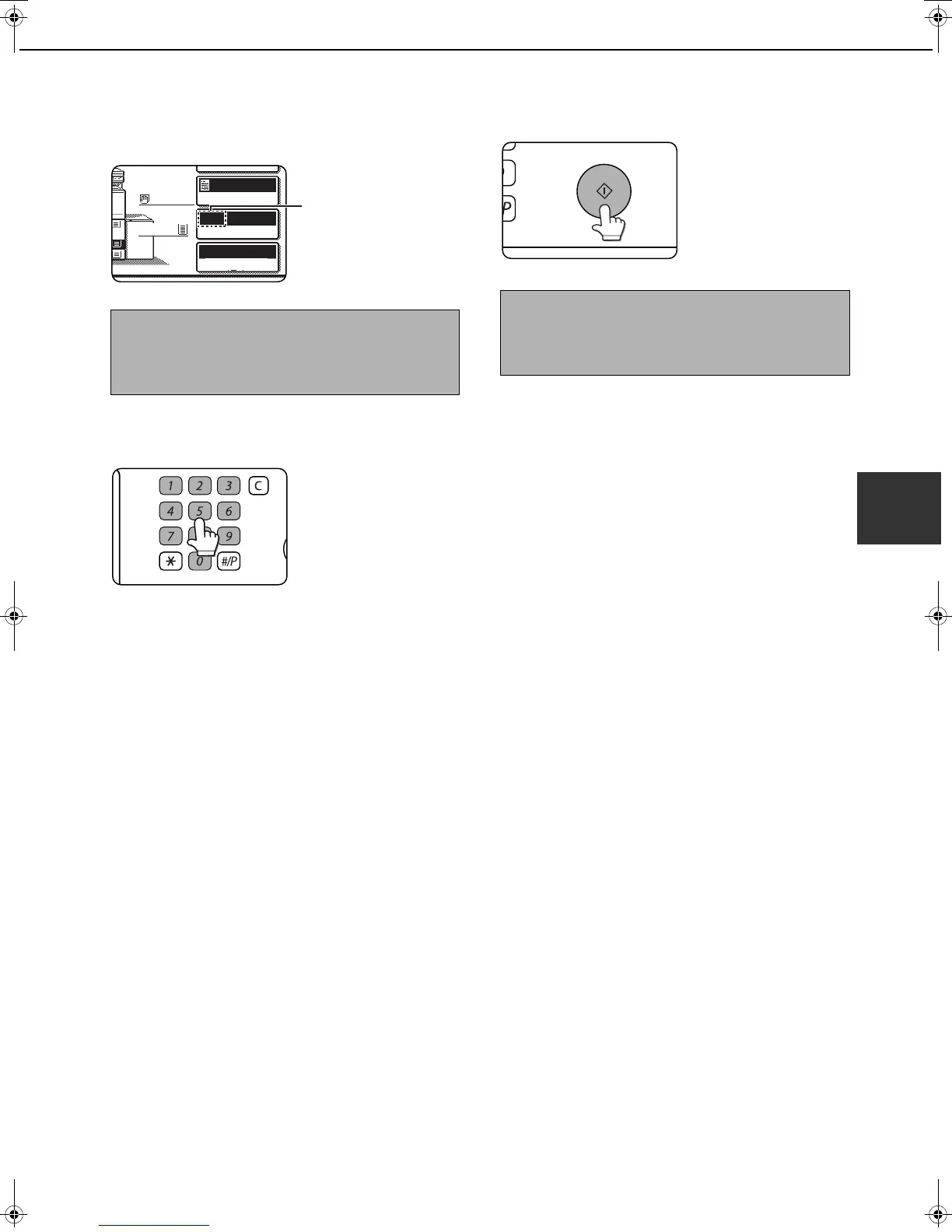
Make sure that an appropriate paper size
has been selected based on the selected
ratio.
Auto paper select display
7
Use the numeric keys to set the desired
number of copies.
Up to 999 can be set.
If you are only making a
single copy, the copy can
be made with the copy
number display showing
"0".
Use the [C] (clear) key to
cancel an entry if a mistake has been made.
8
Press the [START] key.
If you placed the original
on the document glass,
set the output to "Sort",
and pressed the
[START] key, you must
touch the [READ-END]
key after all pages of the
original have been scanned. (Step 7 on page 4-12)
NOTE
If the auto paper select display does not appear, a
tray with the correct size of paper for the selected
ratio will not be automatically selected.
5.
4
AUTO
AUTO
64%
8 x11
ORIGINAL
PAPER SELECT
COPY RATIO
EXPOSURE
8 x11
1
/
2
8 x11
1
/
2
1
/
2
To return the ratio to 100%
To return the ratio setting to 100%, touch the [COPY
RATIO] key to display the ratio menu and then touch
the [100%] key. (Steps 2 and 3 on page 4-16.)
dragonII_copy_sec.book 17 ページ 2006年10月18日 水曜日 午後7時39分


 To Next Page