MISFEED REMOVAL
2-25
2
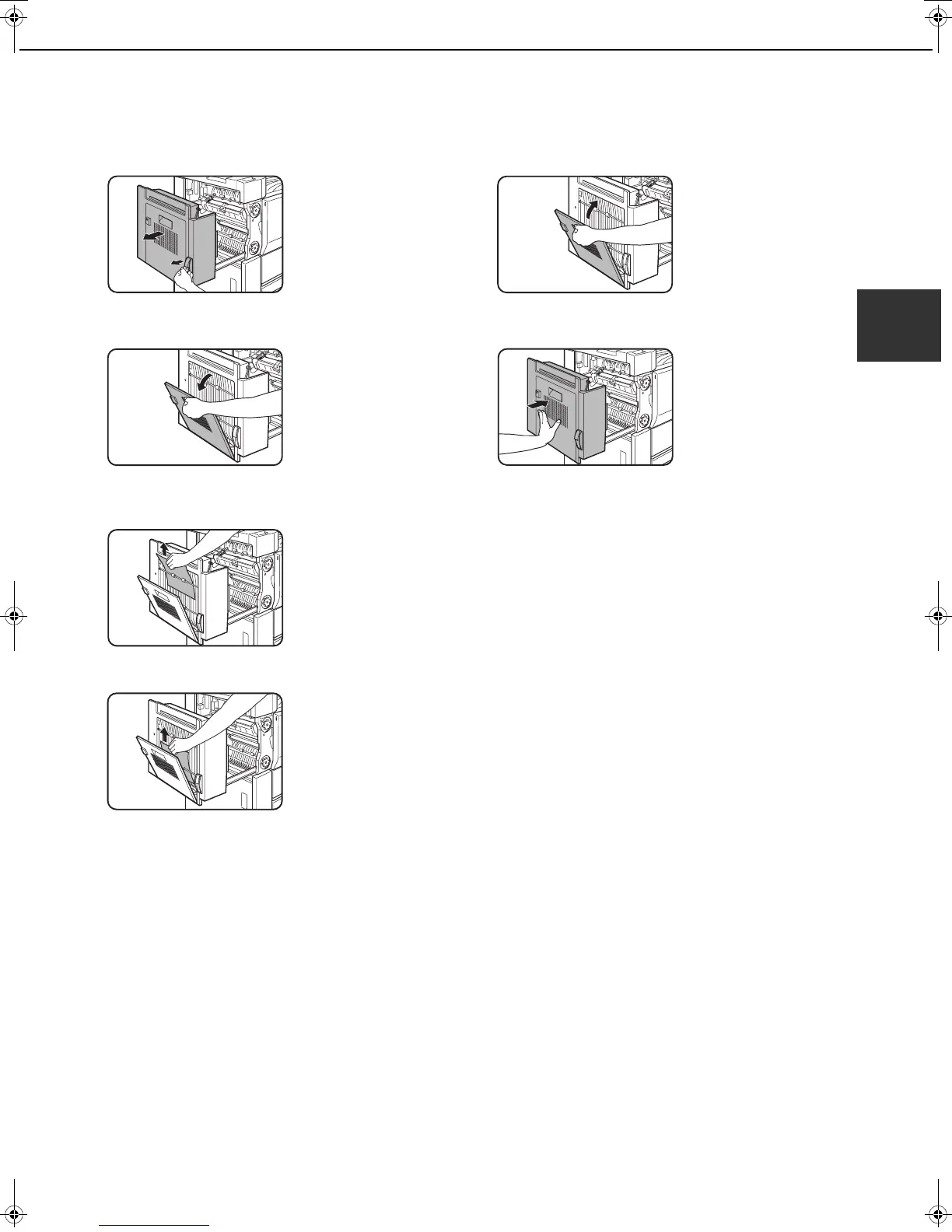
Misfeed in the duplex unit
1
Remove the duplex unit.
Grasp the finger hold
and gently open the unit.
2
Open the cover of the duplex unit.
3
Remove the misfed paper.
Misfeed in upper part of unit
Be careful not to tear the
misfed paper during
removal.
Misfeed in lower part of unit
Be careful not to tear the
misfed paper during
removal.
4
Close the cover of the duplex unit.
5
Gently close the duplex unit.
After closing the duplex
unit, confirm that the
misfeed message has
been cleared and the
normal display appears.
dragonII_copy_sec.book 25 ページ 2006年10月18日 水曜日 午後7時39分


 To Next Page