LOADING PAPER
2-4
3
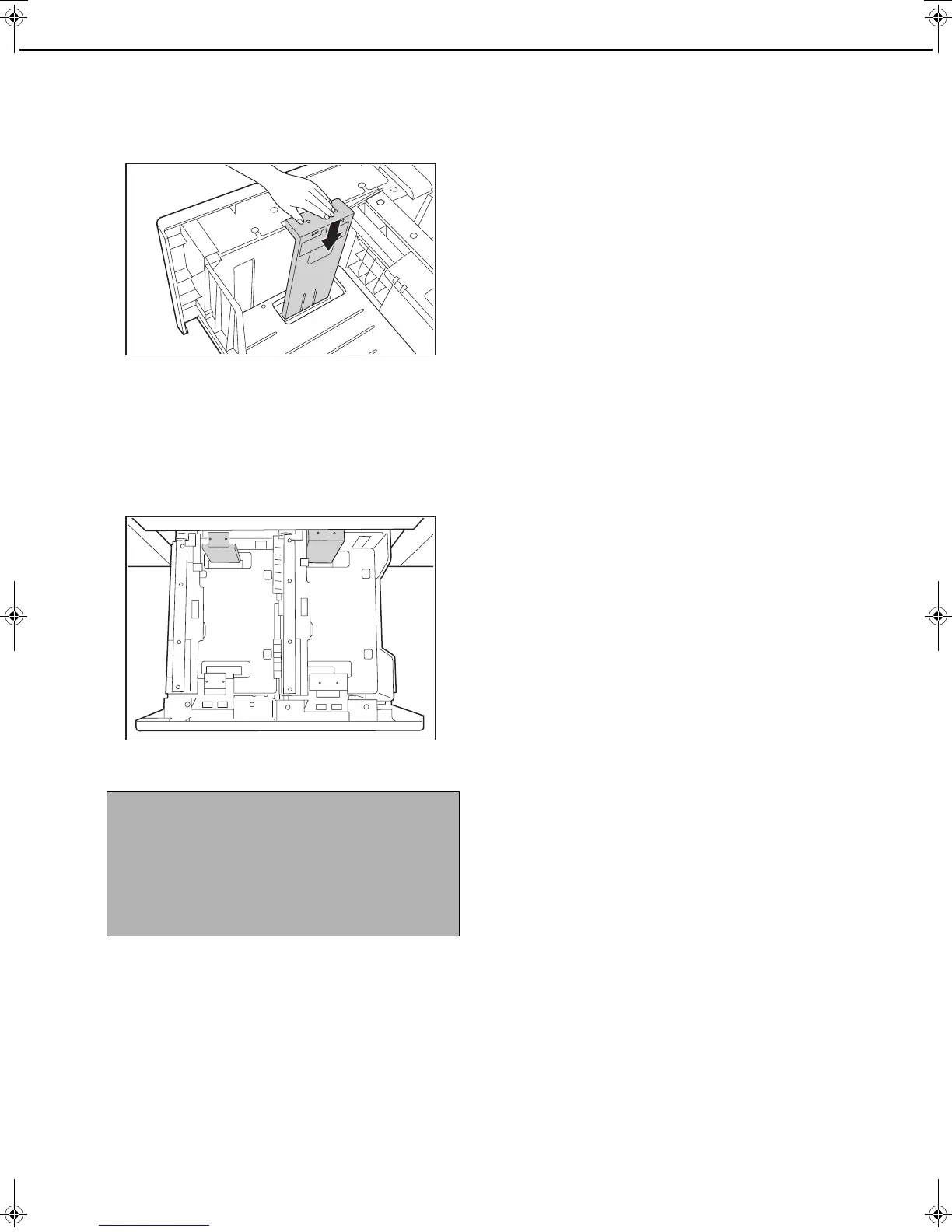
Push in the paper guide so that it locks
into place.
Push the paper size guide in until the hook at the
bottom locks into place. (You will hear a "click"
when the hook locks.) Move the paper size guide
slightly to verify that it has locked into place.
4
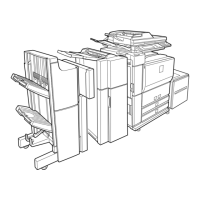
Repeat steps 1 to 3 to adjust the far paper
guide to the paper size to be used.
Be sure to adjust the far paper guide to the same
size as the near paper guide.
5
Set the paper type and paper size.
For the procedure for configuring these settings,
see "Setting the paper type and paper size" (page
2-14).
An incorrect paper type or paper size setting may
cause automatic selection of the wrong type or
size of paper, and result in a misfeed or otherwise
prevent printing.
NOTES
● When removing and attaching the far paper size
guide, take care not to hit the front cover of the
machine.
● Adjust both the front and back guides. If only one
guide is adjusted, skewed feeding and misfeeds
may result.
dragon_02-1.fm 4 ページ 2006年10月18日 水曜日 午後8時44分


 To Next Page