MISFEED REMOVAL
2-30
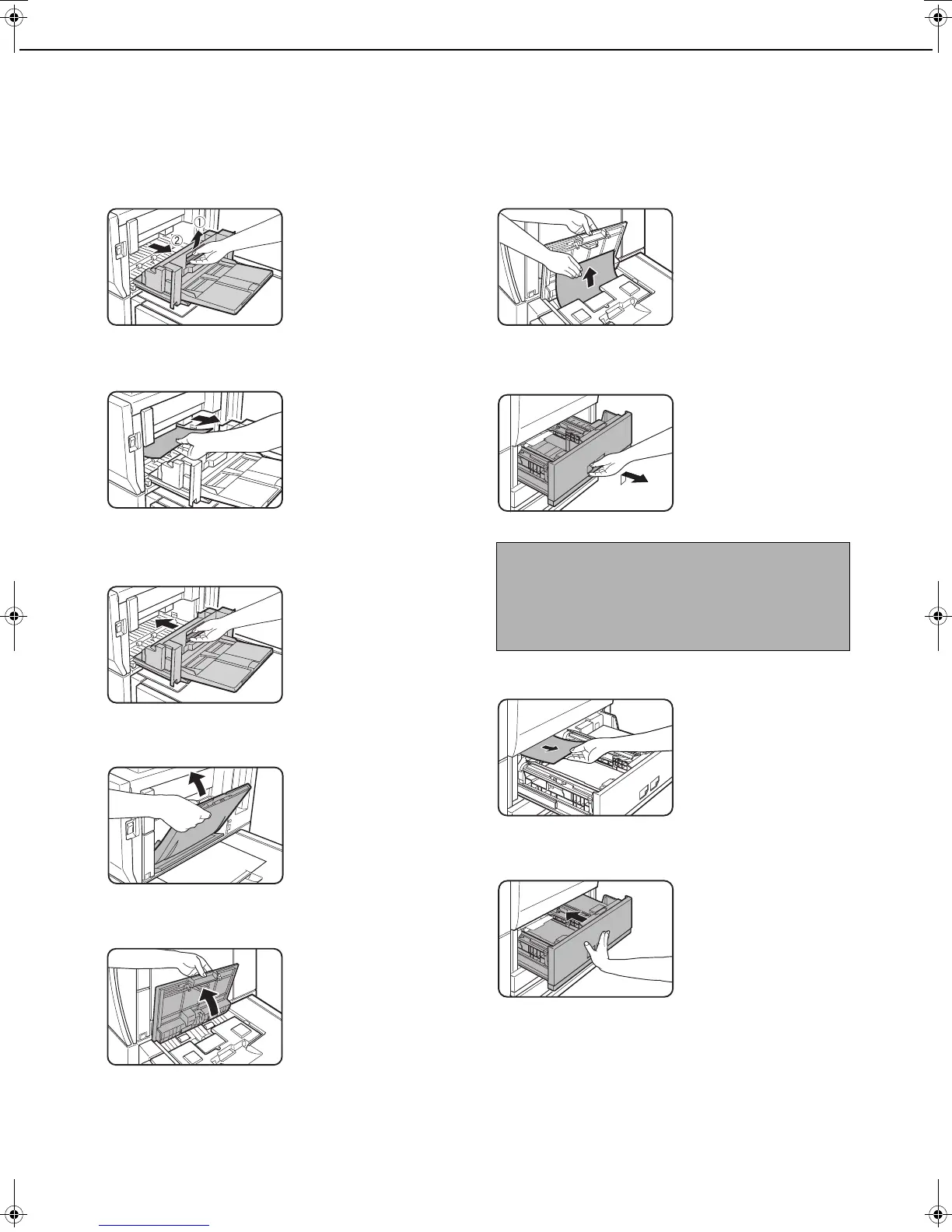
■ Misfeed in the tray 5 (AR-LC7)
If a paper misfeed occurs, follow the steps below to remove the misfeed.
1
Open the side cover.
2
Remove the misfed paper.
Be careful not to tear
the misfed paper
during removal.
3
Gently close the side cover.
4
Close the bypass tray.
5
Open the top cover of the AR-LC7 (tray 5).
Hold the top cover
open.
6
Remove the misfed paper.
Be careful not to tear
the misfed paper
during removal.
After removing the
misfed paper, close the
top cover.
7
Pull out tray 1 - tray 2.
Grasp the finger hold
and gently open the
tray.
Pull the tray all the way
out until it stops.
8
Remove the misfed paper.
Check the paper
transfer unit inside the
tray. If there is a
misfeed in the paper
transfer unit, remove
the misfeed.
9
Gently push tray 1-tray 2 into the machine.
Push the tray firmly all
the way into the
machine.
Make sure that the
misfeed message no
longer appears (the
normal message
display should appear).
NOTE
If a misfeed occurs in the following situation, push tray
1 - tray 2 back in and then pull the tray out again:
● A misfeed occurs during printing from tray 5 (AR-
LC7) while paper is being loaded in tray 1 - tray 2.
dragonII_copy_sec.book 30 ページ 2006年10月18日 水曜日 午後7時39分


 To Next Page