3
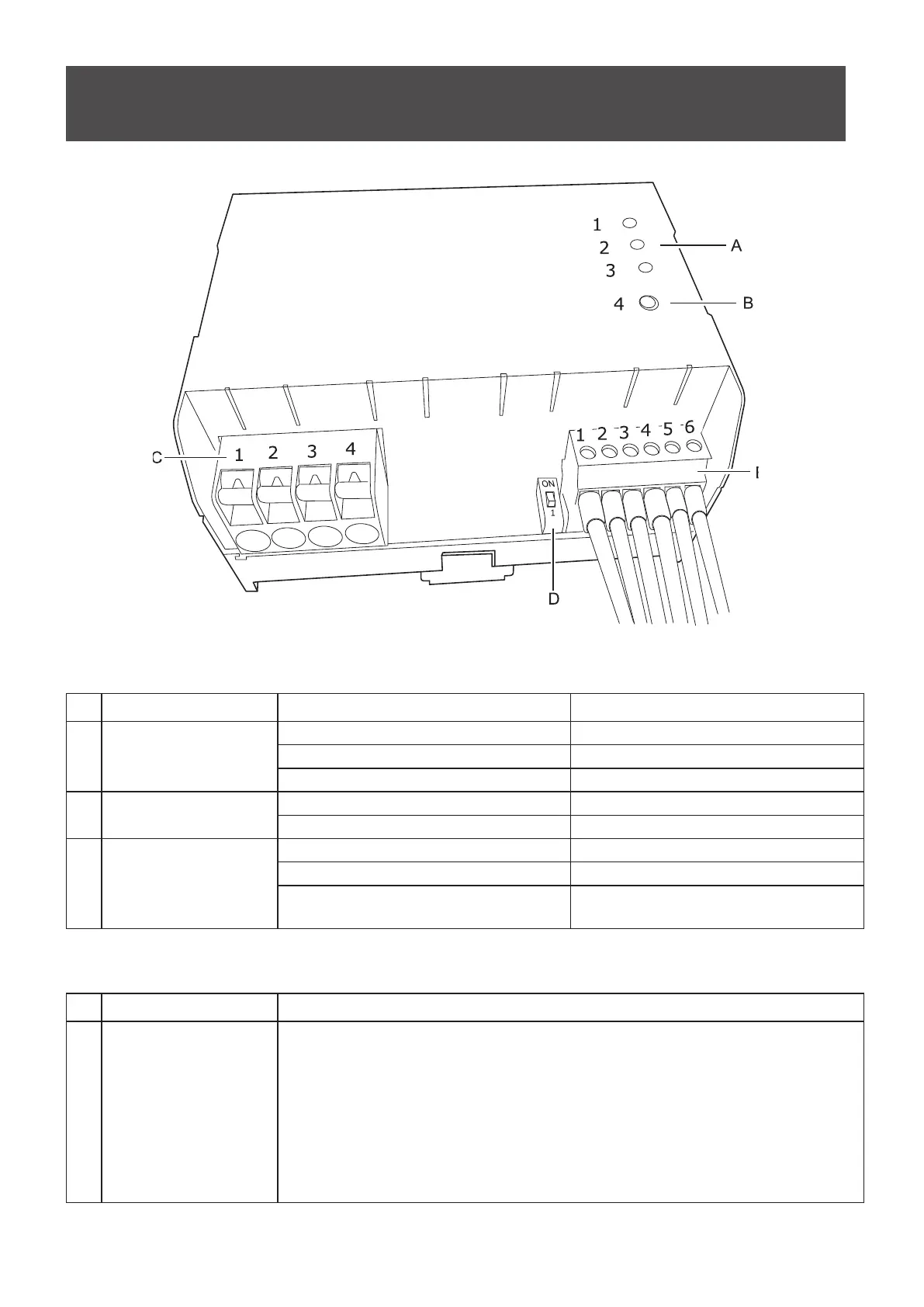
Part Names and Functions
A: LED indicators
Nr LED Indicator LED state Explanation
1 ON/OFF
ON AC OUT on
OFF AC OUT off
Flashing AC OUT will switch after cooldown delay
2 REMOTE
ON Remote mode
OFF Local mode
3 STATUS
ON Normal operation
Fast Flashing Device receives data from RS-485 port
Flashing
(1s ON / 1s OFF)
Temperature error or DC voltage error
B: Button
Nr Name Explanation
4 MODE Press and hold the switch for 3 seconds to switch between modes (remote mode/
local mode).
Remote mode: Switch AC OUT (ON/OFF) using RS-485 communication or
“Control In” pin
Local mode: A short button press switches the AC OUT between ON and
OFF.
Note: The device always starts in remote mode



 To Next Page